.png)
Macworld
Which iPad is best for students
Choosing the right iPad for school isn’t just about specs, it’s about what you’ll actually use it for. If you want a balance of power and portability for classwork and media, the 11-inch iPad Air is an excellent all-rounder. If you prefer something more compact and great for reading and quick notes, the iPad mini fits the bill. And if price matters most, the standard iPad (A16) delivers solid performance without breaking the bank.
Preparing for student life can be exciting and stressful. To make things easier, it’s good to know that you’ve got the right tech to help you with note taking, writing essays, and so you can kick back with Netflix and games when the work is done. The iPad has evolved in recent years to something that can now act as a laptop replacement for many students, with accessories like the Magic Keyboard and Apple Pencil making it one of the most versatile devices you can buy.
In this guide to choosing the best iPad for higher education, we’ll explain how much you can save with Apple’s student discounts before exploring the student-focused pros and cons of each iPad model, including the best use cases for different types of students. We’ll also explain why we currently recommend the iPad Air over the standard iPad, discuss what Apple Intelligence features mean for students, and highlight some useful accessories worth considering.
Can students get discounts on iPads?
The good news is that, yes, students can get money off an iPad when buying from Apple’s education store in their country. Apple offers money off new iPad purchases to students in higher education all year round.
The best time for students to buy a new iPad from Apple is during the summer months because Apple gives qualifying students a free gift such as a pair of AirPods or an Apple Pencil with the purchase of certain iPads and Macs. So, if you’re a student about to start higher education, take advantage of the company’s “Back To School” event which runs during the summer months (between June and September in the U.S. and Canada, from July to October in the U.K and Europe and from January to March in Australia, New Zealand and other southern hemisphere locations). Read our guide to Apple’s Back To School offer.
Another bonus if you’re a student: you can get Apple Music for half price with free Apple TV+ included.
How to get an iPad student discount
If you are a student you can buy a discounted iPad by clicking on the link for Apple’s Education Store where you live:
- Apple’s U.S. Education Store
- Apple’s U.K. Education Store
- Apple’s Canada Education Store
- Apple’s Australian Education Store
In the U.K. it has always been necessary to verify your student status via UNiDAYS. In May 2026, Apple implemented UNiDAYS verification requirements for educational discounts across the US, Australia, Hong Kong, Turkey, Canada, and Chile. Prior to this update it was only necessary to provide the name of your educational institution and an .edu email address to qualify for the discount. Apple’s checks are now more stringent. We explain how to verify your student status and get educational pricing in How to get an Apple student discount.
To qualify for a discount you need to meet Apple’s conditions. You either need to be a student in higher education, or a teacher at a teaching institution. The only way to get a discount for a child still at school is to be home educating them or to be a teacher yourself.
If you can’t get a student discount that doesn’t mean you won’t be able to get money off a new iPad though. Below we recommend the best iPads for students, and you will find links to the best prices at resellers where you are, some of which may be bigger discounts than those offered by Apple. Also read our round-up of the best iPad deals.
How much can students save on an iPad?
Students can save as much as $100 in the U.S., £100 in the U.K., $170 in Australia, and $150 in Canada if they buy from the Apple education store.
You may find more money off at a third party reseller, see the best prices in the sections below.
| Product | U.S. | U.K. | Australia | Canada |
|---|---|---|---|---|
| iPad (A16) MSRP | $349 | £329 | $599 | $499 |
| iPad (A16) Student Price | $329 | £309 | $559 | $469 |
| iPad mini (A17 Pro) MSRP | $499 | £499 | $799 | $679 |
| iPad mini (A17 Pro) Student Price | $449 | £449 | $719 | $609 |
| iPad Air (11-inch, M4) MSRP | $599 | £599 | $999 | $799 |
| iPad Air (11-inch, M4) Student Price | $549 | £549 | $919 | $729 |
| iPad Air (13-inch, M4) MSRP | $799 | £799 | $1,349 | $1,099 |
| iPad Air (13-inch, M4) Student Price | $749 | £749 | $1,259 | $1,029 |
| iPad Pro (11-inch, M5) MSRP | $999 | £999 | $1,699 | $1,399 |
| iPad Pro (11-inch, M5) Student Price | $899 | £899 | $1,529 | $1,249 |
| iPad Pro (13-inch, M5) MSRP | $1,299 | £1,299 | $2,199 | $1,799 |
| iPad Pro (13-inch, M5) Student Price | $1,199 | £1,199 | $2,029 | $1,649 |
Best iPad for students
Choosing the best iPad can be difficult, especially with Apple’s current lineup offering a wide range of models at different price points. The latest options include the M4 iPad Air released in March 2026, the M5 iPad Pro introduced in October 2025, the iPad A16 launched in March 2025, and the iPad mini A17 Pro released in October 2024.
For most students, we recommend the 11-inch iPad Air because it strikes an excellent balance between performance, portability, and price. It also supports Apple Intelligence features, making it more future-proof than the standard iPad. Read on to find out whether the iPad Air is the best choice for your needs, or if another iPad model may suit you better.
iPad Air M4: Best iPad for most students
Pros
- Laptop-level performance
- Lightweight portable design
- Apple Pencil support
Cons
- Expensive accessories if required
- No OLED display
- Limited iPadOS multitasking
Price When Reviewed:
£599
Best Prices Today:




Retailer
Price
£579.99
View Deal
£587.02
View Deal
£599
View Deal
£599
View Deal
£599
View Deal
Product
Price
Why is the iPad Air a good choice for students?
The iPad Air is widely considered the sweet spot in Apple’s tablet lineup for students, offering an excellent balance of performance, portability, and price. It delivers many of the premium features found in the iPad Pro without the significantly higher cost, making it a versatile option for note-taking, research, creative work, and everyday study tasks.
Note: Having introduced the M4 iPad Air in March 2026, Apple is not expected to update the iPad Air again until late 2027.
Advantages for Students
- Laptop-Level Performance: Powered by Apple’s M-series chips, the iPad Air delivers performance comparable to modern MacBooks. It handles demanding tasks with ease, including multitasking, streaming, gaming, web browsing, and productivity apps.
- Versatile Study Tools: Support for the Apple Pencil Pro and Magic Keyboard makes the iPad Air ideal for handwritten notes, sketching diagrams, annotating PDFs, and writing essays. With the right accessories, it can comfortably replace a laptop for many students.
- Apple Intelligence Support: Unlike the standard iPad, M-series iPad Air models support Apple Intelligence, Apple’s AI-powered suite of tools for writing assistance, summarisation, and research.
- Portable Yet Spacious: At just 6.1mm thin and weighing around 460g, the iPad Air is easy to carry between lectures and study sessions. It is available in both 11-inch and 13-inch sizes for students who want either maximum portability or additional screen space for multitasking.
Disadvantages for Students
- Accessories Increase the Cost: The iPad Air is expensive once essential accessories like the Magic Keyboard and Apple Pencil are added.
- 60Hz Display: The LCD display lacks the smoother 120Hz ProMotion technology available on the iPad Pro and some competing tablets.
- Missing Premium Features: The iPad Air uses Touch ID instead of Face ID and does not include the OLED display or quad-speaker setup found on higher-end Pro models.
- iPadOS Limitations: While powerful, iPadOS still cannot fully replace macOS for every workflow. Advanced multitasking, file management, and professional desktop applications remain more limited compared to a traditional laptop.
How much can students save on the iPad Air?
Higher education students can usually save around $50/£50 through Apple’s Education Store, with occasional promotions that include gift cards or discounted accessories during Back to School periods.
MSRP: $599 / £599 / AU$999 / CA$799
Student: $549 / £549 / AU$919 / CA$729
Students save: $50 / £50 / AU$80 / CA$70
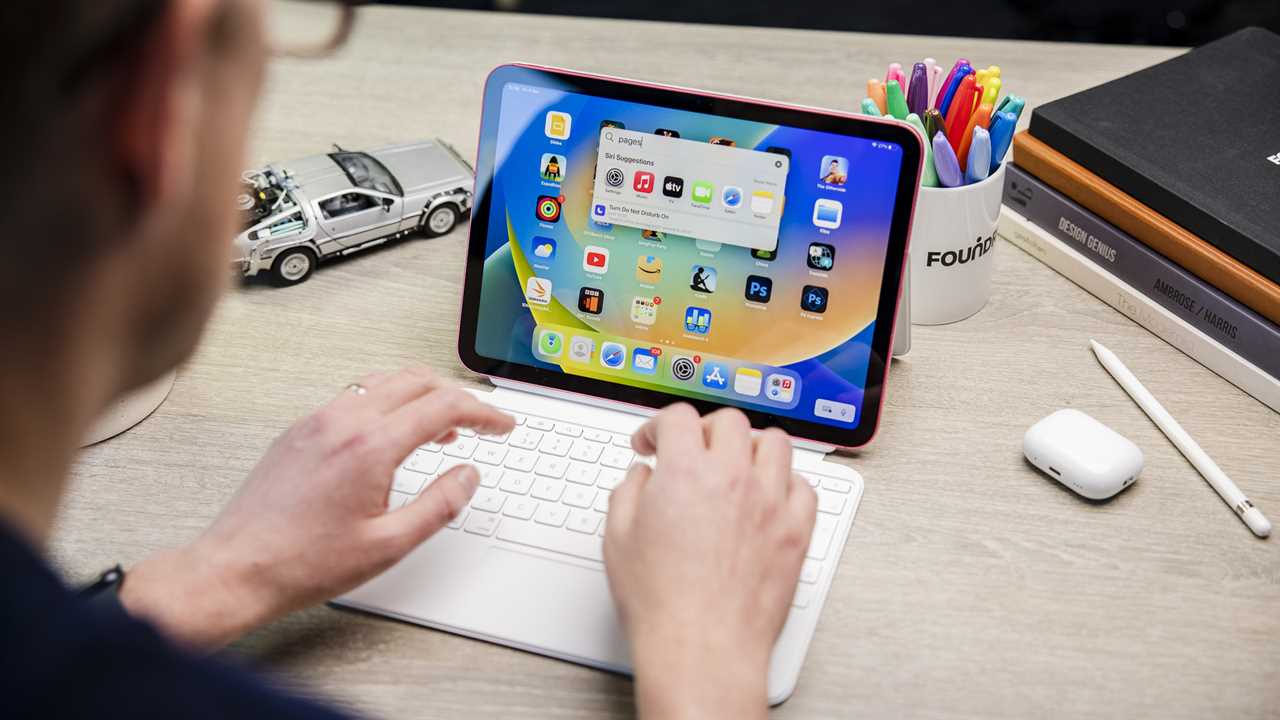
iPad (A16, 2025): Best budget iPad for students
Pros
- Affordable student pricing
- Excellent battery life
- Strong everyday performance
Cons
- No AI features
- Basic display quality
- Limited Pencil support
Price When Reviewed:
£329
Best Prices Today:


Retailer
Price
£314.97
View Deal
£315
View Deal
£315
View Deal
£322.42
View Deal
£329
View Deal
£329
View Deal
£329
View Deal
Product
Price
Why is the iPad A16 a good choice for students?
The iPad A16 is Apple’s most affordable modern iPad and offers excellent value for students who primarily need a device for note-taking, essay writing, research, streaming, and online learning.
Note: Apple is expected to update the iPad A16 in 2026. While the update could arrive in the next few months, it’s more likely to arrive in the October timeframe. If you want to be able to take advantage of Apple Intelligence features we recommend waiting for that update.
Advantages for Students
- Strong Everyday Performance: Powered by the A16 Bionic chip, the iPad A16 comfortably handles word processing, note-taking apps, coding, and multitasking. The upgraded 6GB of RAM also improves longevity for future software updates.
- More Storage For Less: With this generation, Apple doubled the base storage to 128GB from 64GB, giving students more room for textbooks, downloaded lectures, and apps without increasing the starting price. 64GB was never enough, so it’s excellent news that Apple changed this.
- Reliable Battery Life: With over 10 hours of real-world battery life, the iPad A16 can comfortably last through a full day of lectures and studying.
- Affordable Entry Point: Starting at $349/£329 – and often discounted further – the iPad A16 is the most accessible way into Apple’s ecosystem. Students can save even more through Apple’s education pricing.
Disadvantages for Students
- No Apple Intelligence Support: The iPad A16 is currently the only iPad in Apple’s lineup that does not support Apple Intelligence.
- Limited Accessory Support: It does not support the Apple Pencil Pro or second-generation Apple Pencil. Students must use either the first-generation Apple Pencil or the Apple Pencil (USB-C), which lacks pressure sensitivity.
- Basic Display Technology: The non-laminated display has a visible air gap between the glass and screen and lacks an anti-reflective coating, making it less ideal in bright environments.
- Slow USB-C Speeds: Although it uses USB-C, transfer speeds are limited to USB 2.0, making file transfers significantly slower than on the iPad Air or Pro.
How much can students save on the iPad (A16)?
Higher education students can usually save around $20/£20 through Apple’s Education Store, with annual promotions that include gift cards or discounted accessories during Back to School periods.
MSRP: $349 / £329 / AU$599 / CA$499
Students; $329 / £309 / AU$559 / CA$469
Students save: $20 / £20 / AU$40 / CA$30
Read our full Apple iPad (A16) review
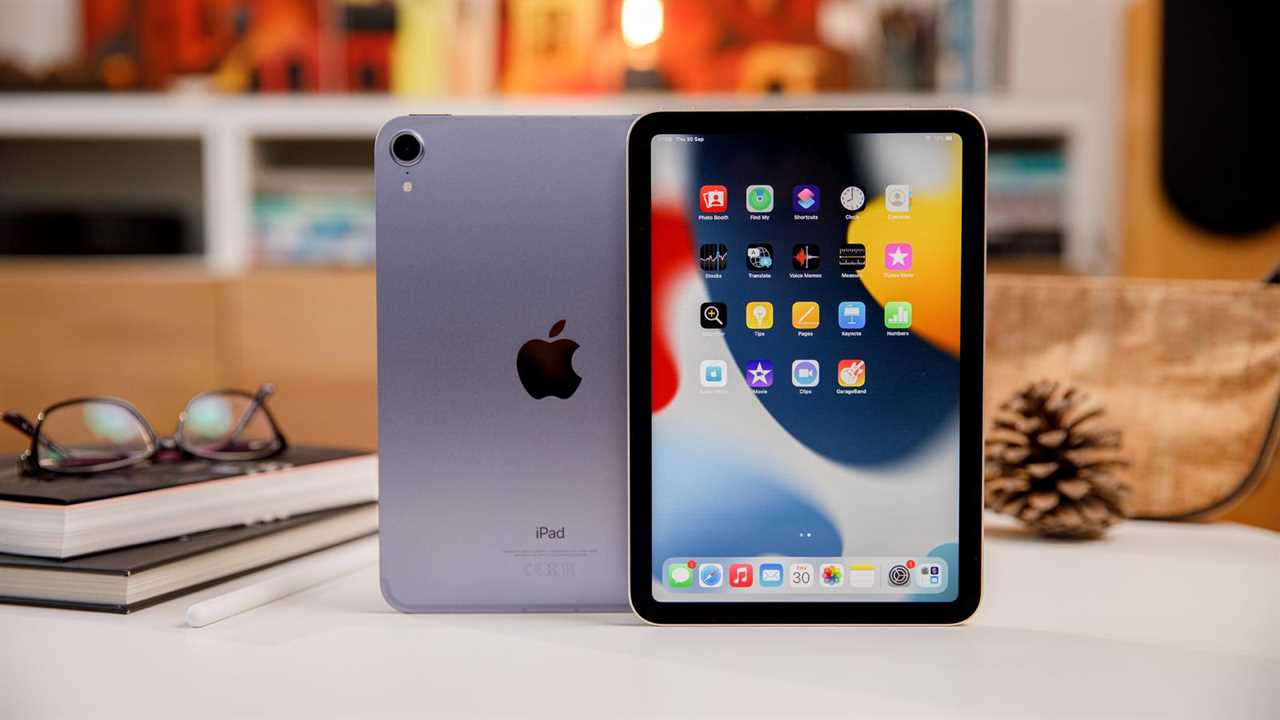
iPad mini (A17 Pro, 2024): Best small tablet for students
Pros
- Extremely portable size
- Great handwritten notes
- Powerful compact performance
Cons
- Small multitasking screen
- Keyboard support limited
- Expensive
Price When Reviewed:
£499 (128GB); £599 (256GB); £799 (512GB)
Best Prices Today:

Retailer
Price
£469
View Deal
£489.02
View Deal
£489.02
View Deal
£499
View Deal
£499
View Deal
£499
View Deal
£569
View Deal
£569
View Deal
Product
Price
Why is the iPad mini a good choice for students?
The iPad mini is designed for students who prioritise portability above all else. Compact, lightweight, and powerful, it works particularly well as a digital notebook, e-reader, or travel companion.
Note: Apple is expected to update the iPad mini in 2026. While the update could arrive in the next few months, it’s more likely to arrive in the October timeframe.
Advantages for Students
- Ultra-Portable Design: Weighing just 293g, the iPad mini easily fits into small bags or large jacket pockets, making it ideal for commuting students.
- Excellent for Note-Taking and Reading: The 8.3-inch display feels natural for handwritten notes, reading textbooks, annotating PDFs, and using the Apple Pencil Pro.
- Impressive Performance: Despite its compact size, the A17 Pro chip delivers strong performance and supports Apple Intelligence features for writing and productivity assistance.
- Useful Academic Features: The 12MP Ultra Wide front camera with Center Stage improves video calls, while built-in document scanning makes it easy to digitise notes and coursework.
Disadvantages for Students
- Small Display for Multitasking: The compact screen can feel cramped when multitasking, working on spreadsheets, or viewing complex documents.
- Less Suitable as a Laptop Replacement: The iPad mini lacks support for Apple’s Magic Keyboard and Smart Connector accessories, making long-form writing less convenient, although you can use any Bluetooth keyboard with it.
- Higher Price Than the Standard iPad: Although portable, the iPad mini costs significantly more than the entry-level iPad, and many students may find the iPad Air offers better overall value.
- 60Hz Refresh Rate: Like the iPad Air, the iPad mini lacks the smoother 120Hz ProMotion display found on the iPad Pro.
How much can students save on the iPad mini?
Higher education students can usually save around $50/£50 through Apple’s Education Store, with promotions that include gift cards or discounted accessories taking place during Back to School periods.
MSRP: $499 / £499 / AU$799 / CA$679
Students: $449 / £449 / AU$719 / CA $609
Students save: $50 / £50 / AU$80 / CA$70
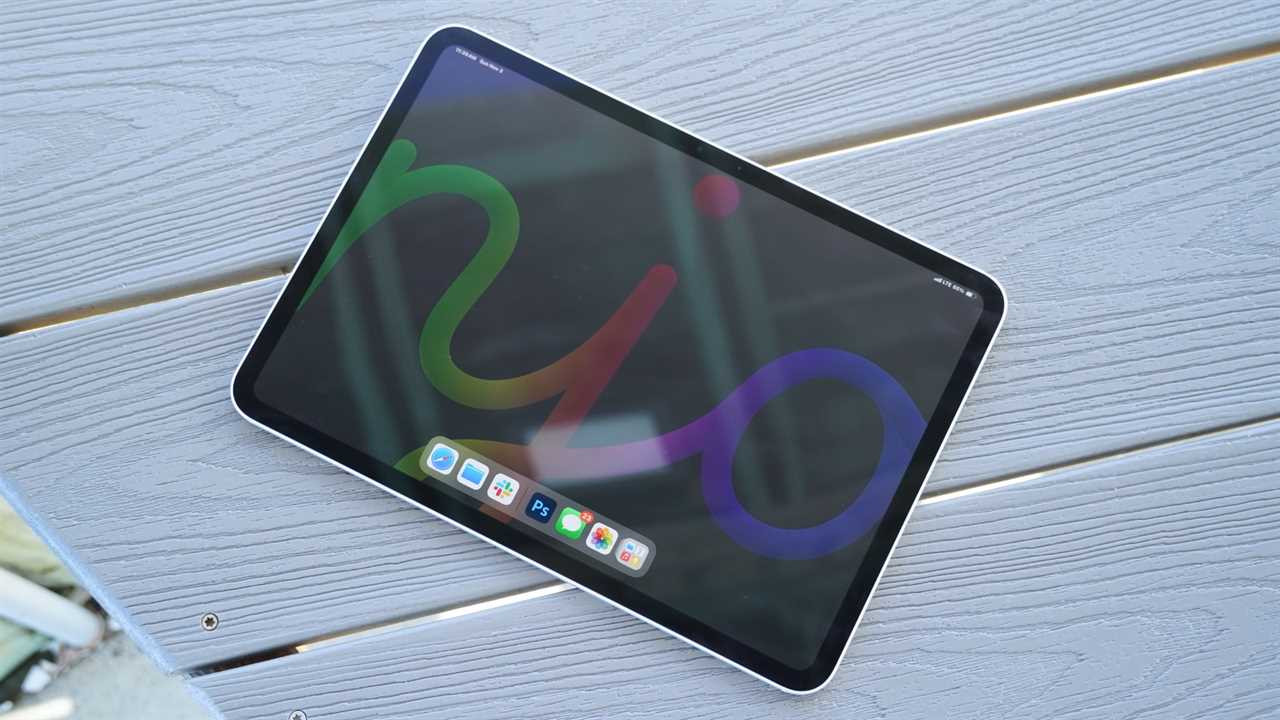
11-inch iPad Pro (2025): Best iPad for student power users
Pros
- Exceptional creative performance
- Stunning OLED display
- Premium build quality
Cons
- Very expensive overall
- iPadOS software limitations
- Can overheat heavily
Price When Reviewed:
£999
Best Prices Today:
Retailer
Price
Check on Amazon
Product
Price
Why is the iPad Pro a good choice for students?
The iPad Pro is designed for students who need maximum performance for demanding creative or technical workloads. It combines desktop-class power with a premium display, advanced accessories, and exceptional portability.
Note: Apple is not expected to update the iPad Pro until 2027.
Advantages for Students
- Powerful Desktop-Class Performance: Powered by Apple’s latest M-series chips, the iPad Pro excels in demanding applications like Photoshop, Final Cut Pro, Logic Pro, and 3D design software.
- Premium OLED Display: The Ultra Retina XDR OLED display delivers exceptional brightness, contrast, and colour accuracy, making it ideal for creative students working in photography, video editing, or design.
- Advanced Apple Pencil Experience: The Apple Pencil Pro offers industry-leading precision for drawing, note-taking, and annotations that traditional laptops cannot replicate.
- Highly Portable: The iPad Pro is thinner and lighter than many laptops, making it easy to carry throughout the day while still providing powerful performance.
- 5G Connectivity and Face ID: Optional 5G support allows students to stay connected without relying on Wi-Fi, while Face ID offers fast and convenient authentication.
Disadvantages for Students
- Very Expensive: The cost rises quickly once accessories are added. A fully equipped iPad Pro with the Magic Keyboard and Apple Pencil Pro can cost well over £2,000/$2,000.
- iPadOS Limitations: Despite improvements, iPadOS remains less flexible than macOS for professional workflows, advanced file management, and specialised desktop software.
- Thermal and Battery Constraints: The ultra-thin design can lead to overheating during intensive tasks like video editing, and battery life may not match a MacBook Air under heavy workloads.
- Less Stable Than a Laptop: Using the iPad Pro on a lap can feel awkward compared to a traditional laptop, and the lack of a headphone jack may inconvenience some users.
How much can students save on the 11-inch iPad Pro?
Higher education students can usually save around $100/£100 through Apple’s Education Store, with occasional promotions that include gift cards or discounted accessories during Back to School periods.
MSRP: $999 / £999 / AU$1,699 / CA$1,399
Students: $899 / £899 / AU$1,529 / CA$1,249
Students save: $100 / £100 / AU$170 / CA$150
Read our full Apple iPad Pro 11-inch (M5, 2025) review
Best iPads for different student needs
There are several factors to consider when choosing the best iPad as a student. For students primarily using their iPad for note-taking, reading, and everyday study tasks, a lightweight and portable device may be the most important feature. However, students looking for a laptop replacement for creative work, multitasking, or long essay writing sessions may benefit from a more powerful model.
The table below highlights the best iPad for different student needs, helping you find the right balance of performance, portability, and value.
| Student Need | Best iPad | Best iPad |
|---|---|---|
| Note-taking | iPad Air M4 | Excellent Apple Pencil support, lightweight design, and enough power for multitasking and study apps. |
| Essay Writing | iPad Air M4 | Works well with the Magic Keyboard and offers laptop-level performance for research and writing. |
| Art & Design | iPad Pro | OLED display, Apple Pencil Pro support, and powerful performance for creative apps. |
| Budget Option | iPad A16 | Affordable price, strong everyday performance, and great battery life for core student tasks. |
| Portability | iPad mini A17 Pro | Ultra-compact and lightweight, ideal for commuting, reading, and quick note-taking. |
| Laptop Replacement | iPad Pro | Powerful enough for demanding workloads with advanced multitasking and premium accessories. |
iPad vs iPad Air for students
For students deciding between the iPad Air and the standard iPad, the choice depends on whether you prioritize future-proofing and performance or budget-friendly basics. As of May 2026, the iPad Air is generally considered the superior choice for most students due to its support for advanced AI features and more powerful processors.
The standard iPad (A16) remains a strong contender for students on a strict budget, the main drawback as of May 2026 is it’s lack of support for Apple Intelligence features.
Should students buy an iPad or a laptop?
Choosing between an iPad and a laptop depends largely on your specific course requirements, multitasking needs, and preference for portability versus software flexibility. While the iPad has evolved into a versatile device that can act as a laptop replacement for many, the MacBook remains the stronger option for complex multitasking and full desktop software.

Reasons to choose an iPad
The iPad is a strong option for students who prioritize portability, handwritten notes, and a touch-first experience. It is particularly useful for students who need to record lectures and take quick notes.
- Portability and Versatility: iPads are significantly lighter than even the thinnest laptops, making them easier to carry between lectures and libraries.
- Note-Taking and Creativity: With an Apple Pencil, the tablet becomes a digital art studio or a powerful tool for handwritten notes.
- Battery Life: Most models offer around 10 hours of battery life, which is typically enough to last through a full day of classes.
Reasons to choose a laptop
For students with more demanding workflows, a MacBook or Windows laptop is generally the better long-term choice due to its full desktop operating system and broader software support.
- Multitasking and Software: Laptops offer superior window management and the ability to run specialized desktop applications that may not be available on iPadOS.
- Writing and Research: If you are likely to be typing long essays, the built-in keyboard and larger screen of a laptop are often preferred.
- Value for Money: With the introduction of the MacBook Neo in March 2026, the price gap has narrowed. Starting at $499 for students, it competes directly with mid-range iPads.
Take a look at our guide to the best Macs for students to find the best MacBook for your needs, either as well as, or instead of an iPad.
Benefits of Apple Intelligence for students
Apple Intelligence provides a suite of generative AI tools designed to enhance productivity and creativity for students using compatible iPads. These features are natively integrated into iPadOS, allowing students to access them across various apps without needing separate subscriptions.
Apple Intelligence assists students primarily through writing assistance, organization, and creative tools:
Writing Tools: Students can use these features to proofread essays, uncover typos, and adjust the tone of their writing to be more professional or concise. Just don’t use it to write your whole dissertation.
Summarization: The AI can provide summaries of long emails and web pages, helping students quickly digest research materials.
Creative Assistance: Tools like Image Wand and other image generation features allow students to create custom illustrations or emojis for presentations and documents.
iWork Integration: For students using Pages, Numbers, or Keynote, Apple Intelligence can auto-fill tables, generate images for documents, and even create entire slide presentations based on text prompts.
Hardware requirements and compatibility
A critical factor for students is that Apple Intelligence is not available on all iPad models. It requires significant processing power and memory (at least 8GB of unified memory).
Apple Intelligence is restricted to iPads powered by M1 chips or newer, which includes the iPad Air and iPad Pro lines. The iPad mini with A17 Pro chip is also able to support Apple Intelligence.
The standard iPad (updated in March 2025 with the A16 Bionic chip) does not support Apple Intelligence. While the A16 chip is capable of running educational apps and games, it lacks the requirements for Apple’s AI suite.
Usage limits and educational context
Students should be aware that some advanced AI features within the Apple Creator Studio (which includes iWork apps) have monthly usage limits, such as a cap on the number of images or presentations that can be generated.
Additionally, some educational institutions may prefer students not to have access to AI text tools to ensure academic integrity, which is one reason the budget-friendly A16 iPad remains a popular choice for schools.
Beyond AI, students can also benefit from other iPadOS features like Math Notes in the Calculator app, which allows them to scribble formulas with an Apple Pencil and see them solved in real-time.
FAQ
1.
Do iPads run the apps I need?
It is very likely that you can run the apps you need. iPads support Microsoft apps such as Word, Excel and PowerPoint, or for an alternative you can also use Google apps like Google Docs and Sheets. Google Classroom is also supported.
Other common apps used by students, including Notion, OneNote, Evernote, Wolfram Alpha and Khan Academy are supported. And you’ll be able to video conference using Zoom, Teams and other options. That’s in addition to the Apple apps such as Pages and Numbers.
The App Store is heaving with great apps designed specifically for the iPad. Many of those apps will be ideal for students: note-taking apps, apps for converting handwriting to text, apps for recording lectures, timetable management, and of course video calling via Zoom, Teams, FaceTIme and others (so you can stay in touch with mum and dad).
2.
How well does an iPad handle multitasking?
In the past, one of the disadvantages of iPads was that it wasn’t easy to work with multiple apps at the same time in the same way as you do on a computer. Apple introduced Split View as a way to run two apps side by side, and this is a feature offered by most new iPads. You can also have a third app that floats in a window.
The iPad Air and iPad Pro go a step further with Stage Manager, which brings desktop style multitasking to those iPads. There are still some limitations though, for example, some apps don’t run in the background when you aren’t using them.
3.
What iPad screen size is best for students?
The best screen size depends on a number of factors. If you are looking for the ultimate in portability then the iPad mini may be the best option, but a larger screen will be better suited to reading and multitasking.
Your budget will also have an impact on this decision. A 13-inch iPad Air costs more than an 11-inch iPad Air, and much more than a standard iPad.
4.
Is battery life long enough for a school day?
Typically you can expect around ten hours of battery life, which should be enough to get you through a day of lectures.
Note that your battery will last longer if you keep the screen dim and don’t multitask or use draining apps.
5.
Will the iPad sync with my computer?
If your computer is a Mac and you use iCloud it really couldn’t be easier. You can automatically sync your work if you use certain apps, and share files via iCloud Drive. There are some useful features that come from linking up a Mac, iPad and iPhone including Universal Clipboard, so you can copy on one device and paste on another, AirDrop for easy file transfers and you can even use an iPad as a second display for your Mac.
If you don’t use iCloud you can still sync by plugging your iPad into your Mac with the USB C cable. If you are a PC user you can still sync in the same way.
6.
How much storage does a student iPad need?
For most students, 128GB is the standard starting point for an iPad, though your specific needs will depend on whether you plan to store large files locally or rely on cloud services.
Students who want to download movies, store a large collection of games, or work on media-heavy projects without constant file management will require 256GB or more.
As of early 2025, Apple updated its lineup to remove the 64GB entry-level models, which were previously criticized for being insufficient for modern academic use.
There are ways to expand or manage iPad storage. iPads with USB-C ports allow you to add storage drives or memory sticks, while using an iCloud family plan (such as the 2TB tier) can significantly reduce the need for high on-device storage.
Best iPad accessories for students
For students, the best iPad accessories focus on transforming the tablet into a versatile tool for note-taking, essay writing, and creative projects. The right choice often depends on whether you are using the iPad as a primary computer or a portable companion to a Mac.
Keyboards and Cases
A keyboard is essential if you plan to use your iPad for written assessments or as a laptop replacement.
Apple Magic Keyboard: This is widely considered one of the best options for the iPad Pro and Air, though it is expensive.
Logitech Combo Touch: A highly recommended alternative to Apple’s keyboard, the Combo Touch includes a full-size keyboard and a multitouch trackpad.
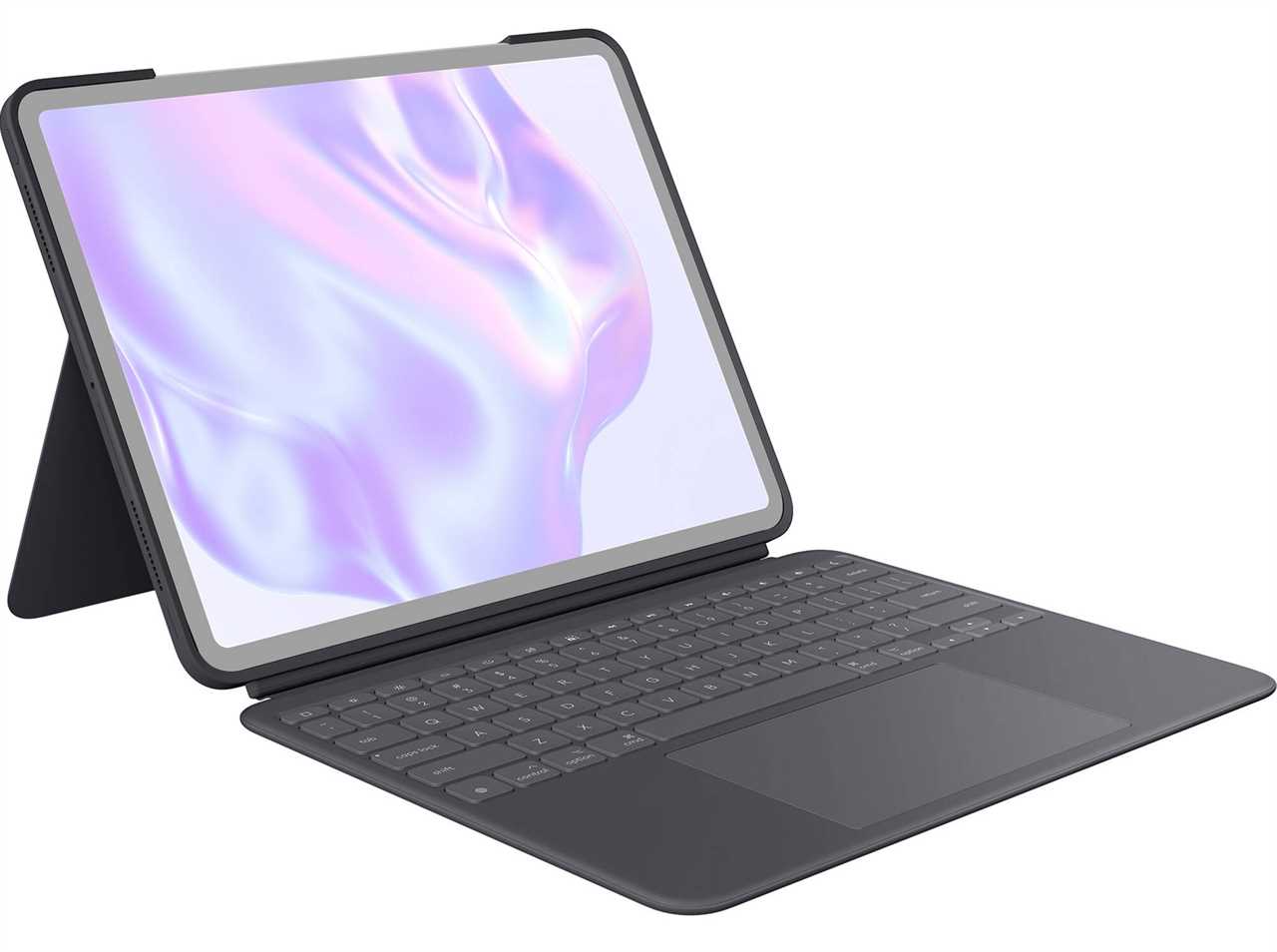
If you are likely to be typing long essays you might prefer a laptop, but you can always get a iPad keyboard and essentially turn your iPad into a laptop. See the Best iPad Keyboards we’ve tested or use any Bluetooth keyboard.
Styluses for note-taking
The Apple Pencil is a great option for for students, offering precision for drawing and handwritten notes, but you need to check which Apple Pencil works with your iPad as support differs.
Apple Pencil Pro: Supports advanced features and is compatible with the latest iPad Air (M3) and iPad Pro (M4) models.
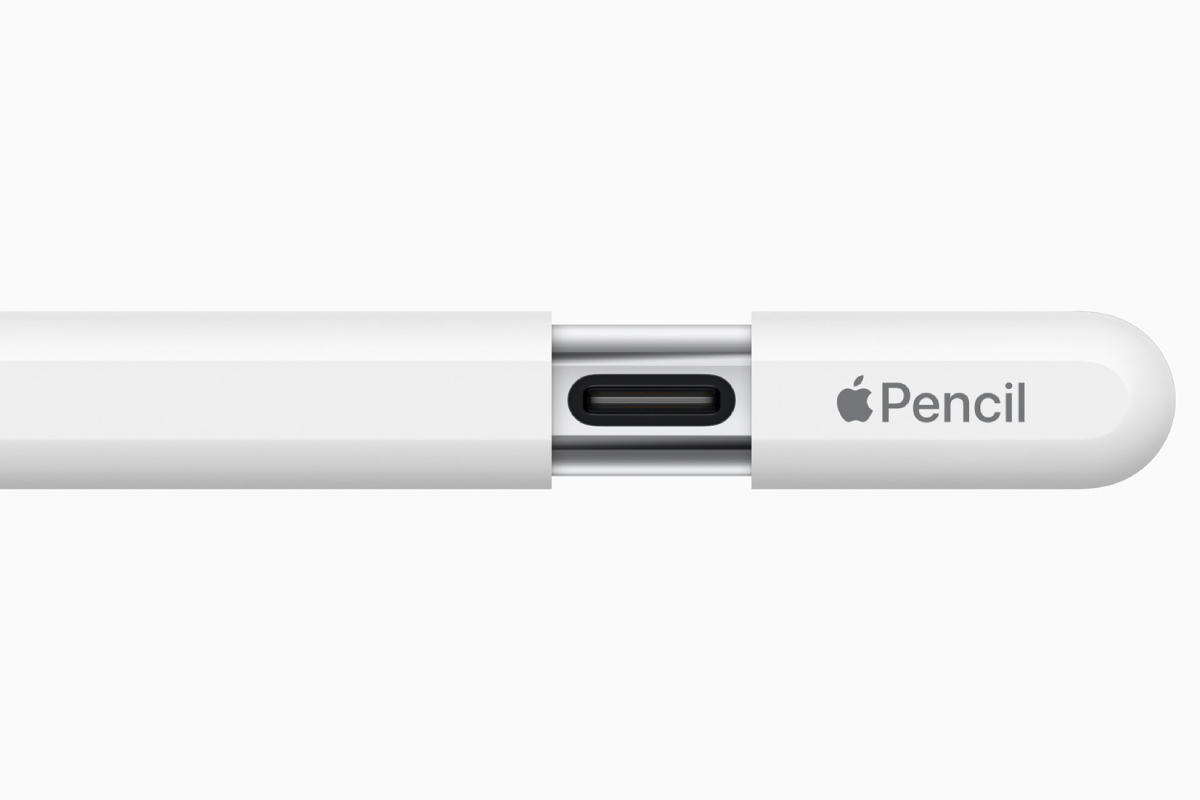
Apple Pencil (USB-C): A more affordable, simpler version that works with the standard iPad (A16) and other modern models.
Apple Pencil gen 1: This Apple Pencil is the one you need if you have an iPad A16 and want a pressure sensitive pencil for drawing.
Third-Party Styluses: For students on a budget, various third-party styluses offer a cheaper alternative to Apple’s official pencil. See our Best styluses we’ve tested for iPad.
That’s all of our student-related buying advice, but if you’re buying for someone younger, check out our guide to the best iPad for Kids.
Read More
Title: Best iPad for Students 2026: Which iPad should you buy for School or University?
Sourced From: www.macworld.com/article/668914/best-ipad-for-students.html
Published Date: Tue, 12 May 2026 15:04:34 +0000