.png)
Macworld
Portable power banks come in all shapes and sizes: super-slim pocketable magnetic slabs that clamp onto the back of your iPhone, or airline-friendly power pillars that hold enough juice to take your conked-out MacBook Pro back to 100% and maybe charge that iPhone up at the same time. Some come with built-in cables, others with smart displays and handles.
When that’s not enough power, you can buy much larger power stations that hold huge battery capacities. Some require a telescopic handle and wheels to be dragged around, and should be kept in your garage rather than your home. Here we look at some of those power stations that we still regard as portable by hand. These might be mini in size and affordable in price compared to the big battery beasts, but they are a sensible power solution for everyone.
Once seen as the preserve of camo-clad preppers, the power station is a useful tool to have stored away, although be sure to keep it topped up every couple of months. Portable power stations are a great solution for when you’re off-grid—for example, on a camping trip—or when you suffer a short power cut or blackout at home or in the office. Maybe you want to run a video projector in the backyard without stringing a power cable from your home. A mini portable power station is perfect for a tailgate party.
Simon Jary
If your perceived power needs are greater than charging your laptop, a single portable power station makes more sense than stocking up on multiple smaller power banks, each of which you need to keep charged up for the trip or the unexpected outage.
A power station is more than just a really big portable battery pack. Other than simply recharging your iPhone, iPad or MacBook, a portable power station can power larger, more energy-hungry devices—lamps to light a room (some come with a handy light built-in), a kettle or fan. Larger portable power stations can keep a fridge running during a power outage, but here we are focused on easily carriable battery packs that offer more than the best MacBook power banks and best magnetic iPhone power banks that we’ve reviewed elsewhere.
For starters, all the power stations tested here use LiFePO4 (Lithium Iron Phosphate) batteries that are superior to the Li-Ion (Lithium Ion) generally used in smaller power banks. LiFePO4 batteries are more thermally stable, last significantly longer, and can handle high temperatures and stress better than Lithium Ion.
Here we haven’t reviewed the giant garage-dwelling power stations, but focus on those that offer greater capacity than the standard laptop and phone power banks. These won’t get you through a nuclear winter or even a weekend powering your freezer, but they do offer enough power to keep your family’s MacBooks, iPads and iPhones charged through a few cycles before the power outage is over or the camping trip is done.
Portable power stations won’t power your whole house, but they are suited to smaller jobs. During a short blackout a power station offers you enough electricity to run your key appliances for a few hours time. For how long and how many at the same time depends on the power station’s capacity and maximum simultaneous power output. And, unlike generators they don’t emit dangerous carbon monoxide fumes.
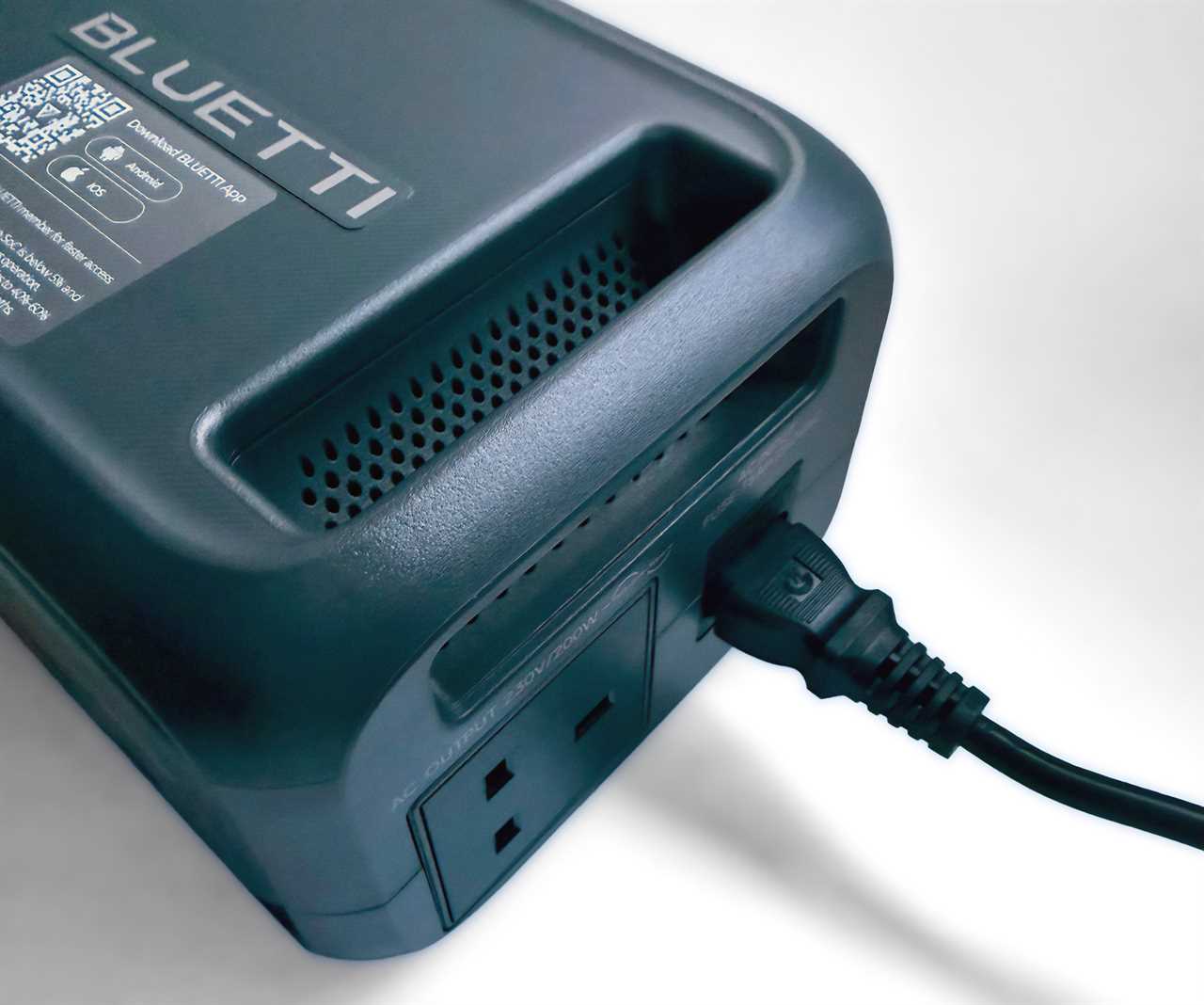
Simon Jary
We’ve listed the main technical specifications that you are most likely to need to know and recommended portable power stations from the brands we trust the most.
Below our chart of the best portable power stations, we’ve gone into greater detail about the tech specs, but here’s a brief summary.
- Capacity: How much power the unit’s battery can store. This is measured in Watt Hours (Wh), which is a more accurate metric for comparing large battery packs than Milliamp Hours (mAh) that is the most common unit claimed by much smaller power banks.
- Max output: This is the maximum wattage the power station can output at the one time.
- Surge: Power stations can, for a short time, go the extra mile for larger devices—fridges, microwaves, etc—that require a burst of energy when starting up.
- Laptop Power Delivery: Depending on the size of your laptop, it will require a certain minimum wattage to charge at its fastest. A MacBook Air can fast-charge with a 70W USB-C Power Adapter (PD 3.0), a 14-inch MacBook Pro needs 96W (PD 3.0), and a 16-inch MacBook Pro demands 140W (PD 3.1).
- Total output ports: How many outlets for power output are on the power station.
- USB ports: Look for USB-C for charging MacBooks, iPads and iPhones. Some devices still require old-school USB-A so it may be worth having one of these available, too.
- AC outlets: These are the plug points you get on standard wall sockets.
- DC outlets: Especially useful when travelling by car, a portable power station’s DC car socket is used for directly powering 12V devices, such as car fridges, air compressors or vacuums.
- 80% recharge from AC: How long it takes the power station to charge up itself when plugged into the mains.
- Dimensions: Size of the portable power station by Height, Width and Depth.
- Weight: In pounds (lbs) and kilograms (kg).
- Noise: The maximum noise the power station might make when in use, measured in decibels (dB) from around 2 feet away.
Aside from the all-important battery capacity, we’re looking for a handy bunch of USB ports, one or more AC (alternating current) outlets—like the ones on household power sockets—that you can plug a more energy-hungry device into, and maybe a DC (direct current) outlet like a round port or barrel connector for car accessories.
Ugreen 48000mAh 300W Portable Power Bank – Smallest LiFePO4 power station
Pros
- Super compact
- 140W PD 3.1 USB-C
- 5x USB ports
Cons
- No AC or DC outlet
- No solar charging port
Price When Reviewed:
£139.99
Best Prices Today:

Retailer
Price
Ugreen
£199.99
View Deal
Check
Product
Price
- Capacity: 153.6Wh (48000mAh)
- Max output: 300W
- Surge: n/a
- Laptop Power Delivery: 140W PD 3.1
- Total output ports: 5
- USB ports: 1x 140W USB-C; 2x 100W USB-C; 2x 22.5W USB-A
- AC sockets: None
- DC outlets: None
- Lamp: Yes
- 80% recharge from AC: 45 minutes
- Dimensions: (H) 6.3 x (W) 3 × (D) 5.7 inches
- Weight: 3.6lbs (1.65kg)
- Noise: 0dB
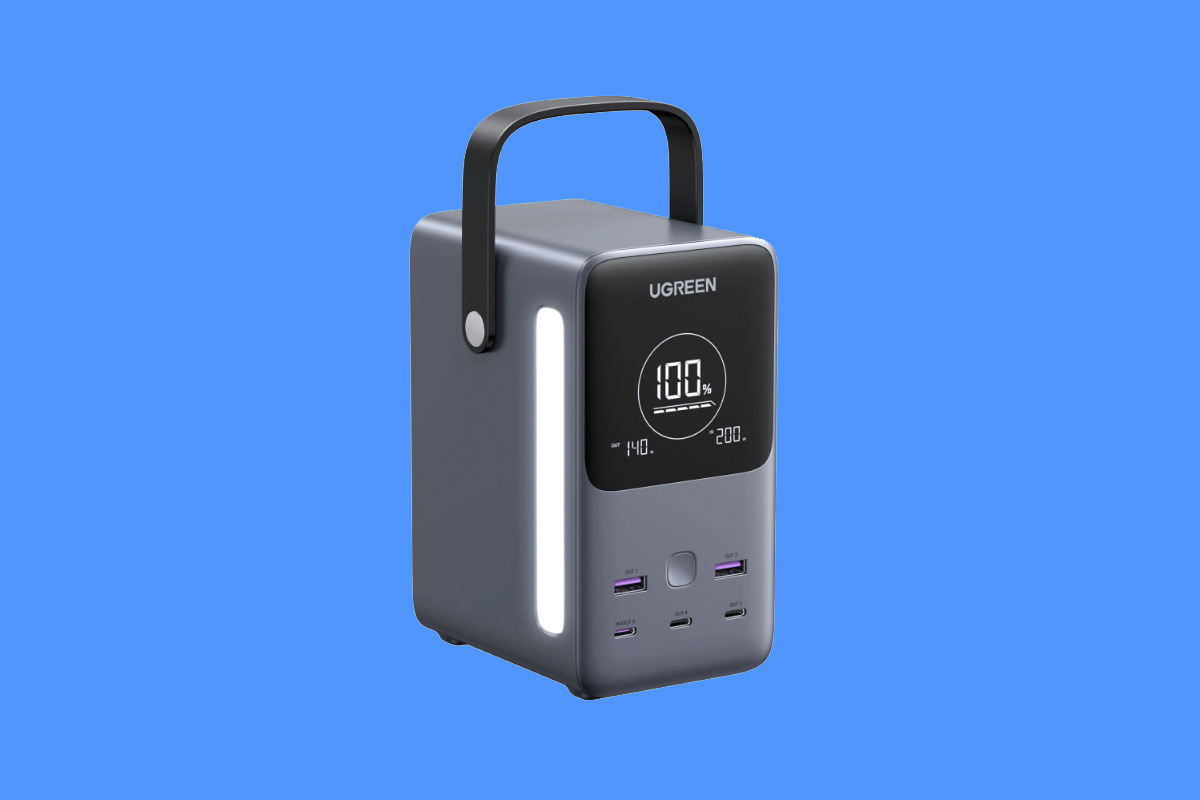
The Ugreen 300W 48000mAh Power Bank is something of a bridge between standard laptop power banks and mini portable power stations. It features a large 153Wh LiFePO4 battery but in an extremely compact shell, with a flexible carry handle and bright side lamp.
It has three USB-C ports—two at 100W and one at the top 140W— as well as a couple of 22.5W USB-A ports, but no AC or DC outlets. As such it is closer to the laptop power banks than the chunkier portable power stations, but its capacity and 300W total simultaneous output potential still makes it a worthy backup power source that can easily be hidden away but easily brought out when needed. It charged our test 14-inch M2 MacBook Pro nearly twice over—getting from 5% to 90% in an hour.
Even some of the giant power stations are limited to 100W USB-C output, so 16-inch MacBook Pro users should aim for 140W. It makes less difference for smaller MacBooks, although it wouldn’t be surprising for future 14-inch or 15-inch MacBooks to move to 140W input.
Should you buy the Ugreen 300W 48000mAh Power Bank
This cross between a standard power bank and portable power station has more USB ports than any other laptop power bank we’ve tested. Its lack of AC or DC outlets distinguishes it from the bulkier power stations but it is based around the same safe and stable LiFePO4 battery technology. If all you need is a big battery for your Apple devices, the Ugreen 300W 48000mAh Power Bank is a super-compact option. If you want to run larger or more energy-hungry devices, look to the power stations with other outlets.
Read our full Ugreen 48000mAh 300W Portable Power Bank review
Bluetti Elite 10 Mini Power Station – Compact battery pack with AC & DC outlets
Pros
- Compact
- Color options
Cons
- 100W, not 140W USB-C
Price When Reviewed:
£199
Best Prices Today:

Retailer
Price
£109
View Deal
Bluetti
£199
View Deal
Product
Price
- Capacity: 128Wh (40000mAh)
- Max output: 200W
- Surge: 400W
- Laptop Power Delivery: 100W PD 3.0
- Total output ports: 6
- USB ports: 1x 100W USB-C; 1x 15W USB-C; 2x 15W USB-A
- AC sockets: 1x (200W)
- DC outlets: One
- Lamp: Yes
- 80% recharge from AC: 45 minutes
- Solar input: Yes
- Dimensions: (H) 4.3 x (W) 7.9 × (D) 5.75 inches
- Weight: 3.97lbs (1.8kg)
- Noise: 45dB
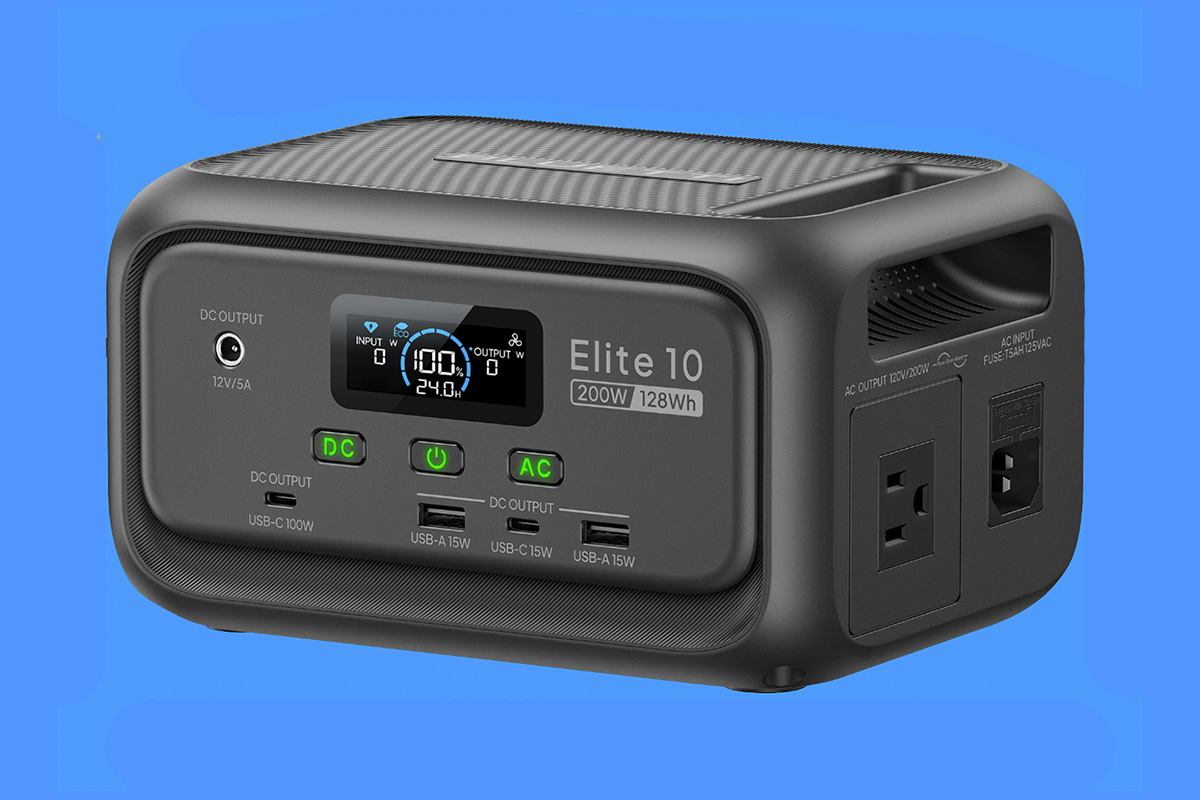
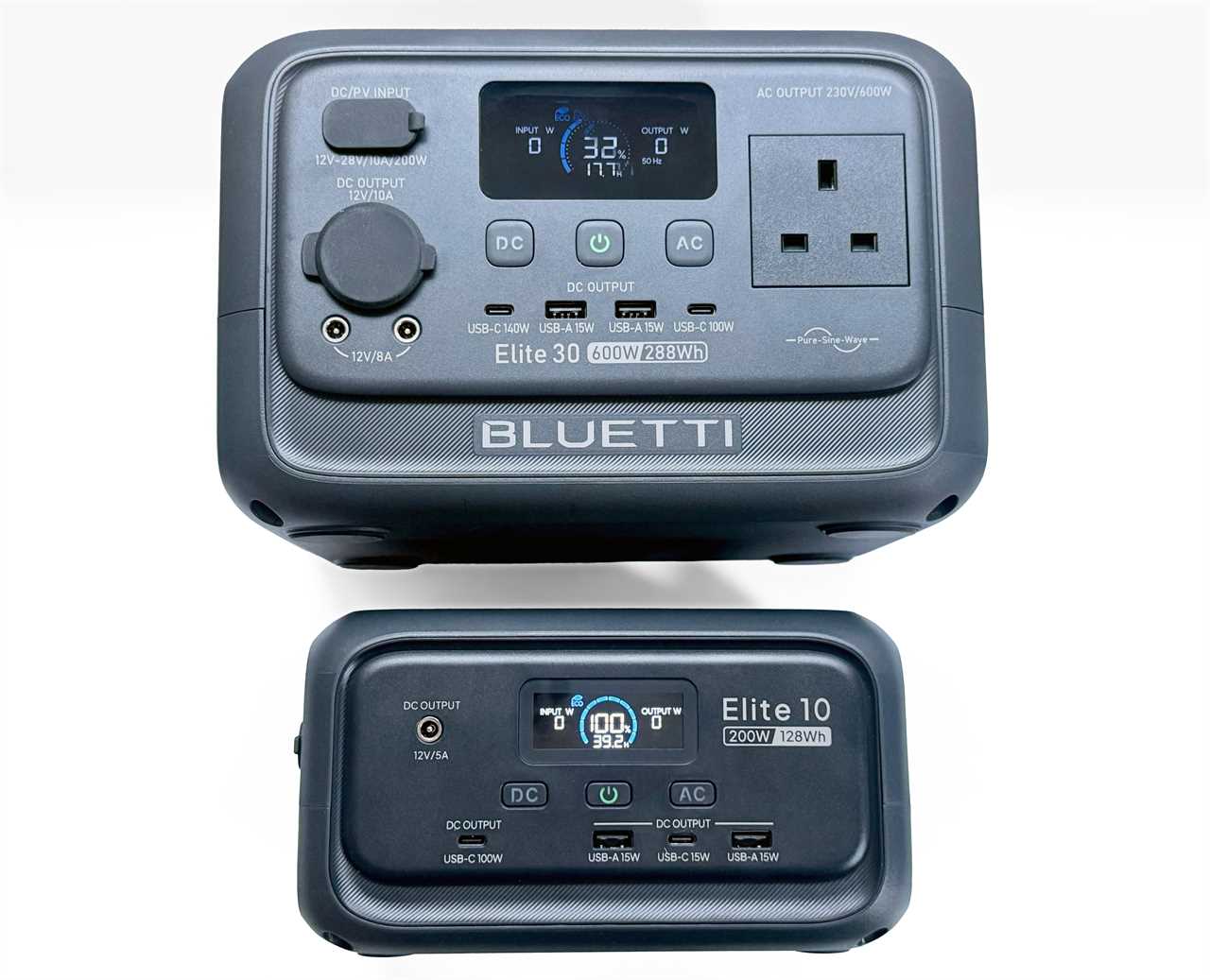
The Bluetti Elite 10 Mini Power Station is one of the smaller of the portable power stations we tested. Although not as dinky as the Ugreen 48000mAh Portable Power Bank (300W) and with a smaller battery capacity, it does boast both AC and DC ports.
The 128Wh capacity is four times larger than the best laptop power bank for only about three times the weight. It has two USB-C ports and two USB-A. The highest-powered USB-C port is rated at 100W so can fast-charge all but the top-end 16-inch MacBook Pro—it can still charge that model, just not at top speed. The other USB ports all charge at 15W, which is fine for an iPhone or iPad, although not for the very fastest charging.
What you don’t get with the Ugreen power bank are AC and DC outlets. The Elite 10 has one of each: the AC socket at 200W max, and the DC at 60W. You can therefore charge two laptops at the same time: one via the 100W USB-C and another via a USB-C charger in the AC outlet. The maximum power output is lower than the Ugreen power bank.
The power station itself can be charged via a 150W AC input, 100W DC or 100W solar input.
Bluetti
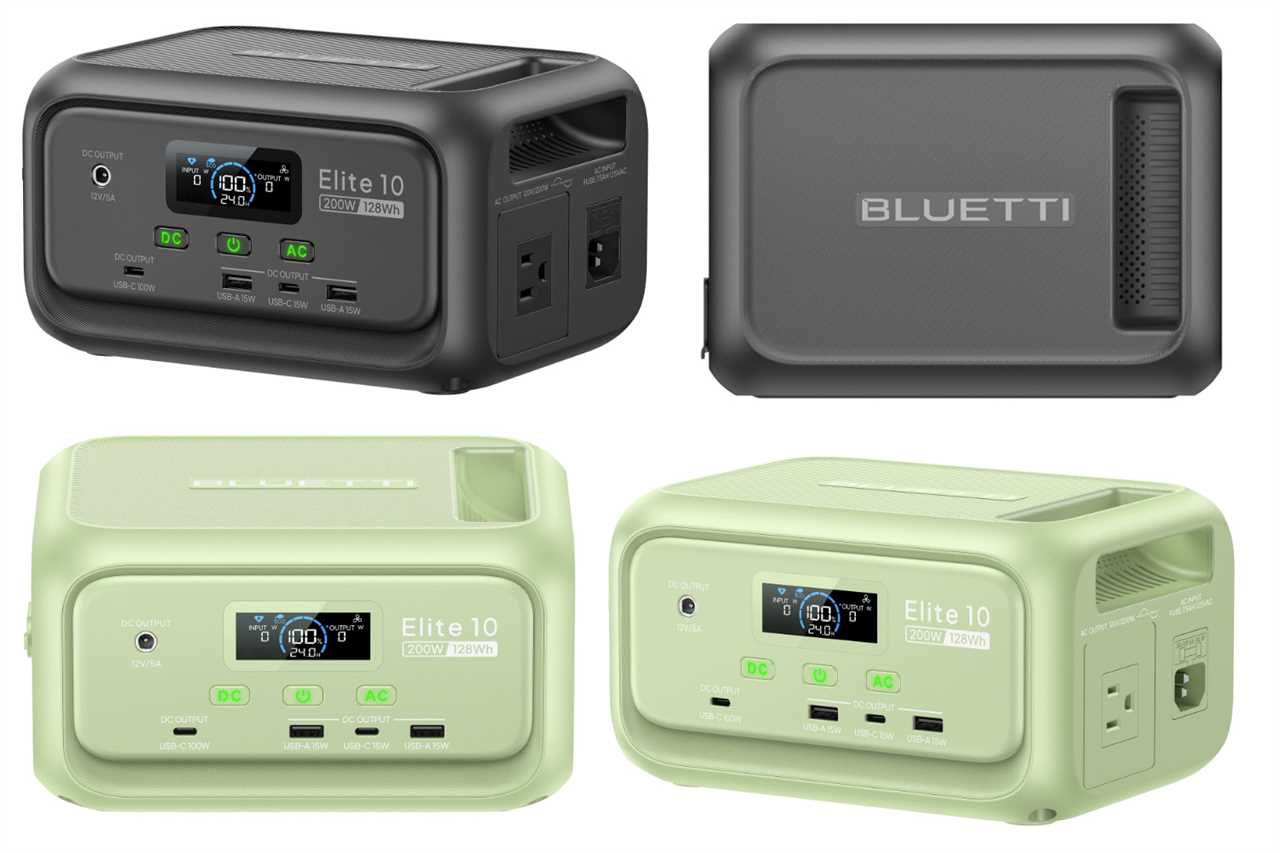
While not as colorful as its larger Elite 30 V2 sibling, you do get to choose between Deep Gray and Green models. The sturdy handle is built into one side, above a cooling grille, and the lamp is at the back.
Check with your airline before attempting to take this power station onboard with you as it may tip over the inflight limit—often 100Wh. It’s ideal for a long car trip, however.
Should you buy the Bluetti Elite 10 Mini Power Station?
The inclusion of AC and DC outlets puts the Elite 10 more firmly in the portable power station camp than the Ugreen 300W 48000mAh Power Bank, reviewed above. It’s not as capable as the Ugreen in terms of USB charging, but is compact enough to store away unseen until required for that long journey or short camping trip.
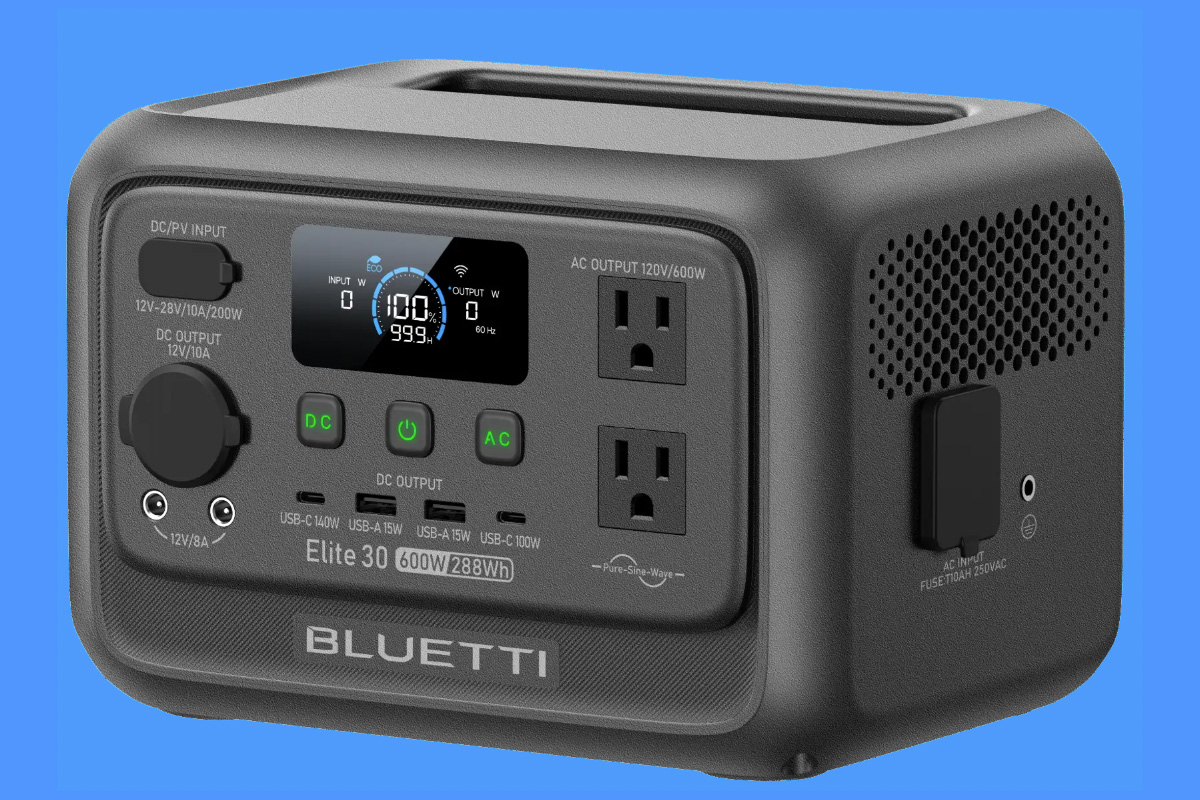
Bluetti Elite 30 V2 – Compact power station with 600W max output
Pros
- 288Wh capacity
- Max 600W output
- 140W PD 3.1 USB-C
- Two DC outlets
- Fun range of colors
Price When Reviewed:
£239
Best Prices Today:
Retailer
Price
£189
View Deal
Bluetti
£239
View Deal
Product
Price
- Capacity: 288Wh (90000mAh)
- Max output: 600W
- Surge: 1500W
- Laptop Power Delivery: 140W PD 3.1
- Total output ports: 9
- USB ports: 1x 140W USB-C; 1x 100W USB-C; 2x 15W USB-A
- AC sockets: 2x (U.S.); 1x (U.K.); at 600W
- DC outlets: Two
- Lamp: Yes
- 80% recharge from AC: 70 minutes
- Solar input: Yes
- Dimensions: (H) 6.6 x (W) 9.8 × (D) 7 inches
- Weight: 9.5lbs (4.3kg)
- Noise: <30dB
It’s a bigger step up from the Elite 10 to the Bluetti Elite 30 V2 Portable Power Station, which is still compact but offers a much greater battery capacity (288Wh) and maximum power output (600W). That’s enough to charge a laptop four times over or a phone 16 times. Or maybe you’d prefer it to run a 10W fan for 16 hours or a Wi-Fi router for 14.
At 600W, this has the highest maximum power output of any of the compact power stations reviewed here.
The U.S. model boasts two AC outlets, with a combined output up to 600W. Sadly, the physical size of the U.K.’s super-safe power socket restricts the Elite 30 V2 to just one in that territory, although on its own it can also handle 600W. The Elite 30 V2 can handle a short 1500W of surge power when required, say for a microwave or coffee machine.
Owners of the 16-inch MacBook Pro can enjoy fast charging as one of the USB-C ports supports 140W PD 3.1. Another laptop could be charged via the 100W USB-C at the same time.
The power station itself can be charged via a 380W AC input, 200W DC or 200W solar input.
The Elite 30 V2 is not as tiny as the Ugreen or Bluetti’s own Elite 10, but compared to the bigger battery beasts it’s compact and light enough for carrying around. At just 30dB within 1.6 feet, it’s one of the quieter portable power stations, although in our tests here the Anker Solix C300 was marginally quieter at 25dB.
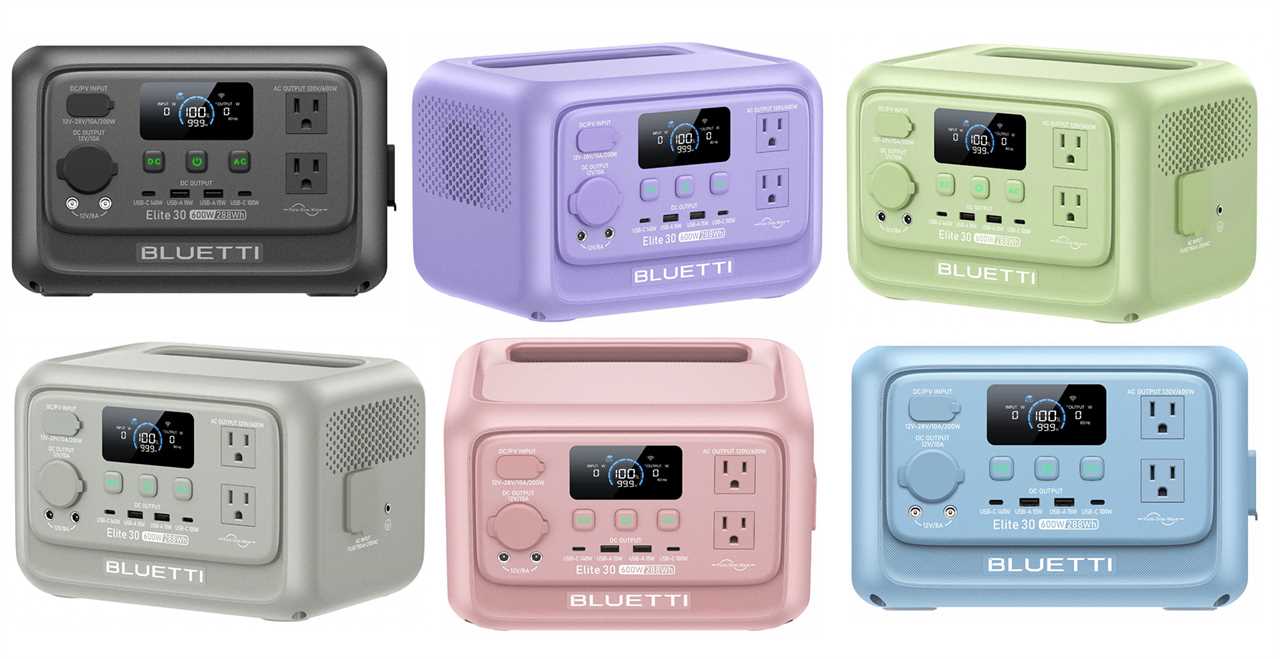
Bluetti
It’s available in a fun range of colors. If each family member has one in their own color, no one can complain that someone has used all their backup power.
Should you buy the Bluetti Elite 30 V2 Portable Power Station?
With two AC outlets (U.S.) at a combined 600W, an impressive set of USB ports for charging your Apple devices, and a monster capacity for such a compact form, the Bluetti Elite 30 V2 makes a great travel or short-term emergency power supply. And full marks for the range of colors.
Anker SOLIX C300 Portable Power Station – Compact power station with 3x AC sockets
Pros
- 288Wh capacity
- Dual 140W PD 3.1 USB-C
- Three AC outlets
Price When Reviewed:
£269.99
Best Prices Today:
Retailer
Price
£209
View Deal
Anker
£269.99
View Deal
Product
Price
- Capacity: 288Wh (90000mAh)
- Max output: 300W
- Surge: 600W
- Laptop Power Delivery: 140W PD 3.1
- Total output ports: 8
- USB ports: 2x 140W USB-C; 1x 15W USB-C; 1x 12W USB-A
- AC sockets: 3x (U.S.); 2x (U.K.); at 300W
- DC outlets: One
- Lamp: Yes
- 80% recharge from AC: 50 minutes
- Solar input: Yes
- Dimensions: (H) 9.5 x (W) 6.3 × (D) 6.5 inches
- Weight: 9.1lbs (4.1kg)
- Noise: 25dB
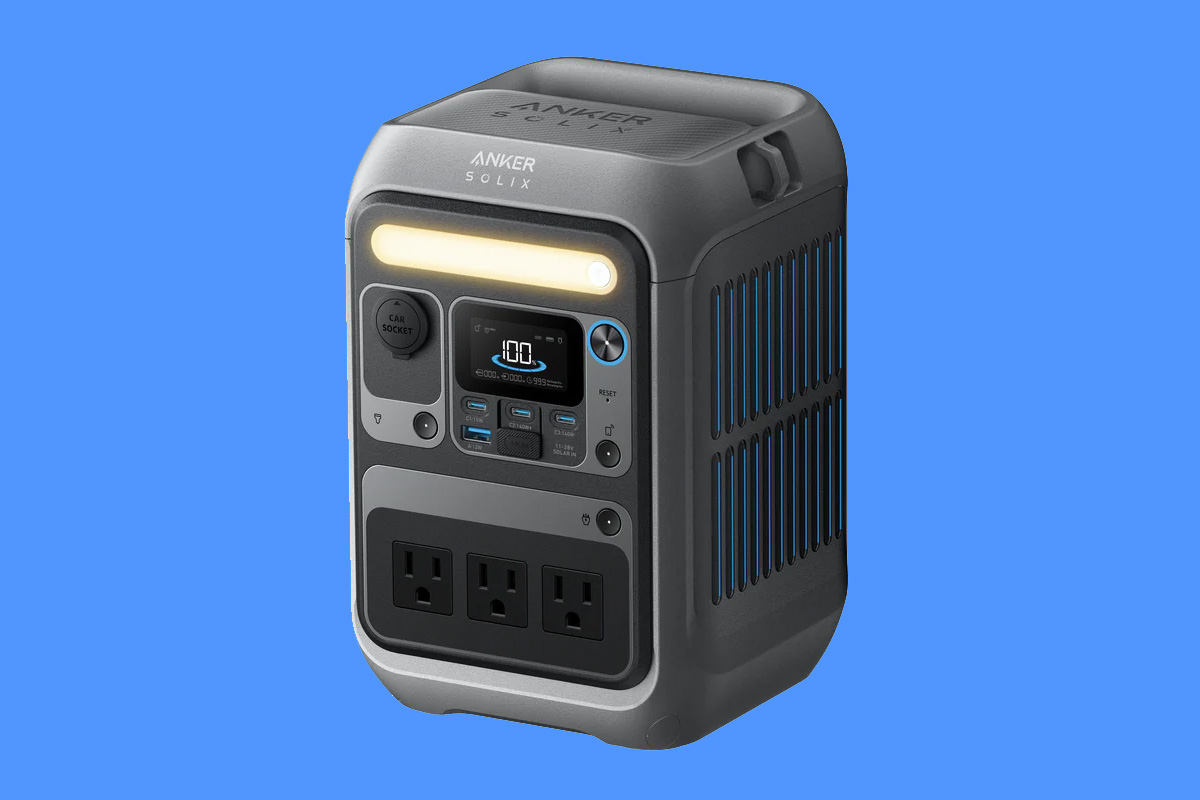
Anker will be a name well-known to iPhone and MacBook power bank users. Its Solix offshoot sells a wider range of portable and not-so-portable power stations. We like the Solix C300 as it’s comparable to the Bluetti Elite 30V2, reviewed above.
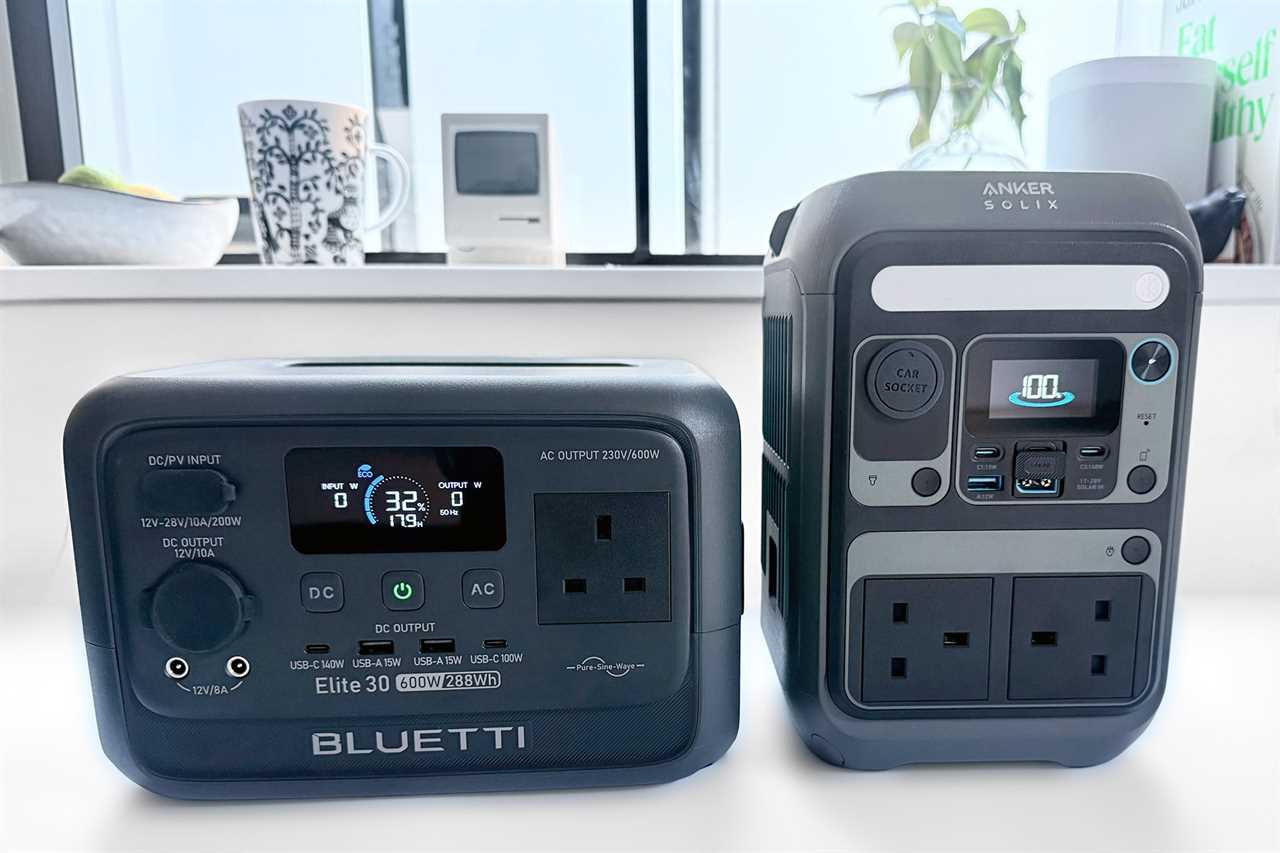
It boasts the same 288Wh battery capacity in a different shaped but similar sized form. It has one more AC socket than the Elite 30 V2 (again, the U.K. model loses one due to the physically larger Type-G plug size) although the maximum power output is half that of the Bluetti (300W vs 600W).
It can fast-charge two 16-inch MacBook Pros as it hosts dual 140W PD 3.1 ports. It has just the one other USB port, a slightly under-powered 12W USB-A port. The Elite 30 V2’s two USB-A ports are each rated at 15W. It’s not a big difference but if charging legacy devices is important to you, it might turn your head. That said, Anker claims its recharge speed is superior, reaching 80% in just 50 minutes compared to 70 minutes for the Elite 30 V2.
The power station itself can be charged via a 330W AC input or 100W solar input.
Anker has a more affordable version, the Solix C300 DC that features a pop-out and extendable light, but a solitary DC outlet rather than three AC.
Should you buy the Anker Solix C300 Portable Power Station?
A little cheaper than the Bluetti Elite 30 V2, the Anker Solix C300 is capable and compact, with a more impressive set of USB-C ports than any other portable power station tested here. It’s not as simultaneously powerful as the Elite 30 V2 (300W vs 600W) but the extra AC socket is appealing.
Portable Power Station specs explained
Capacity
Battery capacity is measured in watt hours (Wh) and milliamp hours (mAh). Wh is more usual for laptops and power stations, and mAh for smaller devices such as phones. Compare them to your favorite Apple devices. The iPhone 17 Pro has a battery capacity of 16.7Wh or 4252mAh. The 15-inch M4 MacBook Air packs a battery of 53.8Wh. See our lists comparing iPhone battery capacities and MacBook battery capacities.
Comparing by watt hours rather than milliamp hours is more accurate because it reflects the total stored energy: Wh = Ah × Voltage. Milliamp hours, on the other hand, shows only how much current a battery can deliver over time, and it depends on the assumed voltage — so numbers can look different across brands even when the real capacity is the same. Milliamp hours doesn’t directly translate into runtime. It simply represents current over time (milliamps × hours), but it doesn’t account for the voltage of the battery, how the cells are arranged inside the pack, or the conversion losses that happen when power is delivered to devices. Because these factors vary from product to product and brand to brand, two batteries with the same mAh rating can deliver very different actual usage times. That’s why Wh is a more reliable way to compare real energy capacity.
If a device requires a certain wattage of power to run, then you can work out roughly how long a battery pack can keep it going with some simple math. A 10W bulb could run for 30 hours from a 300Wh power station (10W x 30 hours). A MacBook Air draws around 60W of power, but as you are refilling its battery you should be able to recharge it 4-5 times with that same-capacity battery pack.
A Wi-Fi router could be powered for around 15 hours. A hair dryer or electric kettle, on the other hand, could exhaust the power station in under half an hour.
1500Wh is enough power to get your fridge through the night, but the smaller power stations we’ve tested here offer around a fifth of that capacity—still enough to get you some hours of electricity when you need it most or charge a family’s phones and MacBooks when there are no working power sockets close to hand.
Power distribution; max output
Look for the maximum wattage to determine how many devices you can charge simultaneously. If you are so desperate to dry your hair, with fewer watts available at the same time, you will have less juice remaining to power a MacBook and iPhone while you are doing it.
Surge Power
Some devices—fridges, air conditioners, blow dryers, microwaves, coffee grinders—require a big boost of energy to turn on before settling into a more manageable power draw. Portable power stations have something called a Surge rating, which takes this into account with short, momentary bursts of higher wattage. This matters less for devices such as iPhone and MacBooks.
Some power station specs list a “Lifting Power”, which is the unit’s ability to handle a load slightly above its rated output for a short period, helping it manage brief over-demand situations more smoothly. In simple terms, Surge = a very quick startup spike; Lifting = a short, temporary boost beyond the continuous rating.
Simon Jary
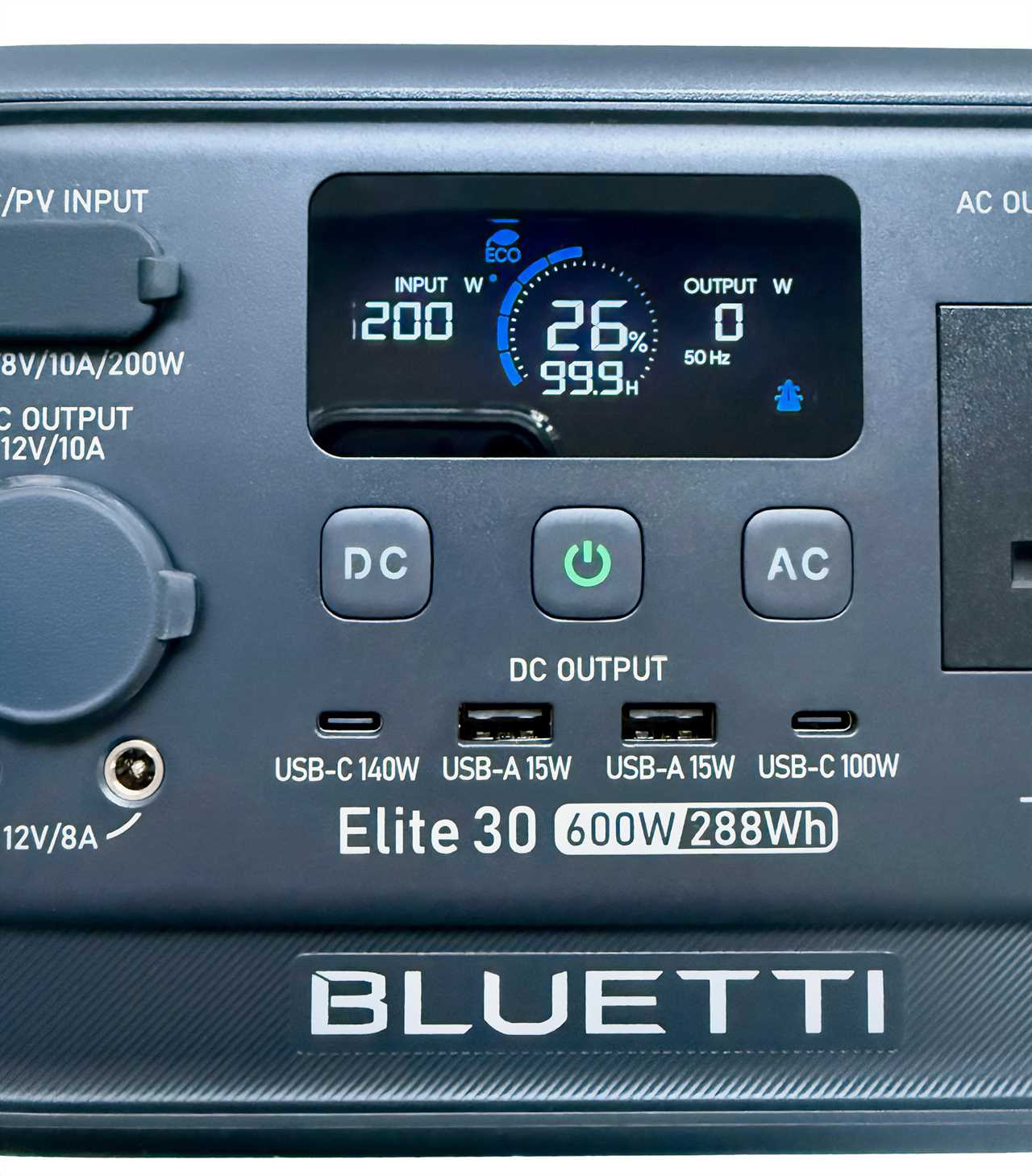
Laptop Power Delivery
When charging a laptop, look for the Power Delivery (PD) rating. Most chargers are rated as PD 3.0, with a maximum 100W output. PD 3.1 supports 140W. 100W is fine for all MacBooks, but the 16-inch MacBook Pro requires 140W for fast charging.
Simon Jary
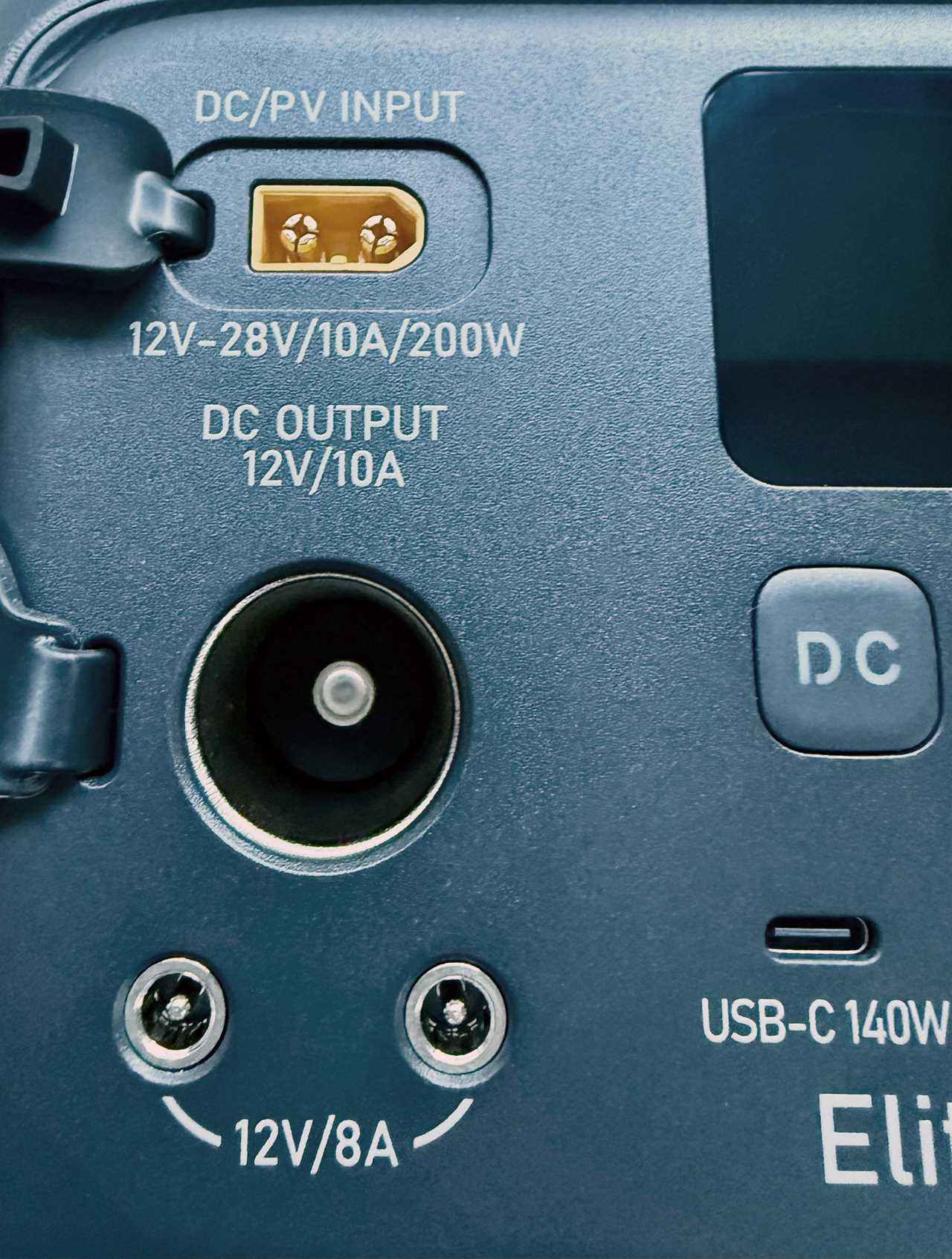
DC outlets
DC outlets will be familiar to car owners, and for camping or general road trips they have an important place on portable power stations. They can also be used for charging the station itself faster from your vehicle’s battery, bypassing less efficient AC-to-DC conversion.
Bluetti
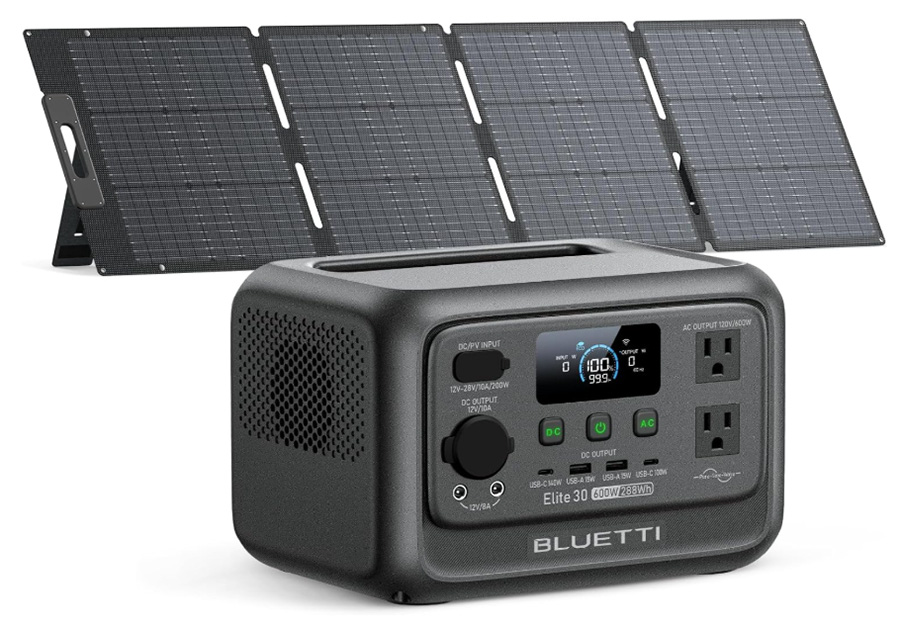
Solar input
We haven’t tested or listed the solar accessories available for some of the portable power stations, but they are available in bundles when buying the power station. Bluetti sells a 200W solar panel for $399. Anker offers a 100W solar panel for an extra $270.
Simon Jary
Dimensions
The first part of portable power stations is dependent on their size and weight. We’ve chosen those that are easily carriable, so avoided the giant garage dwellers. A decent handle is important.

Simon Jary
Simon Jary

Simon Jary
Read More
Title: Best portable power stations: Power iPhones, MacBooks, projectors and speakers anywhere
Sourced From: www.macworld.com/article/3021841/best-portable-power-stations-2.html
Published Date: Wed, 07 Jan 2026 14:57:25 +0000