.png)
Macworld
At a glance
Expert's Rating
Pros
- Revives the Touch Bar experience
- Place it on top of your current keyboard
- Extremely customizable
- Works with macOS, Windows, and Linux
- High-quality build
Cons
- Software is a bit clunky
- Touch Bar emulation has a few bugs
- Occasional reliability issues
- Wired-only connection
Our Verdict
Flexbar is a cool accessory for Mac nerds who miss the Touch Bar.
Price When Reviewed
This value will show the geolocated pricing text for product undefined
Best Pricing Today
Best Prices Today: Flexbar
Retailer
Price
Enilinx
$179
View Deal
Product
Price
When Apple discontinued the Touch Bar from its MacBook Pro lineup, it left a small number of users nostalgic for the futuristic, context-sensitive control strip that divided opinions for years. Although the Touch Bar is gone for good, those who miss it can now have it back thanks to an accessory called Flexbar.
I’ve been using Flexbar with my Mac for the past few months. Let’s look at how it compares to the original Touch Bar and whether it’s worth buying.
The rise and fall of Apple’s Touch Bar
When Apple introduced the Touch Bar with the 2016 MacBook Pro, many users were skeptical about having physical keys replaced by virtual ones. The Touch Bar did not offer tactile feedback, so many complained about having to look at the keyboard to know where they were pressing.
At the same time, the Touch Bar had its own software, which meant it was more prone to bugs or crashes. It’s no surprise that the final revision of the latest MacBook Pro with Touch Bar brought back the physical Esc key.
The Flexbar includes a stand that props it up at an angle for better access.
Filipe Esposito/Foundry
Still, the Touch Bar introduced many cool concepts, some of which I miss to this day. You could select emojis with your fingers, choose suggested words as you typed, and customize which buttons you see for different apps.
Apple didn’t opt for a middle ground. Instead, it killed the Touch Bar on all MacBooks. Luckily, the engineers and developers behind Flexbar found a way to bring the Touch Bar back.
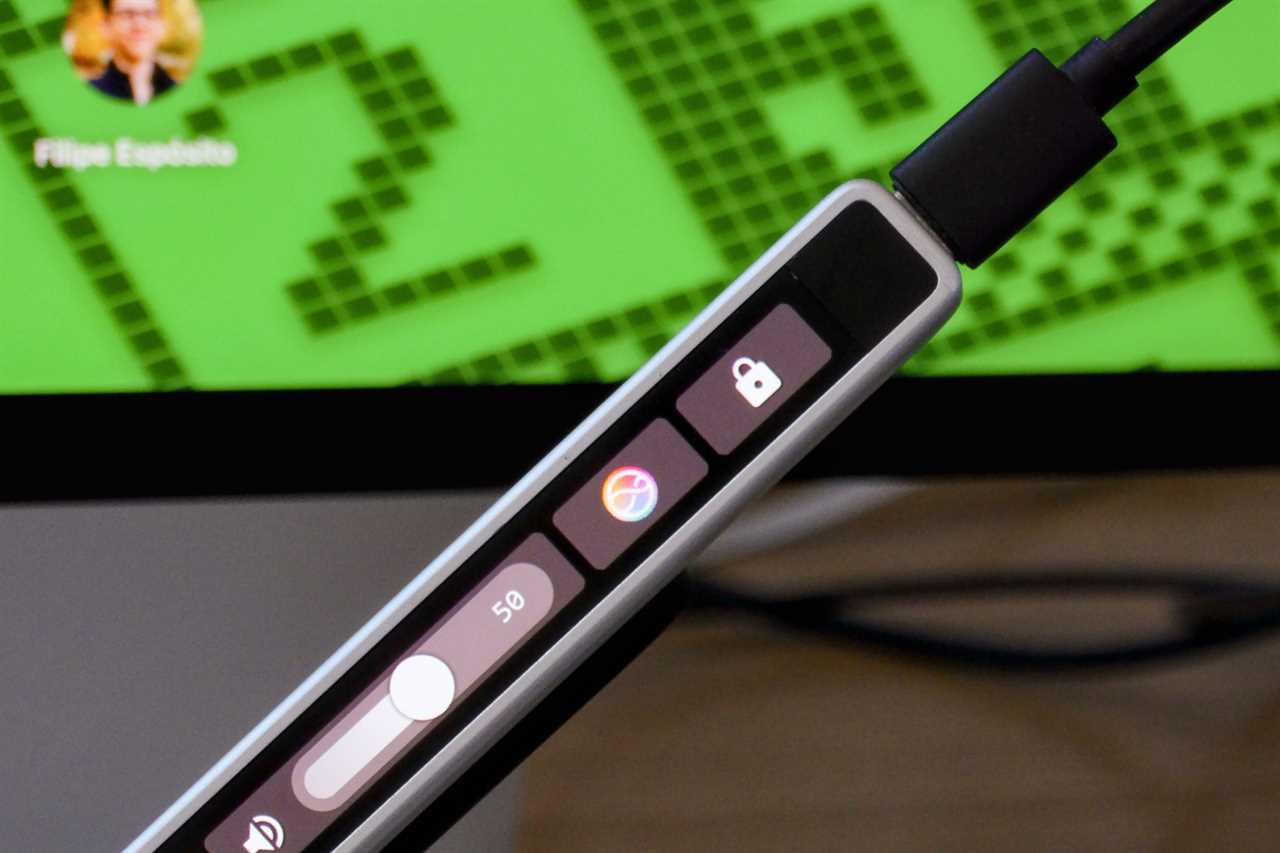
Flexbar requires a USB-C connection.
Filipe Esposito/Foundry
A Touch Bar you can place anywhere
Essentially, Flexbar is an external Touch Bar that connects to your Mac (or Windows PC) via a USB-C cable. This alone offers a major advantage: you can use it with any keyboard you want, so you won’t lose the traditional function keys or the physical Esc key. It works as an add-on to the setup you already have.
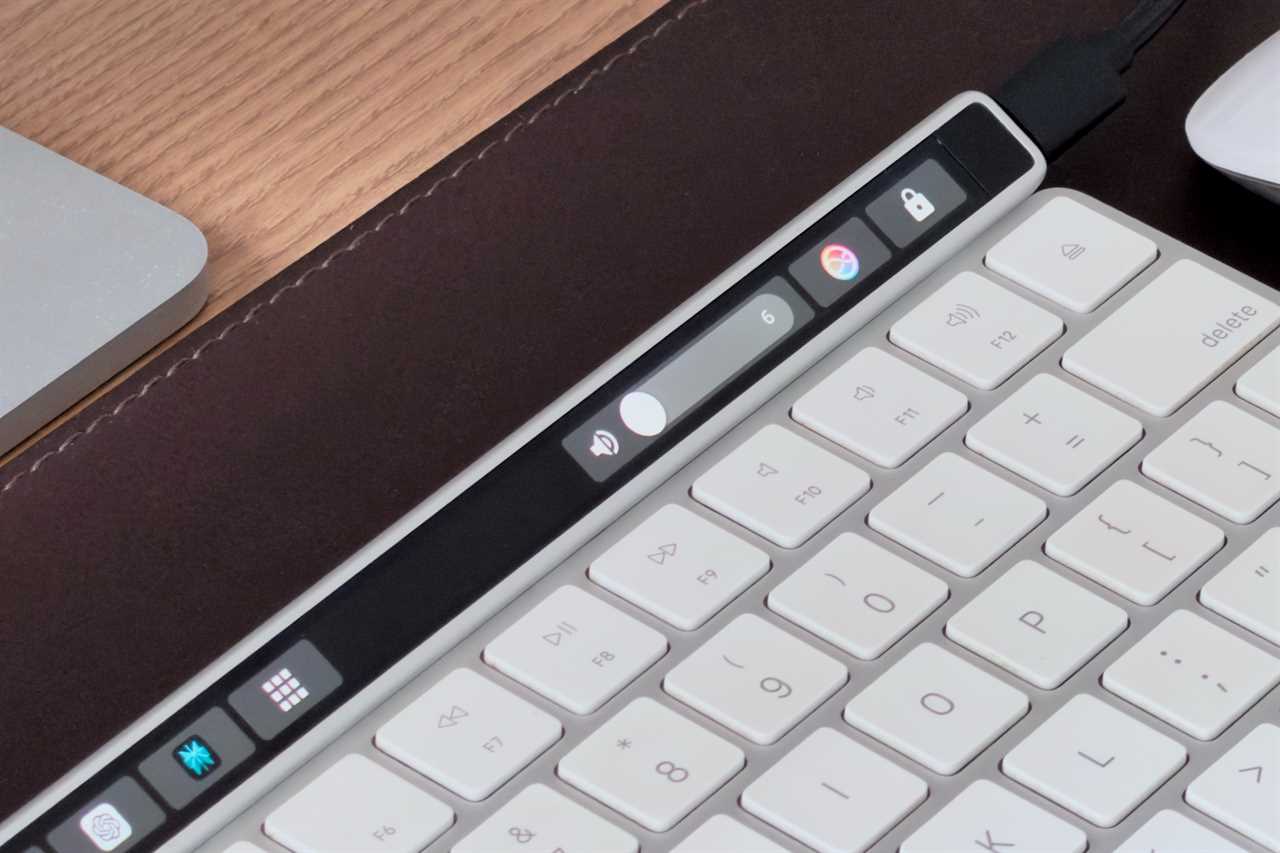
Thanks to the magnetic stand that comes included in the box, it’s super easy to place it on a desk, and it places the Flexbar at a comfortable angle for use. I placed my Flexbar above my Magic Keyboard. Another thing I like is the aluminum finish, which looks quite premium and Apple-like.
Filipe Esposito/Foundry
The Flexbar itself features a high-resolution AMOLED display, which looks very similar to the panel used by Apple in the old MacBook Pro models with Touch Bar. The size is also nearly identical to a real Touch Bar, which makes the Flexbar sit perfectly alongside Apple’s wireless keyboard for Mac.
Customizing Flexbar
Flexbar relies on software called Flex Designer, which manages all the controls you see on the touch screen. You can deeply customize it with the buttons you want. This includes shortcuts to open apps, run specific tasks, and even execute Terminal commands.
Flex Designer also includes a series of official and third-party widgets that let you monitor your computer’s hardware usage and even integrate with apps such as Photoshop and Final Cut. The software is available for macOS, Windows, and Linux, so you can use Flexbar with other operating systems.
Flex Designer is a bit clunky, probably due to its cross-platform support and not being designed specifically for macOS. You can drag and drop buttons to add them to your Flexbar, and there are options to customize things like colors, icons, and actions.
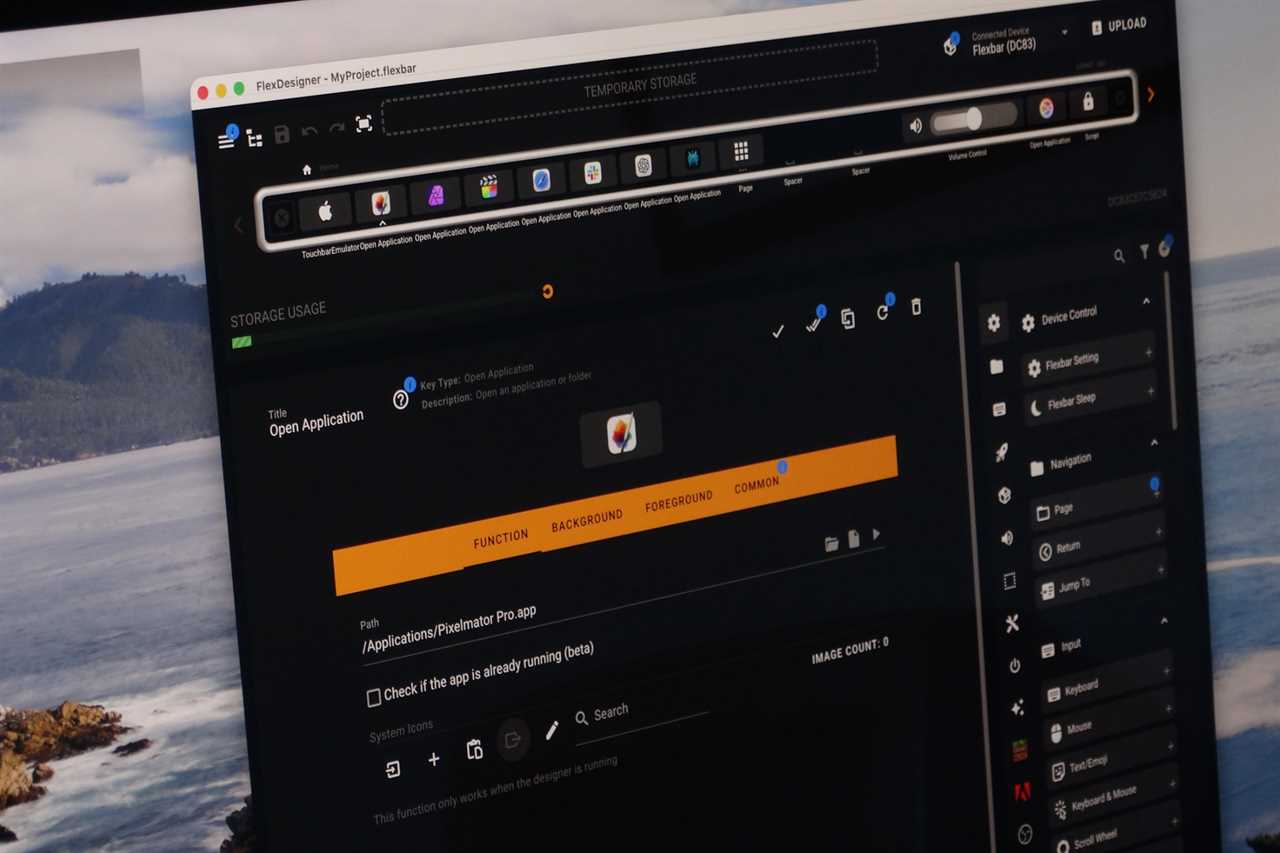
Flex Designer allows for customization of the Flexbar.
Filipe Esposito/Foundry
Touch Bar emulation changes everything
But if you want to have the real Touch Bar experience instead of relying on Flexbar software, developers have come up with an incredible idea. Thanks to a new plugin called Touch Bar Emulator, Flexbar can run the official Touch Bar software on the latest Macs.
This is possible because the software behind the Touch Bar is still in macOS, even on Macs that don’t have a Touch Bar. What the plugin does is run this software and show it on the Flexbar screen.
But is the experience good? It works fine most of the time. I can access all interactions created for the Touch Bar, even in third-party apps. This includes controls such as adjusting volume and brightness, selecting emojis (one of my favorite Touch Bar features), and even scrolling through a project timeline in Final Cut Pro.
However, since we’re talking about an accessory that “hacks” Apple’s official Touch Bar, you may notice some annoyances from time to time. It’s rare, but I’ve noticed the Touch Bar plugin becoming unresponsive sometimes, which requires me to close it and reopen it. Also, because Flexbar is limited to 30 fps, the animations don’t look as smooth.
Again, you can use Flexbar with its own software (which is more reliable than the Touch Bar plugin) if you want. But this plugin is what really got me interested in Flexbar.
For the future, I’d love to see a new version of Flexbar with a higher refresh rate display and perhaps a built-in battery to make it wireless. The community behind it seems genuinely committed to making the product work better with each software update, which is also a good thing.
Should you buy Flexbar?
If you’re like me and miss the Touch Bar, you’ll probably be happy with Flexbar, despite its limitations. It’s super fun to have the Touch Bar back in some form and be able to combine it with a conventional keyboard. Because you can use Flexbar’s own software to customize its interface the way you want, it also works as an alternative to accessories such as Stream Deck.
Read More
Title: Flexbar review: The Touch Bar replacement you’ve been missing
Sourced From: www.macworld.com/article/3032897/flexbar-review.html
Published Date: Thu, 15 Jan 2026 14:24:15 +0000
Did you miss our previous article...
https://trendinginbusiness.business/technology/the-download-spying-on-the-spies-and-promising-climate-tech