.png)
Macworld
At a glance
Expert's Rating
Pros
- Strong malware detection with fast scans
- Simple installation and setup
- Solid VPN and now includes external drive scanning
Cons
- InConsistent Browser Guard and web protection
- No firewall, parental controls, or automatic drive scanning
- Limited reporting and clunky malware detail navigation
Our Verdict
Malwarebytes Desktop Security for Mac is worth trying thanks to its fast scans, strong core protection, capable VPN, and risk-free 14-day trial, especially if you want straightforward security without complexity. However, users seeking a fully featured, all-in-one suite with firewall controls, parental tools, and more polished reporting may find better value elsewhere
Price When Reviewed
This value will show the geolocated pricing text for product undefined
Best Pricing Today
Retailer
Price
Malwarebytes (first year, 1 devices)
£29.99
View Deal
Product
Price
Price When Reviewed
Standard: £29.99 a year for one device; Plus (inc VPN): £49.99 a year for one device; Total: £74.99 a year (usually £149.99 for one device)
Best Prices Today: Malwarebytes Premium Security
Retailer
Price
Malwarebytes (first year, 1 devices)
£29.99
View Deal
Product
Price
- Best for: Fast, reliable malware detection without complexity
- Not for: Power users or IT professionals who need detailed reporting and visibility
Malwarebytes for Mac offer real-time malware and ransomware protection, adware removal, and web threat blocking for Mac users. It can scan internal and external drives, run scheduled and custom scans and also offers a VPN, identity protection, and digital footprint monitoring. There have been a few updates since we last evaluated it in 2024, so we thought it was time to take another look.
Malwarebytes’ Desktop Security for Mac has been in version 5 since February 2024, but in December 2025 a major update brought an enhanced scan engine for macOS that includes the ability to scan external drives as part of the Custom scan options. Other updates to Malwarebytes since the last time we reviewed the software include identity protection features (including integration with Digital Footprint Scanner and Identity Theft Protection), improved scan flexibility, usability and UI improvements, and changes that have massively reduced CPU usage, with scans and real-time protection now much lighter on system resources.
In this review, we’ll look at how good Malwarebytes is at detecting malware on a Mac, how well the VPN and identity related features work, what’s missing compared to rivals, and whether it is worth the price.
Malwarebytes for Mac is one of the Mac Antivirus solutions we examine in our Best Antivirus for Mac buying guide.
Getting started: How easy to use is Macwarebytes for Mac?
Malwarebytes for Mac requires macOS 11 Big Sur or later and is quick to download and install. Granting Full Disk Access and enabling the necessary system permissions is straightforward, and setting up network protections involves minimal fuss.
Once installed, creating an account and confirming a subscription is simple. The interface is clean and intuitive, making basic scanning easy even for non-technical users, with core features clearly laid out and easy to navigate.
However, some of the more advanced tools and reporting elements feel limited or less polished compared to more fully featured competitors.
Scanning: How good is Malwarebytes at detecting malware?
Scanning is extremely fast.
Foundry
When it comes to antivirus and anti-malware scanning (long Malwarebytes’ bread and butter) the software remains one of the best scanners available. The application offers an extremely fast Quick Scan that targets the areas where suspicious files typically congregate, as well as a speedy custom scan of my MacBook Pro’s SSD, despite more than 800GB of used storage. Scans can be paused mid-run, and overall performance is satisfying to watch.
The long-awaited external drive scanning feature which arrived at the end of 2025 performs well. However, you’ll need to initiate a Custom Scan and manually select the drive rather than use a more streamlined interface. This feels awkward, but gets the job done.
Once a scan completes, malicious files can be ignored, quarantined, or deleted, with these actions configurable in the application settings.
In terms of detection, Malwarebytes for Mac works effectively alongside macOS’s built-in XProtect and Gatekeeper features and stopped nearly all the malware samples I tested. The only exception was a Flash Python script, which executed but appeared to cause no damage.
AI features: How good is the Scam Guard chatbot?
Like just about every other software company, Malwarebytes has stepped into the AI arena and introduced new features built around it. Its Scam Guard now functions as an AI-powered chatbot, allowing users to drag and drop or copy and paste suspicious emails or URLs to get an assessment. The feature works well enough, though it’s not particularly groundbreaking. In practice, it largely advises caution in response to the usual wave of scam emails that land in my Gmail inbox (i.e., fake medicines, fake UPS and FedEx packages that are supposedly coming my way, fabulous contest prizes I’ve supposedly won, and Cash App deposits totaling almost $14,000 that I have yet to claim).
VPN: How well do the VPN and identity features work?
The VPN client, available in the Plus and Ultimate tiers, is designed to protect your privacy and secure your internet connection by routing your traffic through an encrypted server. It encrypts your online activity, masks your IP address and protects you on unsecured networks.
While it’s not as customizable as a standalone VPN application, it still offers a solid range of preferences, including the option to launch automatically at startup and to block specific applications or IP addresses when the VPN is active.
Additional features include a reliable kill switch, quick geographic location switching, and strong performance during streaming.
Other features: Are Identity Protection and Browser Guard reliable?
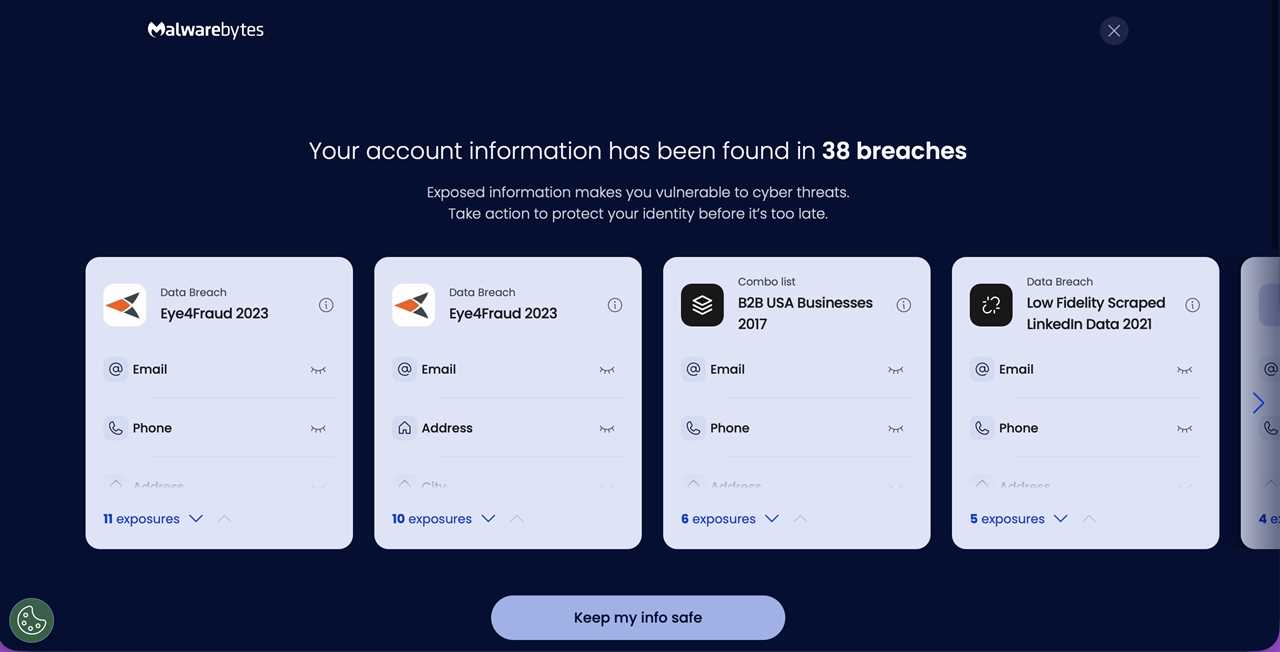
Malwarebytes found exposure to 38 separate bata breaches
.Foundry
Other major features include Identity Protection and Browser Guard, both of which come with strengths and weaknesses. Like similar services, Identity Protection scanned my email address, flagged exposure in 38 separate data breaches over the years, and began generating detailed reports outlining where my information had been leaked. It also layers in additional monitoring features, including credit bureau reporting and even a registry of sex offenders within a two-mile radius — thorough, if somewhat expansive in scope.
Many of these tools are reserved for higher-tier plans, and there’s an underlying sense that taking full advantage of them nudges you toward a more expensive subscription level, potentially beyond your current plan if you opt into additional services.
Malwarebytes 5’s Browser Guard, unfortunately, proves more of a mixed bag. While installing the Safari extension was straightforward, the Chrome extension was unavailable, with the software reporting that the app store could not be reached and suggesting I contact a system administrator within my organization.
In practice, the Safari version was inconsistent: it blocked most scam and spam test sites but still allowed a noticeable amount of questionable traffic through without warning, occasionally redirecting traffic to a vague online casino site.
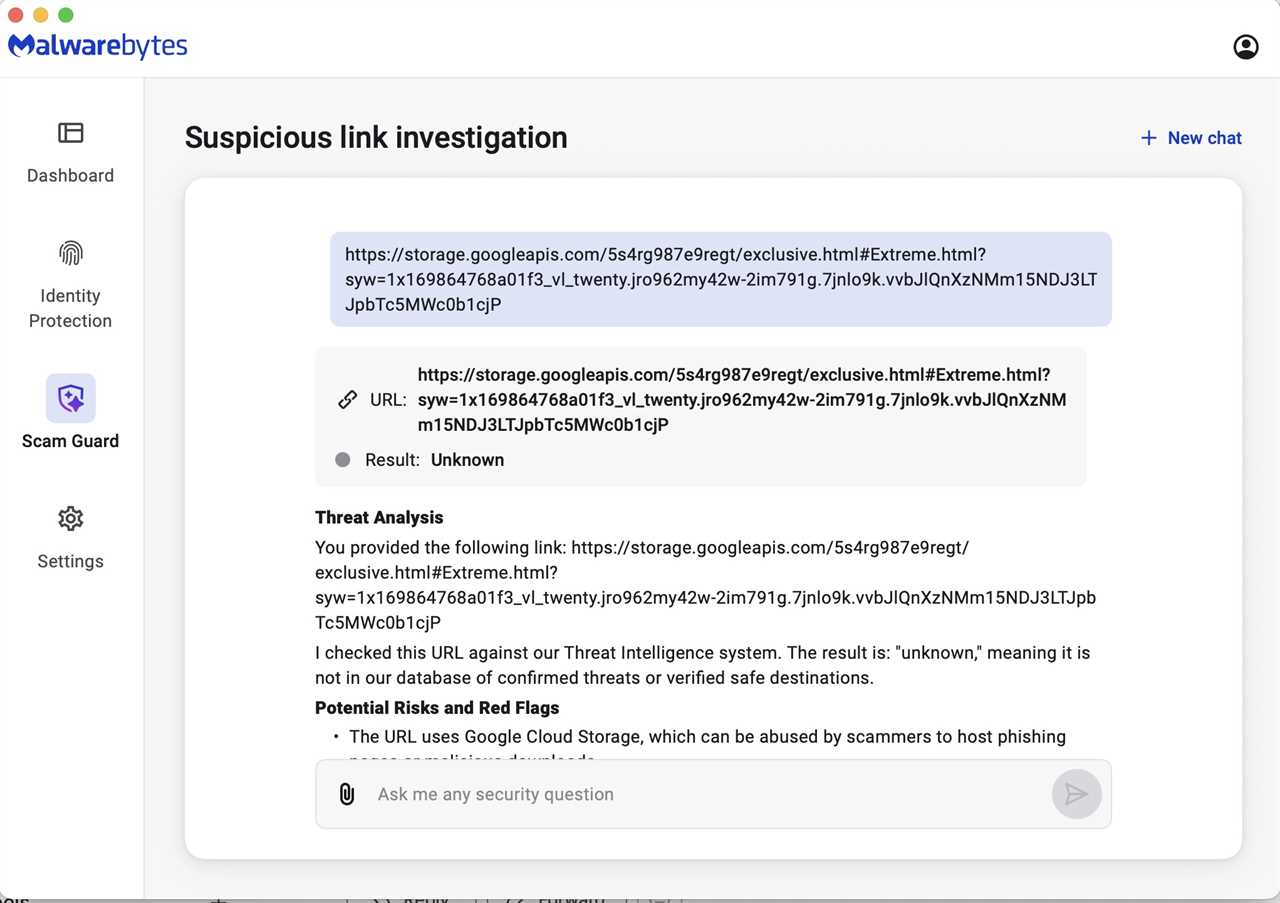
Suspicious links
are investigated.Foundry
Price: Is Malwarebytes worth the money
Malwarebytes for Mac uses a tiered subscription model with different levels of protection for personal users. All plans ofer free customer support and a 60-day money back guarantee. There is also a 14-day trial period.
- The Standard plan starts at $59.99/£49.99 a year for 3 devices and offers core antivirus protection, including malware, virus, ransomware, phishing and spyware protection, and web protection.
- The Plus plan starts at $79.99/69.98 a year for 3 devices and offers everything in Standard as well as the Privacy VPN and geographic location switching.
- The Ultimate plan starts at $279.99 (currently $139.99) a year for 3 devices and adds Identity Protection (dark web/credit monitoring, recovery assistance) as well as $2M identity theft insurance and Online Personal Data Remover tools.
- The U.K. has a slightly different option here: the Total plan starts at £149.99 (currently £74.99) a year. Some of the Identity Protection features aren’t available, including dark web and breach alerts and credit card alerts, while identity theft insurance is limited to $1M.
Other suites offer more features for a similar cost, and if you are after a feature-rich security suite with things like parental controls, cloud backup, or more robust lab-certified detection, look elsewhere.
That said, the price is reasonable if you want straightforward malware protection with basic extras (VPN, identity tools), and the 14-day free trial – which requires no credit card – makes it easy to test-drive.
Problems: What’s missing compared to rivals?
What’s present in Malwarebytes 5 is solid, but there’s still work to be done and bugs to address. The application offers a respectable degree of customization – including an interesting option to configure the percentage of CPU resources it can use. However, a number of smaller issues prevent it from feeling truly polished.
The absence of a firewall or parental controls may raise eyebrows. Scheduled Scans are a useful addition, but because they don’t run in the foreground, it’s difficult to confirm at a glance that a scan is actually in progress. Post-scan reports are reasonably detailed, but the screen formatting obscured exactly where malware was located, and there appeared to be no way to export reports – a significant limitation for IT departments.
At the end of a scan, Malwarebytes 5 provides quick links to its online malware catalog. However, instead of directing you to the specific definition tied to the detected threat, it drops you into a broad index that requires manual searching – an unnecessarily clumsy approach.
Combined with the inability to access the Chrome Web Store to test Browser Guard for Chrome and the lack of automatic scanning when an external drive is mounted, these issues suggest that while the foundation is strong, Malwarebytes still has refinement ahead. Addressing promised features, lingering bugs, and usability gaps in future updates will be key to elevating the suite from good to truly excellent.
Verdict: Should you buy Malwarebytes for Mac?
What’s present in Malwarebytes for Mac is good and most of its core features are as strong as ever. The addition of external drive scanning and expanded parity with the Windows version are welcome improvements. Still, there’s a sense that this version hasn’t yet reached its full potential. We hope the developers take a close look at where the Mac version stands, compare it thoughtfully to its Windows counterpart, and dedicate the time needed to refine, polish, and bug-fix what’s already a solid foundation.
Is Malwarebytes for Mac worth downloading? Absolutely. Its fast scans, straightforward setup, capable VPN client, identity protection features, and consistently strong anti-malware engine make for a compelling package. There’s a genuinely good product here.
However, users seeking a fully featured, all-in-one security suite may find it lacking. The absence of firewall controls, parental protections, more advanced real-time defenses, and smoother report exporting limits its appeal. The interface can also make it harder than it should be to review threat details or pinpoint exactly where malware was located. While Browser Guard’s uneven performance and occasional extension issues further hold it back.
Read More
Title: Malwarebytes for Mac Review: Strong malware detection, but is it worth the price?
Sourced From: www.macworld.com/article/700984/malwarebytes-premium-for-macs-review.html
Published Date: Mon, 02 Mar 2026 13:11:47 +0000