.png)
Macworld
You’ve heard this before: as a Mac user, it’s important to keep your apps up to date. Doing so not only ensures you get all the latest features as they arrive, but it also keeps your computer safe and vulnerabilities patched.
Why, then, is it so hard to keep your apps updated? Sure, the App Store lets you upgrade multiple apps at once, but many Mac users download apps from all sorts of third-party websites, not just from Apple’s storefront. That means updating requires opening and checking each installed app individually–a nightmare if you have more than a handful running on your Mac.
For many years, I’ve been using an app called MacUpdater to solve this problem. Open it up, and it scans your installed apps, then installs any updates in one go. It has a clean interface, can run updates from the menu bar, is highly customizable, and finds updates whether your apps are from the App Store or elsewhere. Plus, it required a single, one-off payment, without a subscription in sight.
Except that’s become a major problem. In 2025, MacUpdater’s creator said they’d be ceasing development come January 2026. Now that that date has rolled around, the developer has revealed that the one-off payment method was unsustainable, while they were also opposed to implementing ongoing subscriptions. As a result, MacUpdater died off.
Since hearing that news, I’ve been searching for an alternative updater app and have put plenty through their paces. After much testing, I think I’ve reached a way forward, but MacUpdater’s demise has left a significant hole in my macOS life. It highlights how difficult it can be to keep your computer safe and up to spec without the hassle, and what you can do to keep your Mac apps chugging smoothly along.
MacUpdate Desktop
MacUpdate Desktop
Foundry
The first app I tried in place of MacUpdater was the similarly named MacUpdate Desktop, which costs $9.99 for a one-year subscription. This felt like a natural first stop because it’s maintained by MacUpdate, a prominent website that catalogues new versions of Mac apps and offers them for download.
In terms of raw updates found, MacUpdate Desktop was easily the best app I tried. It came up with 14 installed apps that needed updating, more than three times the closest competitor. That gave me confidence that it wouldn’t miss important releases, which perhaps is unsurprising given the nature of the MacUpdate website. But that’s about as far as the positives went.
Unfortunately, there is a lot to dislike about this app. The main issue is that there’s no way to bulk update your apps. Yes, it found plenty of updates, but I had to go through them all one by one, which quickly got tiresome. There’s also more bloat than I need, including a store to download new apps and a collections tab that sorts your apps into groups (which wasn’t particularly useful).
There’s also no way around the interface: it’s bad. MacUpdate Desktop doesn’t feel like a native Mac app; instead looking like a website that’s been housed in a simple app wrapper. Its menus are non-native, there’s extremely limited customization, and the menu bar icon leaves a lot to be desired.
All in all, then, this is probably one to avoid. The app is still in beta, so hopefully improvements are on the way. It’s not an encouraging start, though.
Updatest
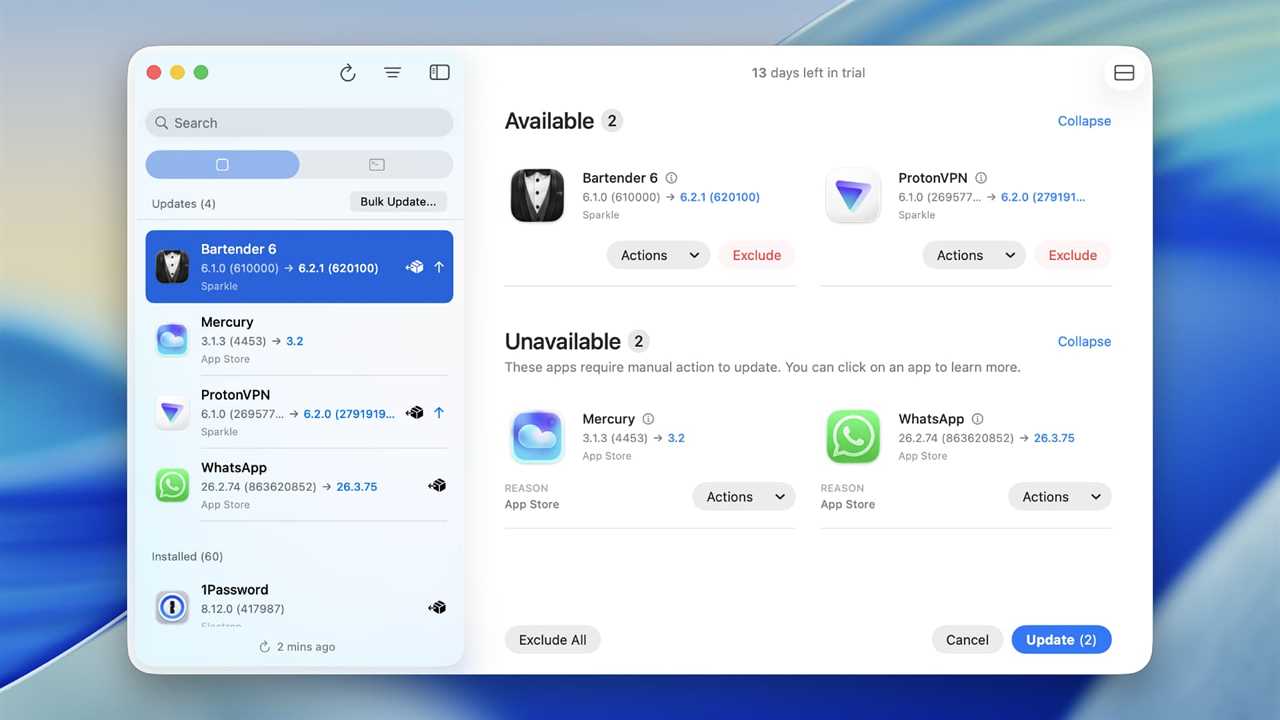
Updatest
Foundry
Next up is an independent app called Updatest. I was immediately interested in this because it can check for updates to Homebrew projects, Electron apps, and those from GitHub, something that many app updaters can’t do. That’s an extra degree of flexibility for people who need it.
Unfortunately, it only found four app updates for me, far fewer than the 14 MacUpdate Desktop located. Annoyingly, it also couldn’t automatically update some apps that other updaters could.
Still, there’s an awful lot to like about Updatest. Unlike MacUpdate Desktop, its slick, professional design helps it feel like a familiar, native Mac app. Its Dock icon shows how many apps need updating, and while its menu bar icon isn’t as powerful as MacUpdater’s, it’s still useful. You can skip or ignore apps (either permanently or temporarily) and, importantly, update them in bulk.
It also only requires a one-off payment of $9.99, with no ongoing subscription. Paying users gain access to an addon that surfaces anonymized update info from the community, which is handy if Updatest can’t find info on whether an app has a new version (this feature is expected to require a payment in the future).
With filters for apps from the likes of Setapp and TestFlight (as well as standard sources like Sparkle and the App Store), Updatest has a lot of welcome features thrown in. It’s come close to scratching the MacUpdater itch, and while it’s not perfect, it’s a strong offering.
CleanMyMac
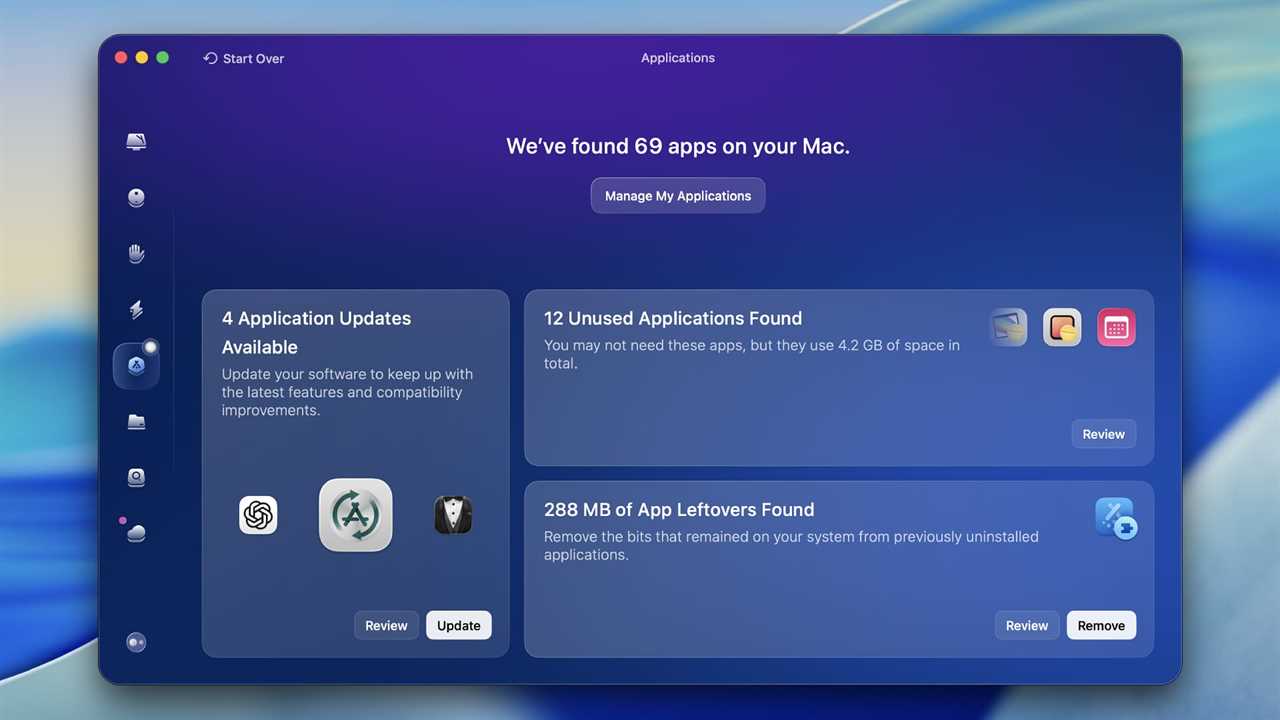
Foundry
While Updatest is a resolutely simple app, CleanMyMac occupies the other end of the spectrum. It’s an all-in-one package that cleans your system, scans for viruses, tweaks your Mac’s performance, and a lot more. That could be just what you need, but it also means that there’s a huge amount of bloat if all you want is an app updater.
As well as all those extra features, its design is hard to miss and certainly won’t be to everyone’s tastes. I was also a little disappointed that it only found four apps to update. Curiously, three of those four were different from the four discovered by Updatest.
That said, CleanMyMac comes with a bulk update feature that lets you keep your apps healthy in just a few clicks. The app itself also feels highly polished and comes with a lot of quality-of-life features added in, plus it’s made by a well-known Mac-only developer in the form of MacPaw.
At $39.95 for a one-year subscription, though, it’s expensive, especially if you’re just looking for an app updater. It’s probably only worth considering if you are after something more all-encompassing.
Latest
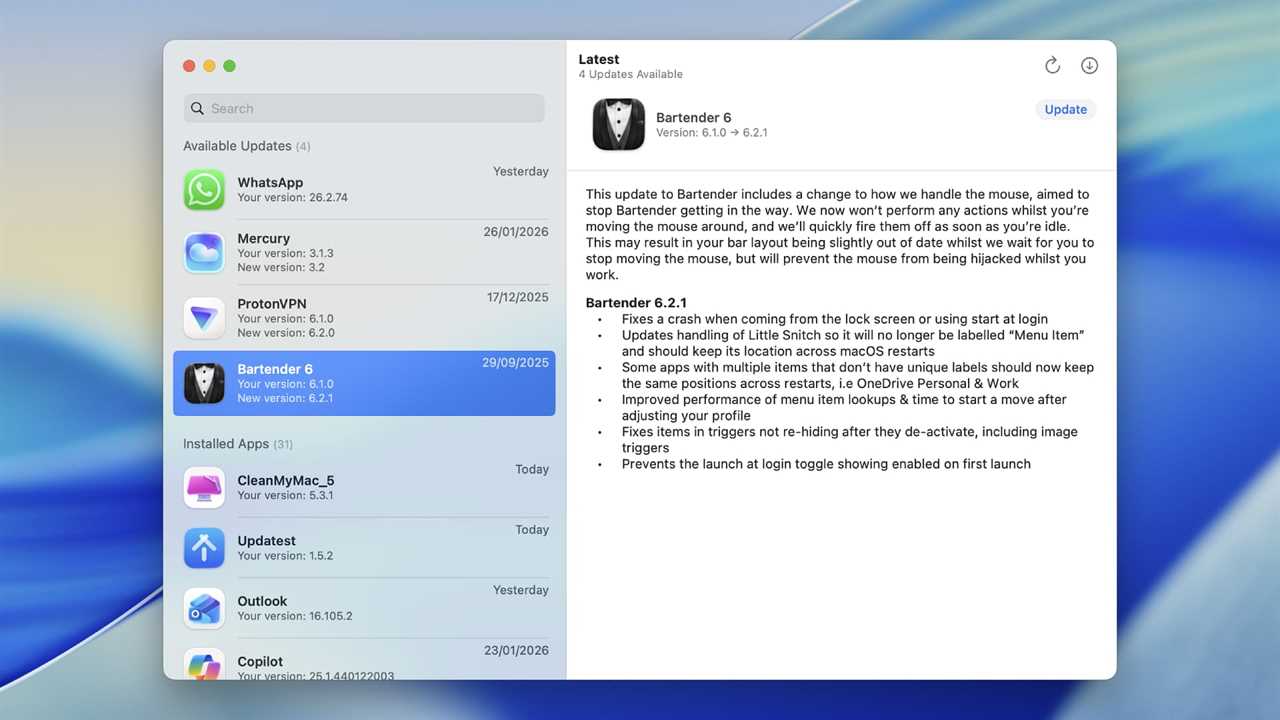
Foundry
The final app to land on my desk was Latest. This is, on the face of it, the most straightforward app here, and a far cry from the bold design sentiments of CleanMyMac. There’s a left-hand column that lists your apps and those that need updating, with a right-hand column containing more info on each app you click on. And that’s about it as far as the design goes.
There are pleasing extras located here and there. There’s a bulk update option hidden in the File menu, and like Updatest, it shows the number of app updates on the Dock icon. It’s easy to use, quick to get started, and is totally bloat-free.
It’s all totally free, period. There’s no subscription, no one-off payment, and no trial, just a freely distributed app that’s yours to keep. After MacUpdater’s woes, that’s refreshing.
What do I do know?
Despite none of the apps I tested meeting the high-water mark set by MacUpdater, it’s probably still worth using one, if only because they beat having to open every app you’ve installed and check for updates individually.
MacUpdate Desktop gave me the most confidence in terms of the number of app updates it found, but it has a lot of problems: it feels horrible to use, it’s not much of a looker, and it’s missing bulk update and other much-needed features. Thankfully, there are other options.
If you’re undecided, Latest is a good place to start, as it is free, so you lose nothing by trying it. The other apps all have time-limited free trials, so they’re worth testing out too if you’re unsure.
But what became clear from my testing was that MacUpdater’s demise has left a vacuum in this space for Mac updaters. We need a simple, reliable way to keep our apps up to date, wherever we downloaded them from. For now, I’m going to keep looking.
Read More
Title: Subscription culture put my Mac at risk
Sourced From: www.macworld.com/article/3052717/mac-app-updater-utilities.html
Published Date: Wed, 11 Feb 2026 11:30:00 +0000