.png)
Macworld
USB-C cables have always had a bit of a distance problem. They can carry astonishing amounts of data, drive high-resolution displays, and deliver serious amounts of power—but generally only when the thing at the other end is close by. But imagine the possibilities if the cable was really, really long.
OWC’s new USB4 40Gb/s Active Optical Cables come in 9.8-foot (3 meters) and 16.4-foot (5-meter) lengths, with the latter stretching to about the length as a two-person canoe or an adult saltwater crocodile (pro tip: never mix those two together). What’s remarkable about them is that they can maintain up to 40Gbps of USB4 data throughput over that entire distance. That makes it able to run your Mac’s peripherals much firther away then they are now.
OWC
How long can a USB-C cable be?
Passive copper cables suffer from signal attenuation and integrity loss over distance. The USB Implementers Forum (USB-IF) has guidelines on USB cable length based on the transfer rate. 5Gbps cables should be at most 6.6 feet (2 meters), while 10Gbps cables can reach up to 3.3 feet (1 meter). This is why the cable you get with your iPhone is 1-meter long,
Though not widely used for data transfer, USB 2.0 cables stretch up to 13.2 feet (4 meters) due to their slow transfer rate of 480Mbps—that’s 83.33 times slower than a 40Gbps connection. If you were transferring a large 50GB file (like a 4K movie), at 40Gbps, the transfer would finish in about 10 seconds. At 480Mbps, the same file would take around 15 minutes to finish.
Passive USB4 and Thunderbolt 3 cables have a maximum length of 3.3 feet (1m), while Thunderbolt 4 maxes out at 6.6 feet (2m). While passive Thunderbolt 5 cables can reach 3 meters, in order to maintain 80Gbps full speed the cable should be maximum 1 meter. Longer setups require active USB4 or Thunderbolt cables that use built-in electronics to reach over 2 meters.
The longest 40Gbps cable we’ve seen, from Corning, is actually 82 feet (25 meters), costs over $400, and doesn’t support charging at all. At $130, OWC’s new 16-foot USB4 cables are more reasonably priced and carry up to 240W of power.
OWC
How fast is this 16-foot cable?
The physics normally gets in the way. High-speed data doesn’t enjoy travelling long distances through copper. The longer the cable, the harder it becomes to maintain signal integrity at very high frequencies. That’s why passive USB4 and Thunderbolt cables capable of maximum speeds are measured in meters rather than rooms.
OWC’s solution is to replace the traditional copper highway with active multi-mode optical fiber technology. The cable uses light to carry the high-speed data, with active electronics helping maintain the signal over the longer run. It is built for bandwidth intensive applications that require stable, consistent signal transmission and power delivery free from EMI and RFI interference.
The payoff is the impressive bit: 40Gbps over 5 meters.
That’s fast enough for the sorts of things Mac users buy high-speed connectivity for—USB4 and Thunderbolt docking stations, fast RAID storage, PCIe expansion, and high-resolution displays.
Your MacBook doesn’t have to live beside your dock
This is where the cable gets genuinely useful. Want your MacBook on the desk but your noisy external storage tucked away elsewhere? Done. Want the docking station behind the monitor rather than dangling beside the laptop? Easy. Building a cleaner workspace where the computer and peripherals don’t all have to occupy the same few square feet is precisely the point.
You can enhance your cable management by placing AV devices in a rack while keeping your computer at your fingertips, or increase freedom of camera movement by tethering during in-studio shoots. There are even LED indicators at both ends, which indicate that the 16-foot connection is actually working.
The cables support DisplayPort Alt Mode, so they work with compatible USB-C displays as well as Thunderbolt displays. OWC says they’re capable of supporting high-resolution Thunderbolt displays up to 8K, including Apple’s Pro Display XDR and Studio Display.
There is one catch: Fast-charging
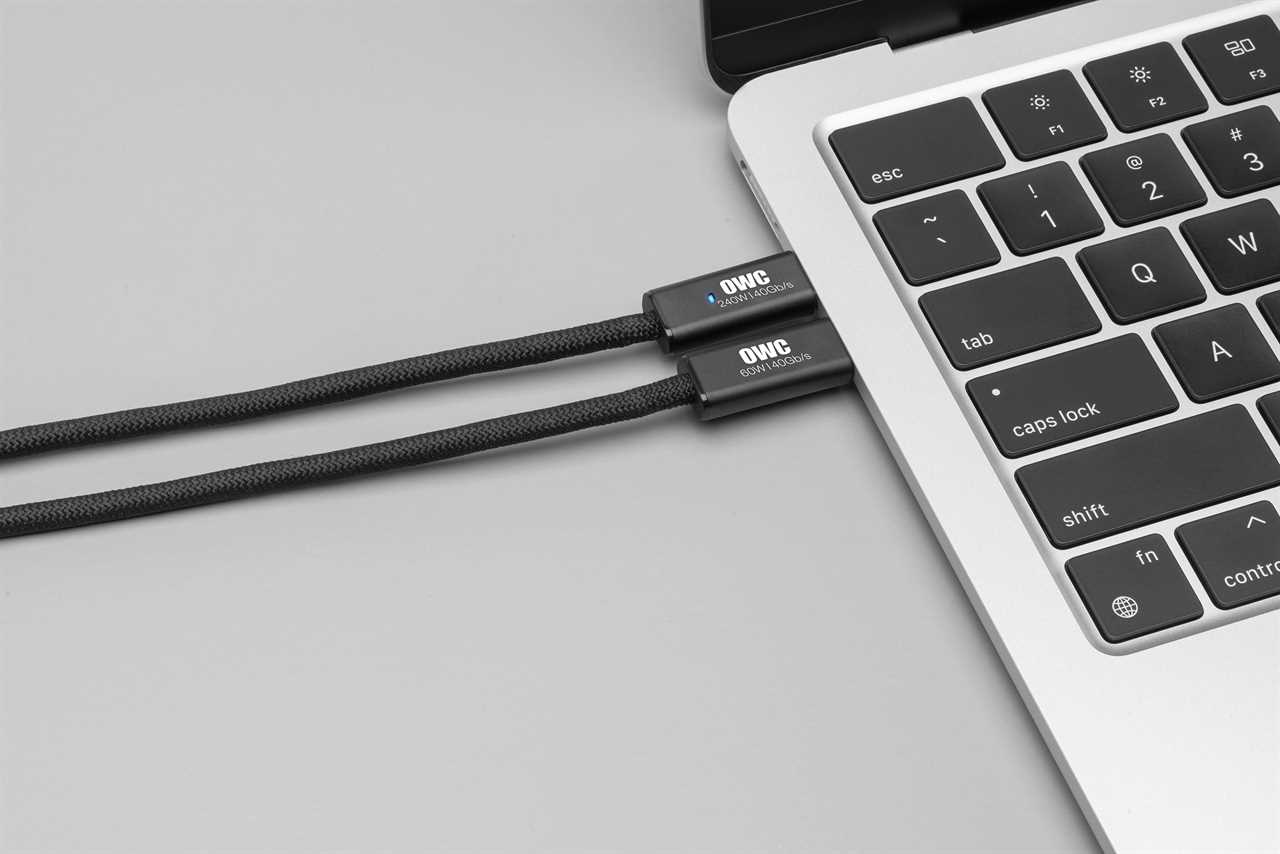
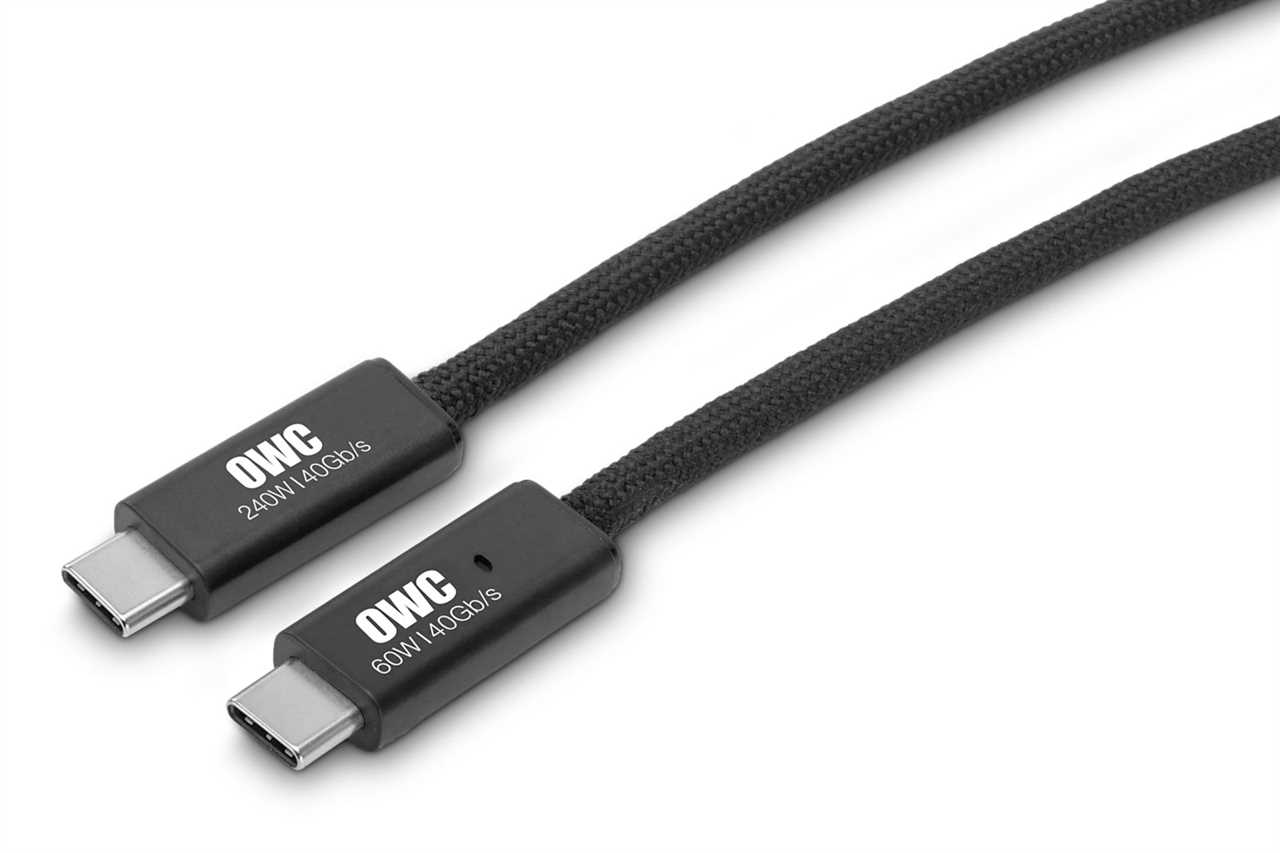
Don’t confuse long-distance data performance with far-flung charging. OWC rates its 3-meter cable for up to 240W Power Delivery (easily enough power to fast-charge even the top-end 16-inch MacBook Pro, but the 5-meter version is rated for a reduced 60W. That’s an important distinction for MacBook owners choosing between the two.
60W is close but not quite supported by Apple’s prescribed output for fast-charging. The MacBook Air requires 70W for fast-charging, the 14-inch MacBook Pro demands at least 96W, and the 16-inch Pro won’t charge at its fastest for anything under 140W.
That said, 60W should be plenty to keep even the largest MacBook going as long as it’s not being used to its maximum processing power.
OWC
Pricing and availability
You can pre-order the cables at OWC now with the 5-meter cable costing $130 and the 3-meter version costing $99, with general availability scheduled in mid-October.
That’s expensive by average USB-C cable standards—Apple’s 240W USB-C Charge Cable costs $29 but has a maximum bandwidth of just 480Mbps. But ordinary USB-C cables are nowhere near as cable as these USB4 cables at such a long length. Thunderbolt costs a but more, with Apple’s active Thunderbolt 4 Pro Cable (40Gbps) priced at $129 (1.8-meter) and $159 (3 meter).
Read our reviews for more of the best USB-C and Thunderbolt cables for Mac.
Read More
Title: This breakthrough USB-C cable solves your Mac desktop’s biggest problem
Sourced From: www.macworld.com/article/3255690/this-breakthrough-usb-c-cable-solves-your-mac-desktops-biggest-problem.html
Published Date: Thu, 08 Oct 2026 13:04:00 +0000
Did you miss our previous article...
https://trendinginbusiness.business/technology/the-download-ai-roadblocks-for-humanoids-and-portable-rubber-dams