.png)
Macworld
Your iPhone comes with a USB-C cable. That’s it. That’s far from enough to maximize its utility and unlock its full potential. At a time when iPhones pack professional-grade processors, cameras, magnets, and sensors, there’s a ton more out there to protect, augment, and otherwise beef up your iPhone.
Not sure where to look? Start with these 15 essential accessories every iPhone user should invest in. (The following items are listed with MSRPs. Amazon often offers prices lower than the MSRP.)
Fast-charging plug
Mahmoud Itani
First things first: to actually use your iPhone, you’ll need to charge it. The USB-C cable included in its box is an excellent choice, but you’ll still need a power brick. The Anker Prime 67W GaN Wall Charger ($49.99) is one of my favorite third-party options. It is compact, has three ports, supports fast charging, and features a folding mechanism.
If you’re more of a wireless charging kind of person, you’ll want to look into the Belkin 3-in-1 Charging Station ($139.99). It can charge your iPhone, AirPods case, and Apple Watch simultaneously without cluttering your desk with cables. It also unlocks StandBy mode on iOS, which neatly displays data and widgets of your choice.
Protective case
It goes without saying that you’ll need to protect your iPhone with a case, as a single drop could potentially crack its pricey glass panels. The color, design, and functionality will depend on your personal taste, but we can recommend a few reputable brands worth looking into. Head to the OtterBox, Beats, and Nomad iPhone case storefronts, where you can browse through their different options. Double-check the iPhone model to ensure compatibility before completing your purchase.
Screen protector
Like cases do for the back of your iPhone, screen protectors, particularly tempered glass ones, can help prevent cracks and scratches on your iPhone’s display. Certain designs serve additional purposes, too, like privacy variants that conceal on-screen content and matte models that minimize glare. For a high-end screen protector, you can’t go wrong with Spigen and Zagg. Ailun is also a decent brand for those aiming to spend less.
Portable power bank
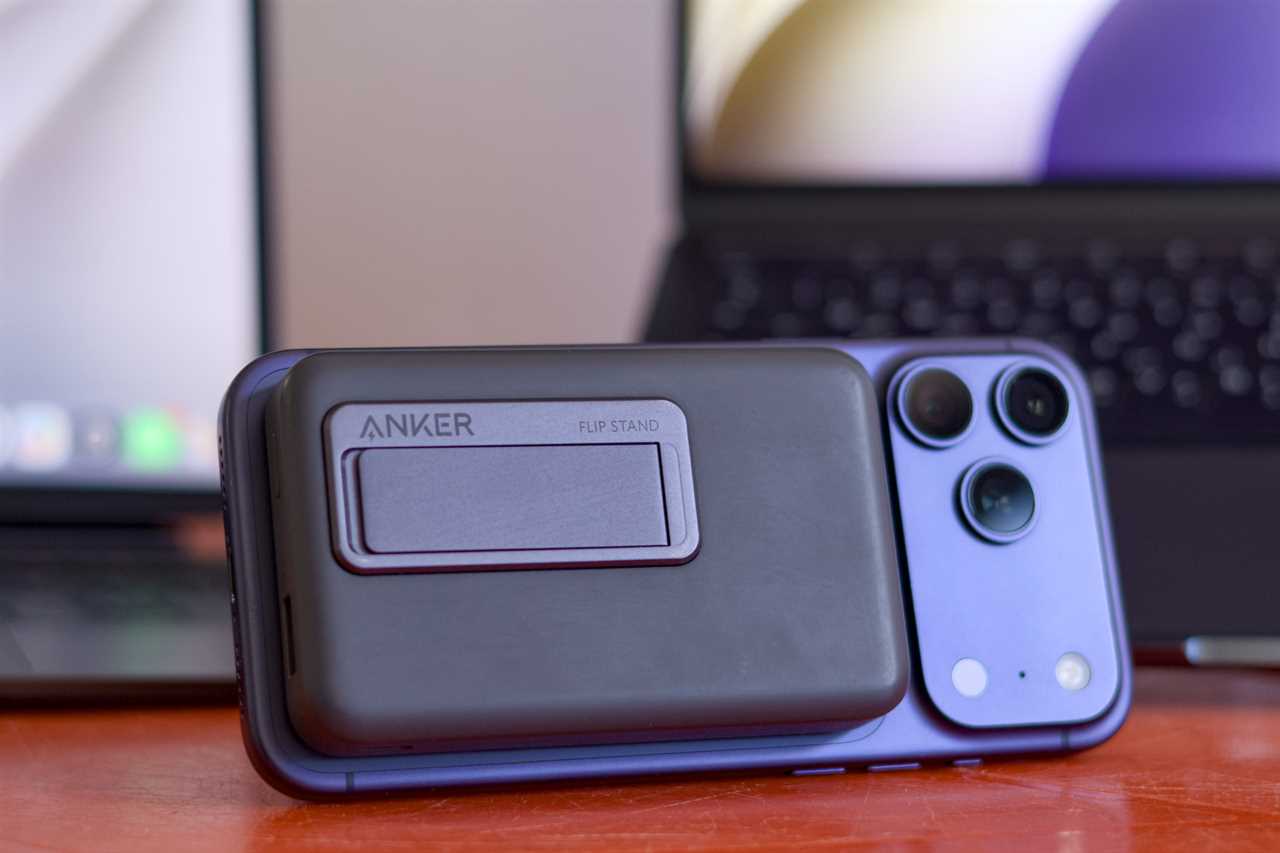
Anker Zolo Magnetic Power Bank.
Mahmoud Itani
A good plug is nice, but sometimes we run out of battery while we’re away from a power source. Fortunately, iPhones support a wide range of dependable power banks with varying price points. The Baseus Magnetic Power Bank ($69.99) supports fast charging through both wired and MagSafe connections, letting you top up your iPhone’s battery however you want. Anker’s Zolo Magnetic Power Bank ($49.99) is another premium option that offers an adjustable stand. If you’re on a budget, the Ugreen Magnetic Power Bank ($49.99) offers the same 10,000mAh capacity for a fraction of the price.
Headphones
For private listening, you’ve got the fairly-priced Beats Flex Wireless Earbuds ($49), which come in fun color options and are natively supported on iOS. Want something even cheaper? You’ve got the Sony IER-EX15C Wired In-Ear Headphones ($28), which offer a basic experience for casual listeners. We also can’t help but mention the Apple AirPods Pro 3 ($249), as they’re widely considered the best earbuds for iPhone users in terms of feature sets, Apple ecosystem ties, software updates, and overall quality.
MagSafe wallet
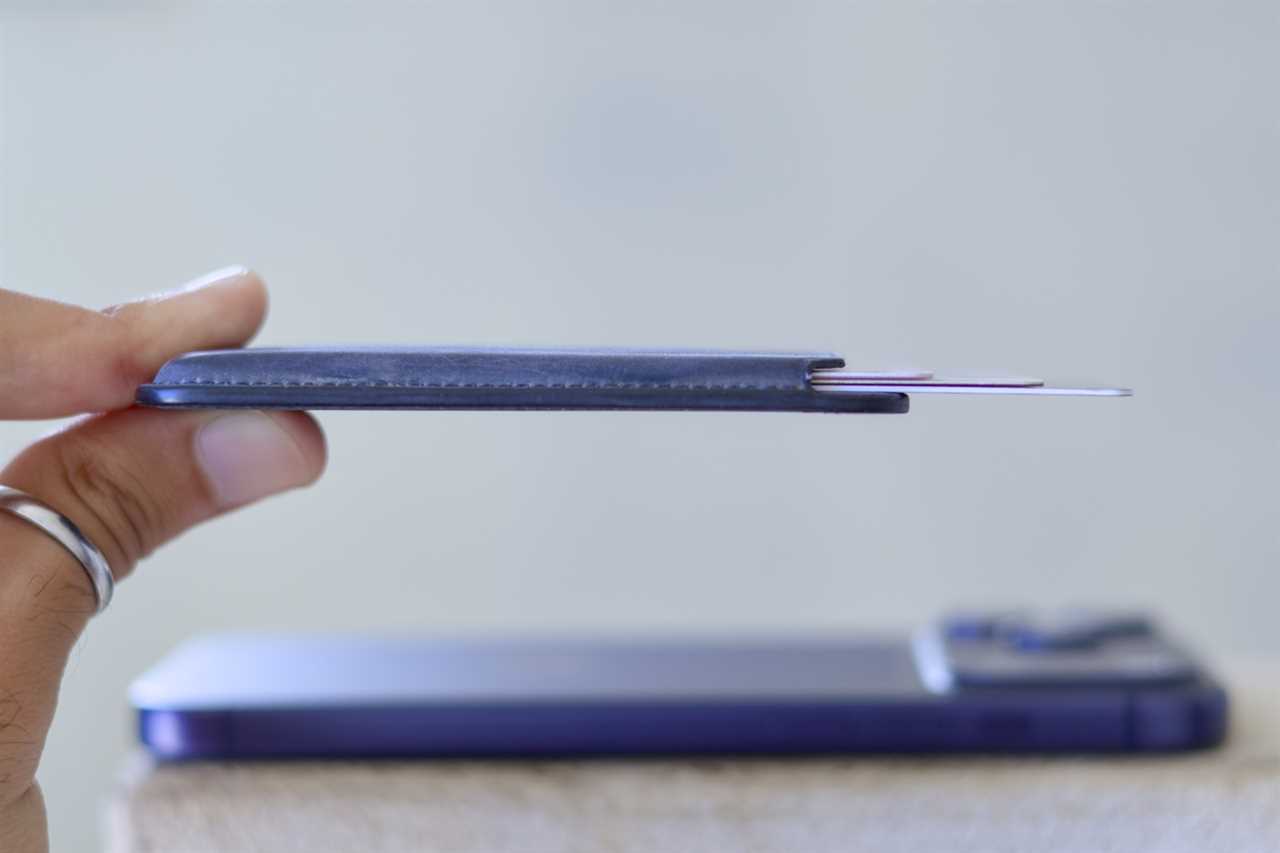
Apple FineWoven Wallet with MagSafe for iPhone.
Mahmoud Itani
MagSafe’s use cases extend beyond wireless charging. Personally, I attach a wallet to my iPhone’s back, as it lets me access all sorts of cards conveniently. The ESR MagSafe Wallet ($21.99) is an excellent slim option that also doubles as a kickstand. For something more rugged, you could look into the Pelican MagSafe Wallet ($39.99). If you’d rather use an official product, you could opt for Apple’s FineWoven Wallet with MagSafe ($59), though it’s not as durable as some third-party options.
Already stored all of your cards digitally in Apple Wallet? Check out a MagSafe grip from PopSockets instead.
Smartphone tripod
Tripods have become essential for content creators and those looking to use their iPhones’ advanced camera features. Recording a time-lapse, for example, works best when your iPhone is steady, while Night mode will only reveal the 30-second exposure option if your iPhone’s viewfinder is fixed. Manfrotto’s Mini Tripod ($46.95) is a premium option that will work with whichever iPhone model you use. For vlogging, you may want to look into the DJI Osmo Mobile 8 Gimbal ($149).
Bluetooth speaker
The iPhone’s built-in speakers are okay, but they aren’t ideal for long music streaming sessions. A portable Bluetooth speaker can amplify the volume and accompany you on your outdoor adventures. The JBL Go 4 ($49.95) is my personal favorite, due to its miniature, waterproof design and immersive sound quality. For something smarter and more stable, you can opt for a HomePod, which also doubles as a HomeKit hub.
Bluetooth tracker
Mahmoud Itani
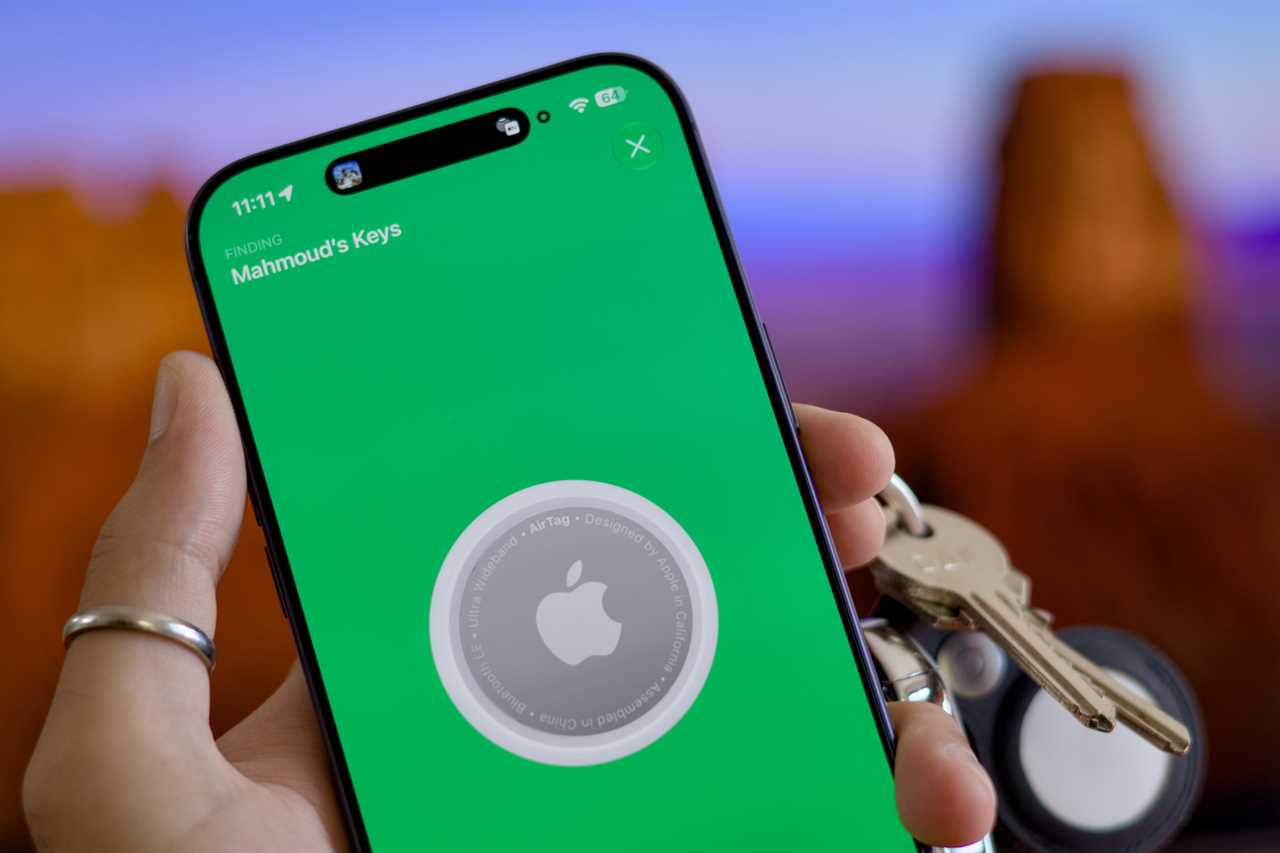
Apple’s Find My network is arguably the most reliable of its kind, allowing you to track any item around the world. All you have to do is attach an Apple AirTag ($29), optionally using the Apple FineWoven Key Ring ($35), to the desired item. This will allow you to view its location in the Find My app. You could also opt for third-party Find My trackers, such as the Ugreen FineTrack ($25.99) if you want a built-in key ring, or Ridge Wallet Tracker Card ($39) for something slimmer.
Fitness tracker
Another wearable you may want to consider for your iPhone is a fitness tracker. The Google Fitbit Air ($99.99) is one of the best wristbands for those seeking a distraction-free experience and daily health metric collection, and it works perfectly well with an iPhone. Otherwise, go with an Apple Watch Series 11 ($299) to unlock deeper system integrations, including call and text mirroring, music playback, Find My, Apple Pay, and more.
Car mount
Car mounts are great for safely glancing at Apple Maps when CarPlay is not an option. They also allow friends to watch you drive during casual FaceTime conversations. The Belkin MagSafe Vent Mount Pro ($32.99) is a sleek option that attaches to your iPhone using MagSafe magnets. This makes it exceptionally easy to mount and detach your device.
Game controller
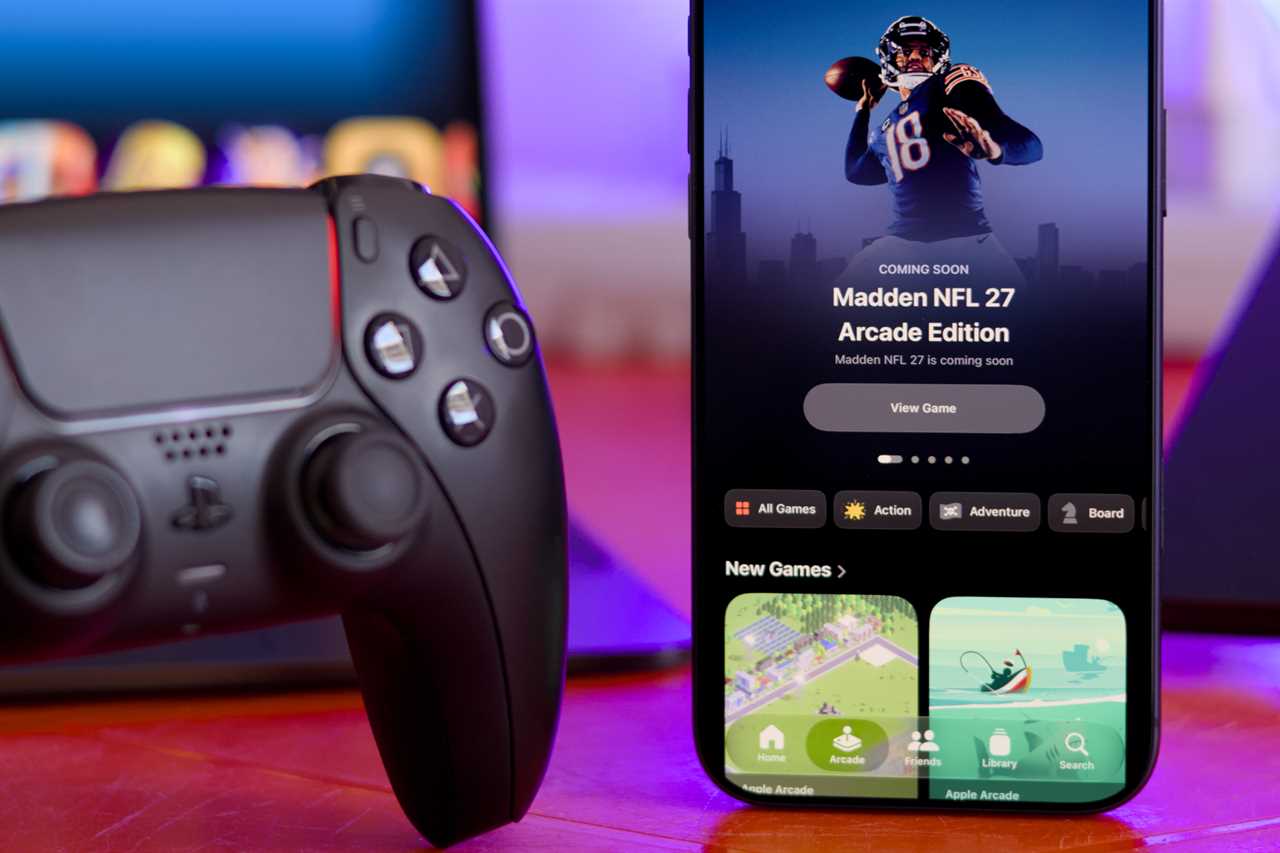
Sony DualSense Controller.
Mahmoud Itani
With newer iPhones supporting select AAA games, a game controller can unlock a more serious gaming experience when you’re away from your favorite console or PC. iOS natively supports PlayStation, Xbox, and other MFi-certified controllers, allowing you to wirelessly connect and personalize them. I personally use the Sony DualSense Controller ($74.99), as it is one of the most trusted options, charges via USB-C, offers haptic feedback, has a long battery life, etc.
Security key
iPhones natively support FIDO-certified security keys, unlocking a more secure form of two-factor authentication for your Apple Account and compatible third-party services. You can secure your online accounts by requiring physical authentication using the YubiKey 5C NFC ($58). This makes it even more challenging for hackers to compromise your digital identity.
Smart bulbs
Other essential iPhone accessories include HomeKit-certified products, which seamlessly pair to your Apple Home, support native controls and automations, and more. I personally rely on Nanoleaf Essentials Smart Light Bulbs ($29.99), as they’re affordable, colorful, customizable, dependable, and quite simple. If you’re going for other smart home accessories, ensure they’re compatible with HomeKit to get the best performance.
Cleaning kit
Correctly cleaning your iPhone contributes to its longevity and fresh look. The iFixit Precision Cleaning Kit ($14.95) comes with around a dozen different tools designed to clean your phone’s charging port, speakers, and more. You can use the same tools to clean your iPad and MacBook, too.
Read More
Title: 15 iPhone accessories I can’t live without (and neither will you)
Sourced From: www.macworld.com/article/3198260/15-iphone-accessories-i-cant-live-without-and-neither-will-you.html
Published Date: Wed, 29 Jul 2026 10:45:00 +0000