.png)
Macworld
Apple sells several MacBook models across different sizes and performance tiers, so choosing the right one comes down to how much you want to spend, what kind of work you do, and how much power you actually need.
In this in-depth guide to buying a MacBook, we explain which MacBook is best for different users, compare the latest models, advise on how much RAM you need, how much storage is enough, and help you decide whether a MacBook Air, MacBook Pro, or a MacBook Neo makes the most sense for you.
Which MacBook is right for you?
In 2026, Apple’s laptop lineup spans three clear tiers: the budget-friendly MacBook Neo, the mainstream MacBook Air, and the high-performance MacBook Pro.
- Best for basic use and tight budgets: MacBook Neo Ideal for students, casual browsing, streaming, and light productivity at the lowest entry price.
- Best for most people: MacBook Air (M5) The best mix of portability, battery life, silent operation, and everyday performance.
- Best for professionals: MacBook Pro (M5 Pro/Max) Best for demanding workflows such as 4K video editing, 3D work, heavy multitasking, and software development.
Use the table below to quickly find the MacBook that best suit your needs, or read on for more detailed guide to help you choose the best MacBook for your specific needs.
| Model | Best For | Starting Price | Key Specs | Buy |
|---|---|---|---|---|
| MacBook Neo | Students, casual users, and first-time buyers. | $599 ($499 for education) | A18 Pro chip, 13-inch display, 16-hour battery | |
| MacBook Air (M5) | Most users; perfect balance of power and portability. | $1,099 (13-inch) / $1,299 (15-inch) | M5 chip, 13.6 or 15.3-inch display, 18-hour battery | |
| MacBook Pro (M5) | Users needing sustained performance and better displays. | $1,599 | M5 chip, 14.2-inch Liquid Retina XDR, 24-hour battery | |
| MacBook Pro (M5 Pro/Max) | Creative pros, developers, and high-end video editors. | $2,199 (Pro) / $3,599 (Max) | M5 Pro/Max chip, Thunderbolt 5, up to 128GB RAM |
Apple’s MacBook lineup 2026: Overview
As of March 2026, Apple’s MacBook range falls into three categories: the budget MacBook Neo, the mid-range MacBook Air, and the high-performance MacBook Pro.
As you can see from the MacBook specs table below, the current generation is defined by Apple’s latest chips, including the M5, M5 Pro, and M5 Max, while the entry-level MacBook Neo uses the A18 Pro.
| Model | Screen | Chip | Ports | Battery Life | Starting price |
|---|---|---|---|---|---|
| MacBook Neo | 13-inch | A18 Pro | 2x USB-C | 16 hours | $599 |
| MacBook Air 13-inch | 13.6-inch | M5 | 2x Thunderbolt 4, MagSafe | 18 hours | $1,099 |
| MacBook Air 15-inch | 15.3-inch | M5 | 2x Thunderbolt 4, MagSafe | 18 hours | $1,299 |
| MacBook Pro 14-inch | 14.2-inch | M5/M5 Pro/M5 Max | 3x Thunderbolt 5, HDMI, SDXC, MagSafe | 22-24 hours | $1,699 |
| MacBook Pro 16-inch | 16.2-inch | M5 Pro/M5 Max | 3x Thunderbolt 5, HDMI, SDXC, MagSafe | 22-24 hours | $2,499 |
Which MacBook is best in 2026
Below we recommend the best MacBooks for various users, from students and every day users, to professionals, creatives and content creators. We also compare MacBook Air or MacBook Pro for those wondering which model to buy. Below this section you can find general advice about choosing the best specs, including screen size, when purchasing a new Mac.
Apple 13-inch MacBook Air (M5, 2026) – The best MacBook overall
Price When Reviewed:
From £1,099
Best Prices Today:

Retailer
Price
Check on Amazon
Product
Price
The MacBook Air (M5) is the best MacBook for most buyers because it offers the strongest balance of price, portability, battery life, and performance.
The 13-inch MacBook Air is light, quiet, fast enough for everyday work, and easier to recommend than any other Mac laptop. The latest version, updated in March 2026, keeps the same winning formula while improving storage and connectivity.
What’s new
The latest MacBook Air adds the M5 chip, doubles base storage to 512GB, and supports newer wireless standards including Wi-Fi 7 and Bluetooth 6.
Why we recommend the MacBook Air
- Excellent balance of performance and portability
- Silent fanless design
- Long battery life
- Strong everyday performance for work, school, and travel
- Now ships with 16GB of RAM and 512GB of storage as standard
Sizes
The MacBook Air comes in two sizes:
- 13-inch MacBook Air, 13.6-inch screen: Best for portability
- 15-inch MacBook Air, 15.3-inch screen: Better for multitasking and split-screen work
Display
As you can see from the above measurements, the display, when measured diagonally is a little larger than the standard naming would suggest. As a result the 13-inch MacBook Air display is actually larger than that on the 13-inch MacBook Neo, discussed below. The MacBook Air uses a bright Liquid Retina display, but it still lacks the 120Hz ProMotion refresh rate and HDR capabilities found on MacBook Pro models.
Performance
The M5 chip in the MacBook Air is fast enough for office work, school tasks, web apps, multitasking, and light creative work. Because the Air has no fan, though, performance can dip during long video exports or other sustained heavy workloads so that the temperature remains optimal.
Battery life
Battery life is excellent, making the Air a great choice for anyone who works away from a desk. It offers more battery life than the budget-friendly MacBook Neo, but falls short of the 14-inch MacBook Pro.
Other specs
You get MagSafe 3 for charging and two Thunderbolt 4 ports. The MacBook Air also supports up to two external displays. (Older M1 and M2 models were limited to one external monitor).
- 16GB RAM to 32GB RAM
- From 512GB to 4TB SSD
Price
- 13-inch MacBook Air: Starts at $1,099/£1,099
- 15-inch MacBook Air: Starts at $1,299/£1,299
What to know before buying
The Air’s biggest limitation is sustained performance. It is quick for most tasks, but it is not the right machine for users who regularly push their system for long periods.
Read our full Apple 13-inch MacBook Air (M5, 2026) review
Apple MacBook Neo – Best budget MacBook
Price When Reviewed:
£599
Best Prices Today:

Retailer
Price
£599
View Deal
Product
Price
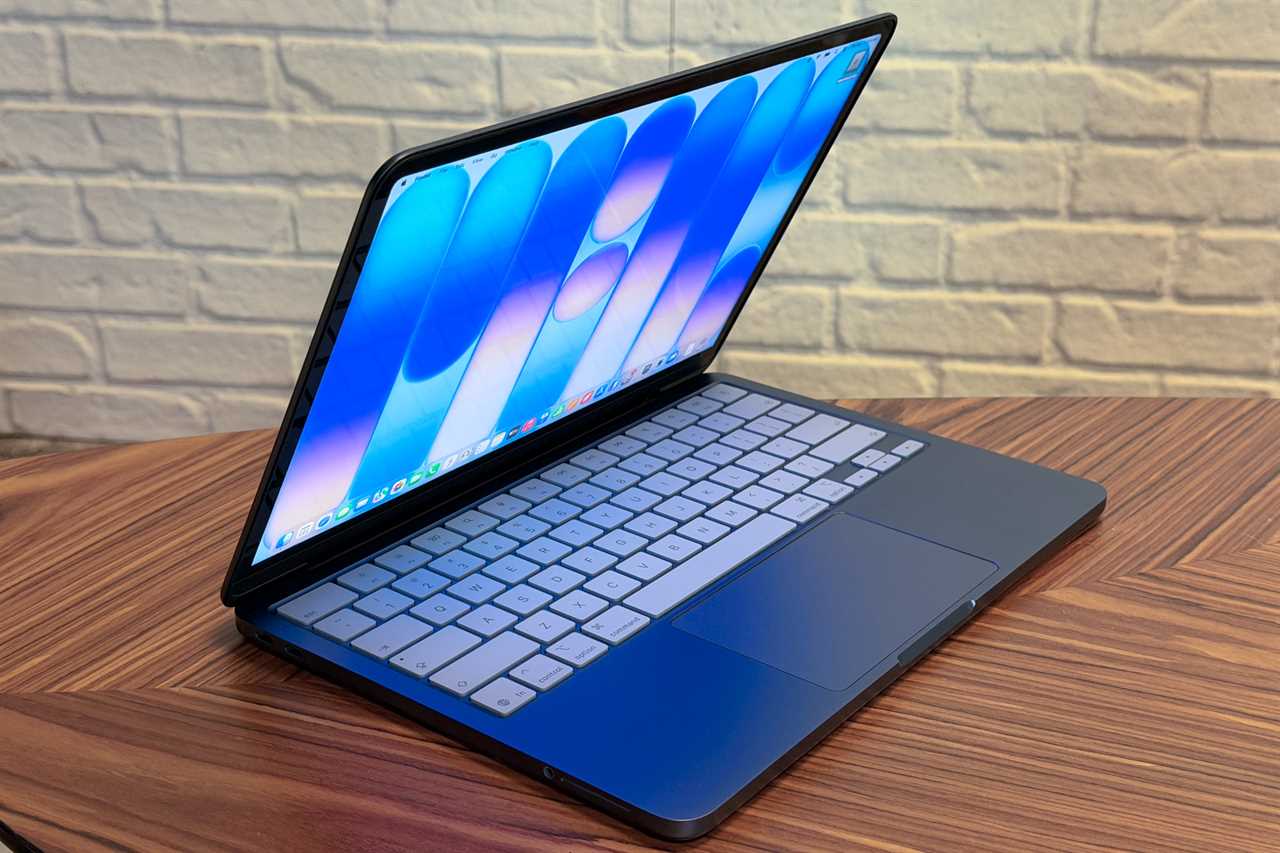
The MacBook Neo is the cheapest way to buy a Mac laptop in 2026. Starting at $599, it is aimed at students, first-time Mac buyers, and casual users who mainly browse the web, stream video, join video calls, and work in basic apps.
Despite its lower price, it still looks and feels like a MacBook, with an all-aluminum design and a lightweight chassis.
Who is MacBook Neo for?
The MacBook Neo is best for people whose computing needs are simple: web browsing, email, documents, streaming, and schoolwork.
Why we recommend MacBook Neo
- Lowest price in the lineup
- Light and portable
- Quiet fanless design
- Good battery life
- Fast enough for basic everyday use
Sizes
The MacBook Neo comes in just one size:
- 13-inch MacBook Neo, 13-inch screen
Display
Like the MacBook Air the MacBook Neo offers a Liquid Retina display with max 500 nits brightness, but that’s where the similarities end. The display is slightly smaller than the display on the 13-inch MacBook Air, offering 2,408 by 1,506 pixels compared to 2,560 by 1,664 pixels. It also lacks the wide color P3 and True Tone technology of the other MacBooks, offering only sRGB color.
Performance
The MacBook Neo is powered by the A18 Pro chip – the same processor first introduced with the iPhone 16 Pro. While it is a mobile-class chip, its performance is optimized for a laptop environment, offering a highly responsive experience for everyday productivity. In our tests it proved faster than the M3 in single-core, while equal to the M1 when it came to multi-core performance and graphics.
Battery life
The budget-friendly MacBook Neo provides a modest but sufficient “all-day” battery for general productivity. In our tests it was slightly under Apple’s claimed 16 hours video playback. While this is the lowest battery life in the current Mac lineup, it it competitive against Windows laptops at the same $599 price point.
Other specs
You get two two USB-C ports, but these are not identical in capability, one being USB 3 and the other USB 2. See MacBook Neo ports explained. The MacBook Neo only supports one external display with a resolution of up to 4K at 60Hz.
- 8GB RAM
- 256GB or 512GB SSD
Price
- Starts at $599/£599
- Education pricing starts at $499/£499
What to know before buying
The Neo makes several trade-offs to achieve its low price, including the absence of a backlit keyboard, a limited selection of ports, and no Touch ID on the base model. It also features a lower-quality display compared to the Air and Pro, offers less memory with a maximum of 8GB RAM, and delivers lower sustained performance than M-series MacBooks. For many buyers, the $699 model represents better value, as it includes Touch ID and additional storage.
Alternatives
The MacBook Neo is the best budget MacBook, but it is best suited to light workloads. If you can spend more, the MacBook Air remains the better long-term buy for most people.
Another option, if a low price is your top priority, is a refurbished MacBook. Look out for clearance deals on older Apple silicon MacBooks, but avoid the older Intel-based models.
Read our full Apple MacBook Neo review
Apple 14-inch MacBook Pro (M5 Pro, 2026) – Best MacBook for creatives & professionals
Price When Reviewed:
£2,199
Best Prices Today:
Retailer
Price
£2199
View Deal
Product
Price
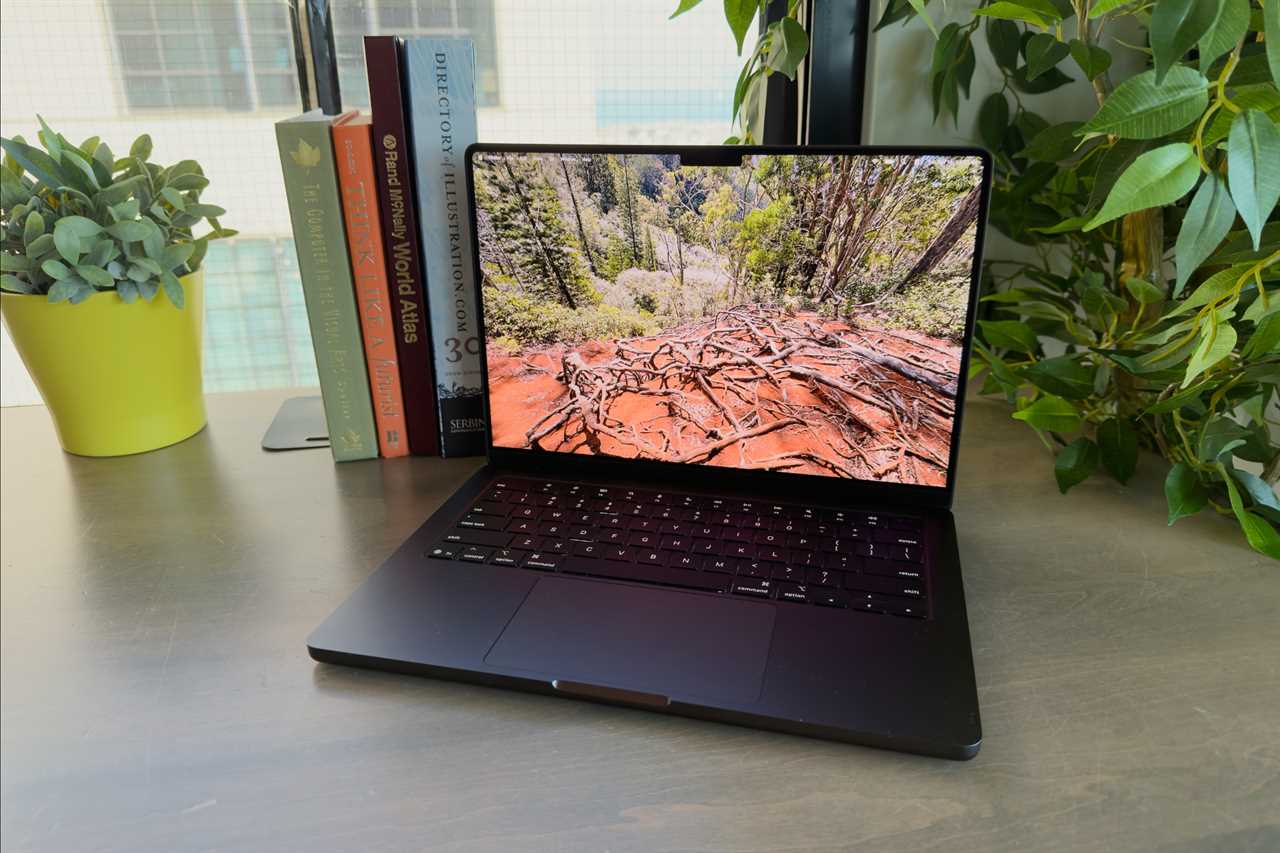
If you regularly edit 4K video, render 3D scenes, compile large code projects, or run demanding professional software, the MacBook Pro is the MacBook to buy.
The 14-inch and 16-inch MacBook Pro models with M5 Pro and M5 Max chips are Apple’s most powerful laptops, offering better sustained performance, more ports, stronger display technology, and much higher memory ceilings than the MacBook Air.
Why we recommend MacBook Pro
- Faster performance under heavy sustained workloads
- Better display with ProMotion and HDR
- More ports, including HDMI and SD card
- Higher RAM and GPU options
- Better support for multiple external displays
Sizes
The MacBook Pro comes in two sizes:
- 14-inch MacBook Pro, 14.2-inch screen: Best for portability
- 16-inch MacBook Pro, 16.2-inch screen: Better for multitasking and split-screen work
Display
The MacBook Pro uses Apple’s Liquid Retina XDR display, with higher brightness, better contrast, and ProMotion support up to 120Hz.
Performance
The MacBook Pro models featuring the M5 Pro and M5 Max chips, released in March 2026, represent a significant architectural shift for Apple through the introduction of “Fusion Architecture”. This design combines two 3nm dies into a single unified system on a chip (SoC), allowing Apple to scale performance and efficiency more effectively than previous generations.
There are three chips to choose from in the MacBook Pro line up:
- M5: Good for users who want Pro features without stepping up to the Pro or Max chips
- M5 Pro: Ideal for software development, 4K editing, and heavier multitasking
- M5 Max: Best for 3D animation, high-end video production, AI workloads, and the most demanding creative tasks
Battery life
Battery life is outstanding for a performance laptop, with the larger MacBook Pro model offering the best endurance in the MacBook range.
Other specs
These models offer the broadest port selection in the lineup and are best suited to photographers, video editors, and other professionals who plug into external gear frequently.
- From 16GB RAM or 24GB RAM to 128GB RAM
- From 1TB or 2TB to 8TB SSD
What to know before buying
The MacBook Pro is heavier and more expensive than the Air, so it only makes sense if you will actually use the extra performance and features.
MacBook Air vs MacBook Pro: Should I buy a MacBook Air or a MacBook Pro?
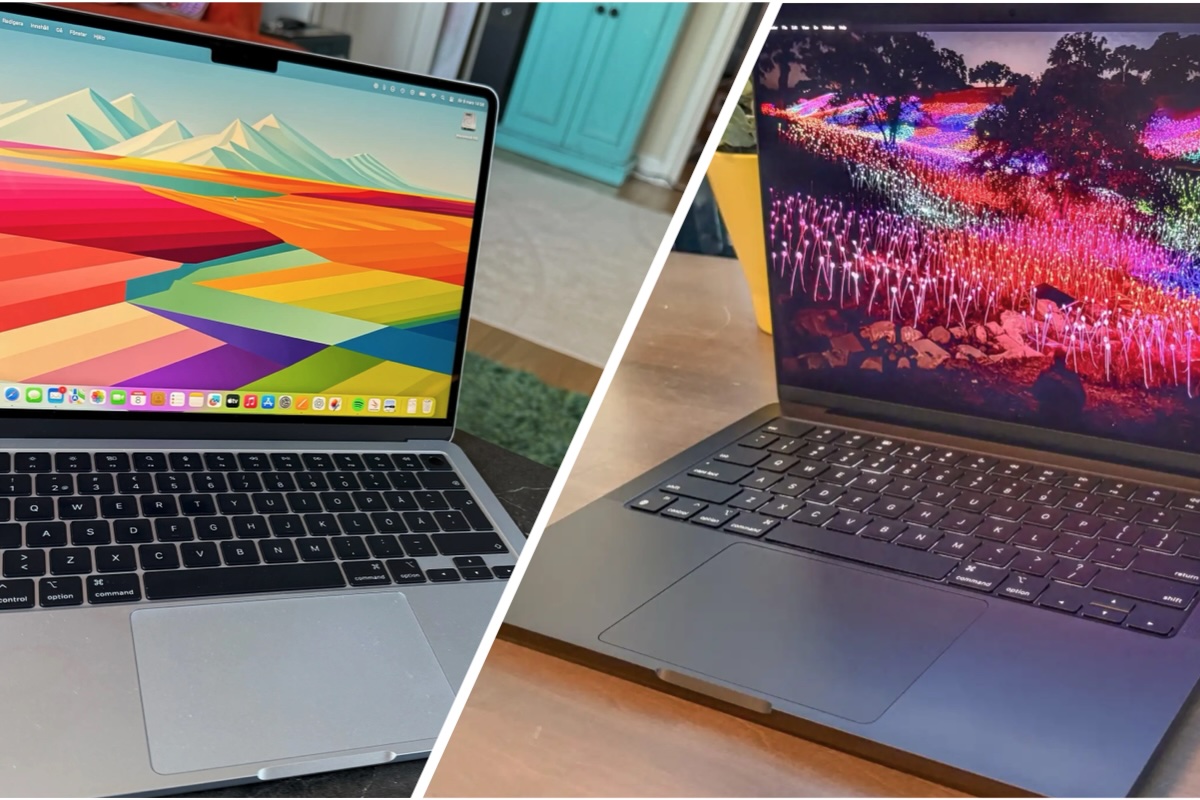
The M5 MacBook Air and M5 MacBook Pro are different in some significant ways.
Foundry
Choosing between the MacBook Air and MacBook Pro is straightforward if you want maximum performance and have a larger budget, as only the MacBook Pro can be configured with M5 Pro or M5 Max chips. However, deciding between the similarly specced M5 MacBook Air and M5 MacBook Pro is less clear-cut.
The key differences centre on thermal design, display quality, and connectivity. While both use the M5 chip, the MacBook Pro is built for sustained professional workloads, whereas the MacBook Air prioritises portability and silent operation.
One significant distinction is cooling. The MacBook Pro features active cooling with a fan, allowing it to maintain peak performance during demanding tasks such as video editing or 3D rendering. The MacBook Air, by contrast, uses a fanless design, making it completely silent but more prone to performance throttling under heavy load.
Display quality is another major differentiator. The MacBook Pro offers a superior Liquid Retina XDR display with ProMotion (up to a 120Hz refresh rate) and significantly higher brightness, reaching up to 1,000 nits for SDR and HDR content. The MacBook Air uses a standard Liquid Retina display, limited to 500 nits and without HDR or adaptive refresh rate.
The Pro also provides a wider selection of ports, a more advanced audio system, and longer battery life, making it better suited to professional workflows. The Air, however, remains thinner and lighter – for example, the 13-inch model weighs just 2.7 pounds – making it ideal for portability.
Price is another factor. The Air is more affordable, although the gap narrows when upgrading storage and memory to match the Pro.
Why choose the MacBook Air?
The MacBook Air is the better option for students, office users, travelers, and anyone who wants a light, quiet laptop for everyday work.
Reasons to buy the Air
- Thinner and lighter
- Silent fanless design
- Lower price
- Excellent battery life
- Plenty of performance for everyday tasks
Why choose the MacBook Pro?
The MacBook Pro is built for people who push their system harder and need better sustained performance, more ports, and a better display.
Reasons to buy the Pro
- Faster under heavy workloads
- Better screen
- Wider port selection
- Higher memory and GPU configurations
- Better for video editing, development, and pro creative apps
What about MacBook Neo?
If your budget is much tighter and your needs are basic, the MacBook Neo is the entry point. It gives you macOS at a much lower price, but with more compromises than the Air.
MacBook Air vs MacBook Pro: Key differences
Choosing between a MacBook Air and a MacBook Pro is primarily a decision between portability and sustained power. With the recent launch of the M5 series, the gap in performance has widened, particularly for users with demanding workflows.
- MacBook Air is lighter and cheaper
- MacBook Air uses fanless cooling
- MacBook Pro is faster under sustained load
- MacBook Pro has better ports and display options
- MacBook Pro supports higher-end RAM and GPU configurations
The table below shows the key differences between MacBook Pro and MacBook Air:
| Feature | MacBook Air | MacBook Pro |
|---|---|---|
| Starting Price | $1,099 | $1,699 |
| Display | 13.6″ or 15.3″ Liquid Retina (500 nits) | 14.2″ or 16.2″ Liquid Retina XDR (1,600+ nits, ProMotion) |
| Processor | M5 | M5, M5 Pro, or M5 Max |
| Battery Life | Up to 18 hours | Up to 24 hours |
| Ports | 2x Thunderbolt 4, MagSafe | 3x Thunderbolt 4/5, HDMI, SDXC, MagSafe |
| Cooling | Fanless | Active cooling |
| SSD | Up to 4TB | Up to 8TB |
| RAM | Up to 32GB | Up to 128GB |
Best MacBook for specialist cases
Not everyone will fit into one of the categories we have addressed above. If you work in the creative industries, development, machine learning, or software engineering, or other high performance use, we’ll address the best MacBook for you next.
Best MacBook for video editing and creative work: 14-inch or 16-inch MacBook Pro (M5 Pro/Max)
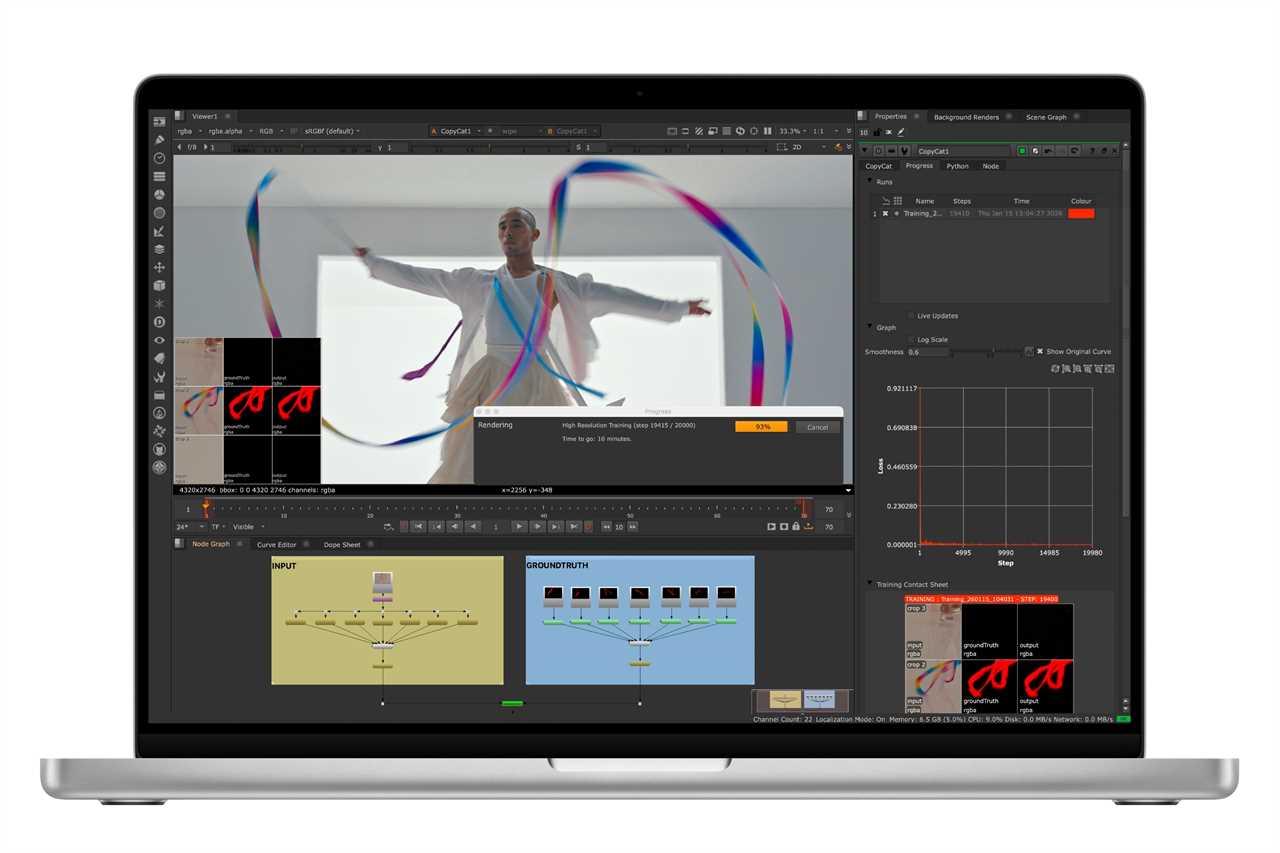
The MacBook Pro is the best MacBook for video editing and creative work, especially if you regularly work with large files, high-resolution footage, or GPU-heavy apps.
These models are built for demanding workflows and offer the sustained performance, display quality, memory headroom, and connectivity that creative professionals need.
The following are reasons why crestives choose the MacBook Pro:
- Active cooling for long renders
- Stronger GPU performance
- Higher RAM ceiling
- Better display for color-critical work
- Better external monitor support
- Runs: Final Cut Pro, Adobe Premiere Pro, DaVinci Resolve and more
Best MacBook for enthusiast creators: 14-inch MacBook Pro (M5)
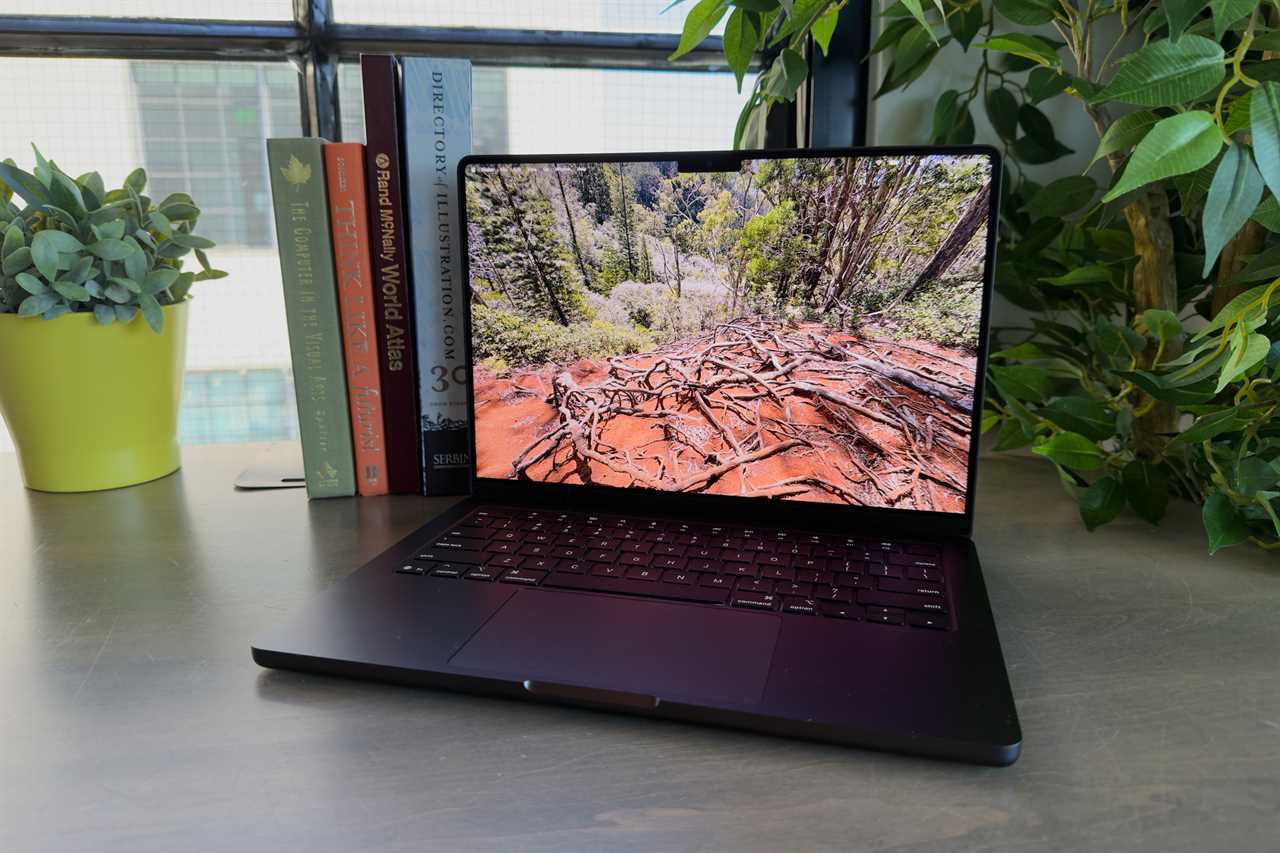
The M5 MacBook Pro is the better middle ground if you want more than the Air offers, but do not need the full cost or power of an M5 Pro or M5 Max.
Best MacBook for developers: 14-inch or 16-inch MacBook Pro (M5 Pro/Max)
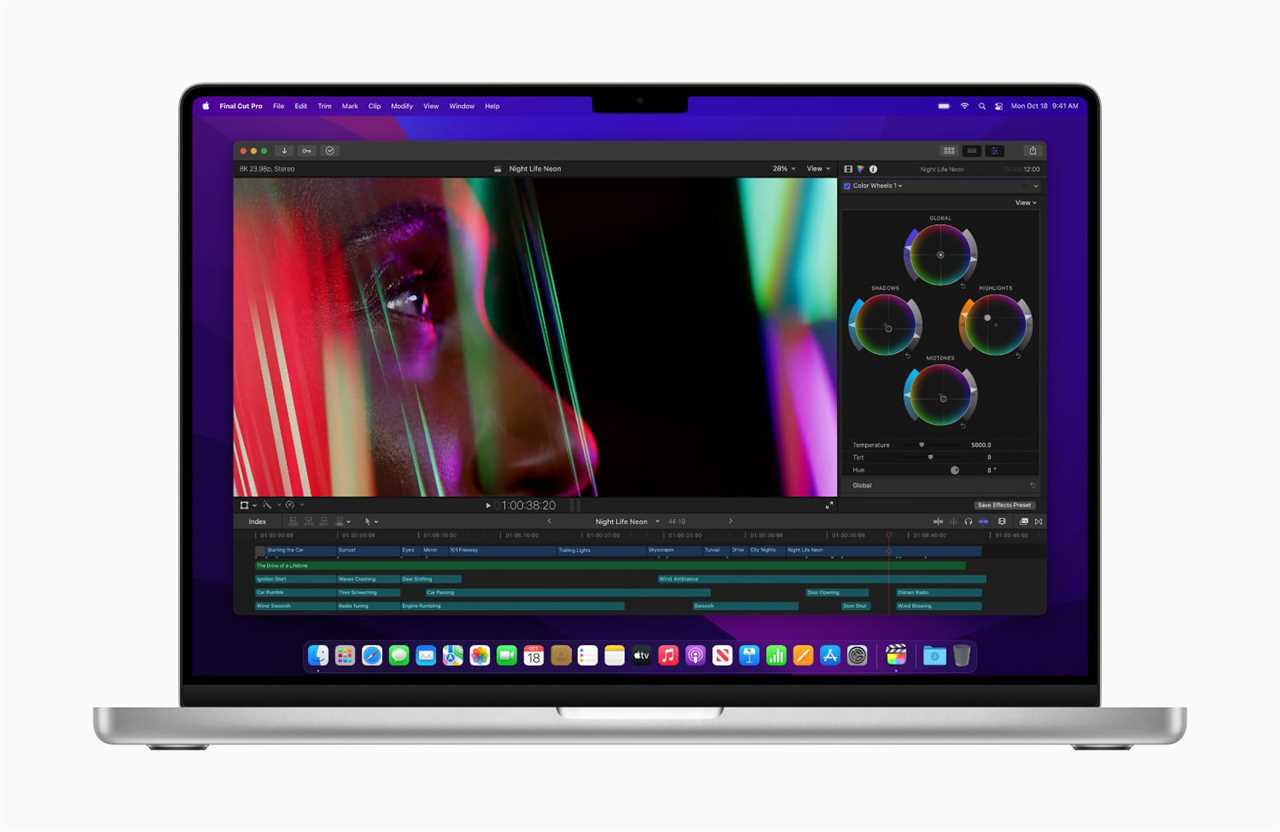
For professional developers, the MacBook Pro remains the strongest option. It is better suited to large codebases, longer compile times, virtualization, multiple displays, and heavier sustained workloads.
It offers a good balance of price and performance for most engineers.
The following are reasons why developers choose the MacBook Pro:
- Better thermal management for long build sessions
- More RAM options
- Better support for external displays
- More overhead for containers, emulators, and heavier dev tools
Best MacBook for heavy workloads: 14-inch or 16-inch MacBook Pro (M5 Max)
The M5 Max chip is best for AI development, complex simulations, or users who need the highest memory ceiling.
Best MacBook for gamers: 14-inch or 16-inch MacBook Pro (M5 Pro/Max)
While Windows PCs still hold a performance lead in raw frames per second, Apple Silicon has made high-end gaming a viable reality on macOS, particularly with the latest Pro and Max models.
The M5 Pro MacBook Pro, updated in March 2026, strikes a balance for those who need “oomph” for gaming without the extreme price tag of the M5 Max version of the MacBook Pro.
It includes Thunderbolt 5 ports for high-speed data transfer and supports more unified memory than the base M5. It is specifically recommended for “serious gaming” and moderate media production.
The M5 Pro model lacks the massive GPU core count of the Max chip, meaning it may struggle with the highest settings on the most demanding AAA titles like Cyberpunk 2077.
In our real-world gaming benchmarks, it provides “good results” for Mac users, even if it still faces a gap compared to dedicated PC gaming rigs.
See our round up of the Best Games for Mac to see which A-list games are available to play.
Is MacBook Air good enough?
Eugen Wegmann
The MacBook Air may suffice in some cases:
Creatives: The Air works well for light creative work, especially photo editing, design, and shorter video projects. It is not as strong in sustained workloads, but it is much easier to carry and costs less.
Development: The MacBook Air is still a good choice for lighter software development, especially for web development, scripting, and general programming. It is best for developers who prioritize portability over maximum sustained speed.
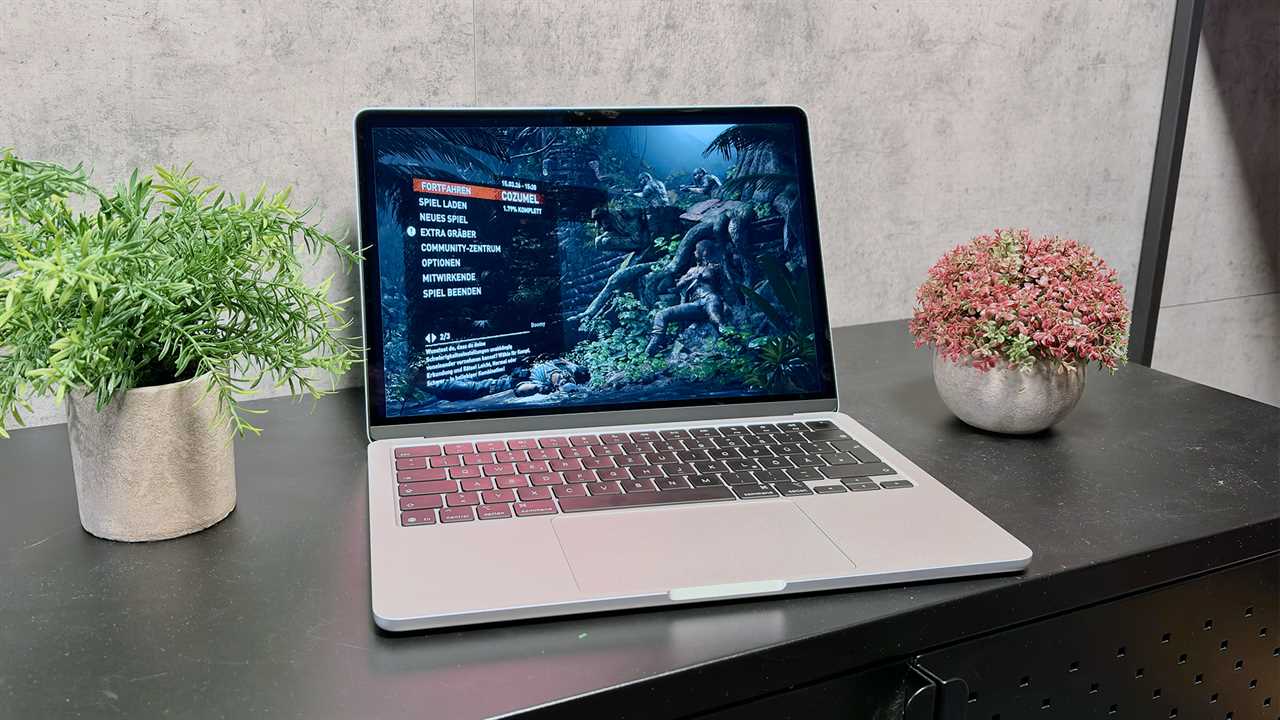
Gaming: The M5 MacBook Air features a third-generation ray-tracing engine and enhanced shader cores, which Apple says improves 3D rendering and gaming tasks. However, in our tests the lack of active cooling caused performance to dip after playing for 10 minutes or so. You can play casual games just fine, but for a variety of reasons, if you’re into AAA gaming, the Air isn’t the best choice.
Other MacBook buying decisions to consider
When buying a MacBook, it’s important to consider how you will use it, as this will determine the right balance of performance, portability, and price.
Key factors to consider include which chip you require, how much RAM you will need for multitasking, and the size of the SSD required for storage, all of which cannot be upgraded later.
Screen size affects portability and productivity, screen quality is key for creative work, while battery life matters if you work on the go. You should also think about weight, port selection, and long-term value to ensure the device meets your needs both now and in the future.
In the next section we’ll examine these elements of the buying decision.
Best MacBook display and screen size
Foundry
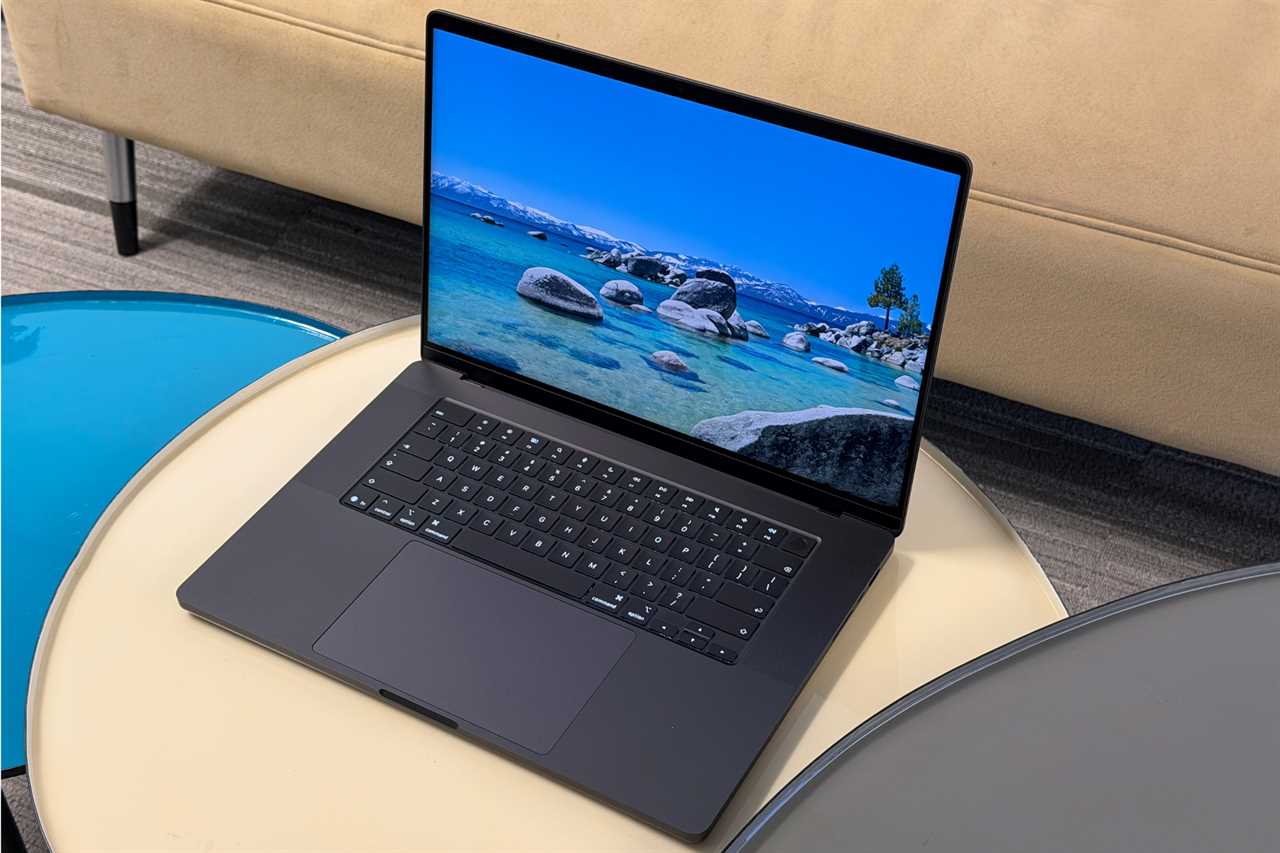
The best MacBook screen size depends on how much portability, screen space, and display quality you need.
Best MacBook screen sizes
- Best size for most people: 13-inch MacBook Air or 14-inch MacBook Pro
- Best size for portability: 13-inch MacBook Air or MacBook Neo
- Best all-around Pro size: 14-inch MacBook Pro
- Best large-screen option without Pro pricing: 15-inch MacBook Air
- Best for maximum workspace: 16-inch MacBook Pro
The 13-inch and 14-inch MacBooks offer the best balance of portability and usability. The larger 15-inch and 16-inch options are ideal if you want more room for spreadsheets, side-by-side apps, or general multitasking.
How MacBook displays compare
Apple’s laptop lineup features three distinct display tiers: the budget-oriented MacBook Neo, the consumer-focused MacBook Air, and the professional-grade MacBook Pro. While all models now utilize “Liquid Retina” branding, the underlying technologies – ranging from standard LED to advanced mini-LED with XDR – create significant differences in brightness, color accuracy, and motion smoothness.
MacBook Pro: Liquid Retina XDR
This is the best display in the lineup. It uses a mini-LED backlight array to achieve better contrast and higher brightness. The display provides 1000 nits sustained XDR brightness, 1600 nits peak (HDR content only); 1000 nits SDR brightness. Only the MacBook Pro features ProMotion technology, which allows for adaptive refresh rates up to 120Hz. This results in smoother scrolling and more responsive UI animations. MacBook Pro also offers an optional Nano-texture glass with a matte finish that significantly reduces glare in bright environments.
MacBook Air: Liquid Retina
Bright and sharp enough for most people, with good color quality but without the advanced features of the Pro. Like the Pro and unlike the Neo, the MacBook Air supports P3, offering richer reds and greens for photo and video work.
MacBook Neo: standard Liquid Retina
A decent display for the price, but it makes more compromises in color and overall quality. The MacBook Neo is the first modern MacBook to omit support for the P3 wide color gamut, sticking instead to the older sRGB standard. While this is sufficient for general web browsing, it marks a clear visual step down from the MacBook Air. The MacBook Neo is unique in the current lineup for not having a display notch; instead, it houses its 1080p camera in a traditional, slightly thicker upper bezel.
External display support
If you work mainly at a desk, built-in screen size may matter less because modern MacBooks can be paired with external monitors to create a much better workstation setup. For more advice read: How to use two or more monitors to a Mac.
- MacBook Neo: Supports only one external display up to 4K at 60Hz.
- MacBook Air (M5): Supports up to two external displays at 6K/60Hz.
- MacBook Pro (M5 Pro): Supports up to three external displays natively.
- MacBook Pro (M5 Max): Supports up to four external displays.
You can compare the screen options in the table below:
| Model | Screen Size | Panel Type | Max Brightness | Color Gamut | Refresh Rate | Display Technology | True Tone |
|---|---|---|---|---|---|---|---|
| MacBook Neo | 13-inch | LED-backlit LCD | 500 nits | sRGB | 60Hz | Liquid Retina (sRGB) | No |
| MacBook Air | 13.6-inch | LED-backlit LCD | 500 nits | P3 Wide Color | 60Hz | Liquid Retina (P3) | Yes |
| MacBook Air | 15.3-inch | LED-backlit LCD | 500 nits | P3 Wide Color | 60Hz | Liquid Retina (P3) | Yes |
| MacBook Pro | 14.2-inch | Mini-LED (XDR) | 1,600 nits (Peak HDR) | P3 Wide Color | Up to 120Hz (ProMotion) | Liquid Retina XDR (ProMotion) | Yes |
| MacBook Pro | 16.2-inch | Mini-LED (XDR) | 1,600 nits (Peak HDR) | P3 Wide Color | Up to 120Hz (ProMotion) | Liquid Retina XDR (ProMotion) | Yes |
Best MacBook for battery life: MacBook Pro
If battery life matters most, the 14-inch and 16-inch MacBook Pro models currently lead Apple’s laptop lineup, with the best official endurance figures. Both are rated by Apple for up to 24 hours of video playback.
While the Pro models lead in official ratings, real-world testing shows that the entire current lineup – including the new budget-friendly MacBook Neo and the M5 MacBook Air – delivers “all-day” endurance.
- The 14-inch MacBook Pro with the standard M5 chip and the 16-inch model with the M5 Pro chip currently hold the record for the best battery life ever in a MacBook at 24 hours.
- The MacBook Air is one of the best choices for buyers who want strong battery life in a lighter, cheaper package.
- The MacBook Neo trails the rest of the lineup, but still delivers respectable endurance for its price class.
See: MacBook Air, Pro and Neo batteries compared.
You can compare battery life in the table below:
| Model | Battery Capacity | Video Playback (Apple) | Video Playback (Apple) |
|---|---|---|---|
| 16-inch MacBook Pro (M5 Pro/Max) | 100Wh | Up to 24 hours | Up to 17 hours |
| 14-inch MacBook Pro (M5) | 72.4Wh | Up to 24 hours | Up to 17 hours |
| 14-inch MacBook Pro (M5 Pro) | 72.4Wh | Up to 22 hours | Up to 14 hours |
| 15-inch MacBook Air (M5) | 66.5Wh | Up to 18 hours | Up to 15 hours |
| 13-inch MacBook Air (M5) | 53.8Wh | Up to 18 hours | Up to 15 hours |
| 13-inch MacBook Neo (A18 Pro) | 36.5Wh | Up to 16 hours | Up to 11 hours |
How much RAM do you need?
For most buyers in 2026, 16GB of RAM should be the minimum. That is the sweet spot for a MacBook you plan to keep for several years.
However, the MacBook Neo ships with only 8GB RAM, and there are no options to upgrade this capacity at the time of purchase or later. Whether this is enough RAM depends entirely on your specific use case, as the device is positioned as a budget-friendly entry point into the Mac ecosystem. For the target audience – students, teachers, and casual users – 8GB of RAM should be sufficient for general productivity. A significant concern regarding the 8GB capacity is its long-term viability.
MacBook memory is not upgradeable after purchase. If you expect to keep your laptop for a long time, it is worth buying more RAM upfront if your budget allows.
RAM recommendations by user type
- Casual users and students: 16GB recommended. 8GB is workable for very light use, but not ideal for longevity.
- Creative work and gaming: 24GB to 32GB is the safer target.
- Professionals and AI-heavy workflows: 48GB to 128GB, depending on workload.
You can compare RAM options in the table below:
| MacBook Model | Base RAM | Maximum RAM |
|---|---|---|
| MacBook Neo | 8GB | 8GB |
| MacBook Air (M5) | 16GB | 32GB |
| MacBook Pro (M5) | 16GB | 32GB |
| MacBook Pro (M5 Pro) | 24GB | 64GB |
| MacBook Pro (M5 Max) | 36GB | 128GB |
How much storage do you need for a MacBook?
- 256GB: Fine for cloud-first users with light local storage needs, but it can fill up quickly.
- 512GB: The better starting point for most people. It gives you more breathing room for apps, files, photos, and offline media.
- 1TB or more: Best for media professionals, developers with larger local workloads, or anyone who works with large files regularly.
Determining the best storage capacity for a MacBook depends heavily on your specific workflow, as internal storage cannot be upgraded after purchase.
While Apple previously offered 256GB as a baseline, most current models now start at 512GB or 1TB to accommodate the increasing space requirements of modern operating systems and applications. For most buyers, 512GB is the practical minimum if the budget allows.
Experts now generally advise against 256GB drives for primary machines. Furthermore, SSDs can slow down significantly as they fill up. A common rule of thumb is to “buy at least twice the capacity of what you need to store” to maintain performance and account for drive wear.
Storage (SSD) recommendations by user type
- Casual users and students: 512GB recommended. Sufficient for documents, web browsing, and light media use.
- General Productivity: 512GB to 1TB recommended. For users with moderate photo libraries and some video projects.
- Creative Professionals: 1TB to 2TB+ recommended. Necessary for 4K video editing, large high-resolution photo libraries, and professional audio suites.
- High-End Workflows: 4TB to 8TB recommended. For 3D animation, AI development, and massive video production projects.
Is there a difference between SSDs in Apple’s MacBooks
There are significant differences in SSD performance, capacity, and technology across the current MacBook lineup. In March 2026, Apple introduced faster storage technologies for the MacBook Air and MacBook Pro models.
The most notable differences lie in the read/write speeds, which vary based on the model’s processor and the physical capacity of the drive:
- MacBook Pro (M5 Pro/Max): The M5 Pro and Max models, released in March 2026, feature the fastest internal storage in the lineup. Apple claims these SSDs are up to twice as fast as the previous generation.
- MacBook Pro (M5): Apple also claimed the SSD in the M5 model, which launched in October 2025, delivers up to 2x faster read/write performance than the predecessors.
- MacBook Air (M5): The M5 MacBook Air also received a similar storage speed boost with the March 2026 update.
- MacBook Neo: The MacBook Neo uses a slower SSD to maintain its lower price point.
Compare storage options in the table below:
| MacBook Model | Base Storage | Maximum Storage |
|---|---|---|
| MacBook Neo | 256GB | 512GB |
| MacBook Air (M5) | 512GB | 4TB |
| MacBook Pro (M5) | 1TB | 4TB |
| MacBook Pro (M5 Pro) | 1TB | 8TB |
| MacBook Pro (M5 Max) | 2TB | 8TB |
Which MacBook chip should you choose?
Choosing the right MacBook chip in 2026 depends on your specific workflow, ranging from basic productivity to high-end professional creative work. Apple’s current lineup features the M5 family (M5, M5 Pro, and M5 Max) and the budget-friendly A18 Pro.
Apple’s MacBook chips currently fall into four clear tiers.
- A18 Pro: Best for basic users who want the cheapest MacBook possible.
- M5: Best for general users, students, and office work.
- M5 Pro: Best for photographers, editors, programmers, and users with heavier workloads.
- M5 Max: Best for high-end creative work, large AI models, 3D production, and anyone who needs the most performance possible in a MacBook.
See our Mac processor comparison to find out how different generations of Mac chips compared.
Compare processor and GPU options in the table below:
| Feature | A18 Pro | M5 | M5 Pro | M5 Max |
|---|---|---|---|---|
| MacBooks(s) | MacBook Neo | MacBook Air & MacBook Pro | MacBook Pro | MacBook Pro |
| CPU Cores | 6-core | 10-core | Up to 18-core | 18-core |
| GPU Cores | 5-core | Up to 10-core | Up to 20-core | Up to 40-core |
| Max Memory | 8GB | 32GB | 48GB | 128GB |
| Ports Support | USB 2/3 | Thunderbolt 4 | Thunderbolt 5 | Thunderbolt 5 |
| Architecture | Mobile-class | Standard SoC | Fusion (Dual-die) | Fusion (Dual-die) |
| Best For | Budget choice for students & basic tasks | Mainstream choice for general consumers | Software development, 4K video editing, photo editing | Extreme processing power, massive memory capacity |
FAQ
1.
Is a MacBook Air powerful enough?
Yes. For most people, the MacBook Air is more than powerful enough for everyday work, school, multitasking, web use, and light creative tasks.
2.
Which MacBook lasts the longest?
For battery life, the MacBook Pro models lead the lineup, with 24 hours of playback.
3.
Should I buy a refurbished MacBook?
A refurbished MacBook can be a good value, especially if you buy Apple silicon rather than Intel. Just make sure the price gap is meaningful and the machine still has enough life left to justify the purchase.
4.
Is a MacBook worth it compared to a Windows laptop?
That depends on your priorities, but MacBooks are often worth it for buyers who want strong battery life, premium build quality, excellent trackpads, and tight integration with the Apple ecosystem.
5.
How long will a MacBook last?
The typical lifespan of a MacBook is generally between five and eight years, though this depends heavily on a combination of hardware durability and ongoing software support . While the physical components are built to last, Apple eventually classifies older models as “vintage” or “obsolete,” which limits your ability to get official repairs and parts. Find out more here: How long do MacBooks last: Lifespan, support and when to upgrade.
Why you can trust Macworld
Macworld has been covering everything Apple related since our first issue which arrived alongside the original Mac in 1984. Nobody knows Apple better, except probably Apple, but the difference is that we are completely impartial. We are made up of a team of experts with decades of experiences with Macs and other Apple products, and between us we have reviewed every Apple product meaning we are uniquely positioned to provide buying advice.
Which MacBook should you buy
Most people should buy the MacBook Air because it offers the best balance of performance, battery life, portability, and price.
Choose the MacBook Pro if you regularly edit video, compile code, create 3D work, or run other demanding professional software.
Choose the MacBook Neo if your budget is tight and your needs are basic, but be aware of the compromises.
Read More
Title: Best MacBook for 2026: Air vs Pro vs Neo compared
Sourced From: www.macworld.com/article/667144/best-macbook-air-vs-pro-neo-compared.html
Published Date: Wed, 18 Mar 2026 17:58:40 +0000