.png)
Macworld
Every January, people pledge to make certain changes to their lifestyle in the year ahead—typically by adopting healthier habits and quitting harmful ones. Breaking existing routines and building new ones can be challenging, however, as our brains often rely on reward systems and other mechanisms to disrupt long-standing patterns. Fortunately, iOS offers a range of native features designed to help users stay committed to their New Year’s resolutions.
Screen Time
In an era dominated by TikToks, Instagram Reels, and YouTube Shorts, many users struggle to put their smartphones aside. The short video format is highly addictive, often leading to long doomscrolling sessions. If minimizing short video consumption (and the consequent brain rot) is one of your goals for 2026, iOS can assist.
Screen Time is a native, system-level iPhone feature that can count the minutes (or hours) you spend using individual apps. If the alarmingly high durations don’t motivate you enough to curb your social media use, you could set daily limits. These bar you from using a certain app or category of apps after you hit the chosen time limit.
Screen Time lets you bypass its limits with a dedicated PIN. As such, it may be wise to ask a trusted friend, family member, or partner to set the code. By doing so, you won’t be able to easily circumvent these restrictions on your own.
Foundry
Fitness
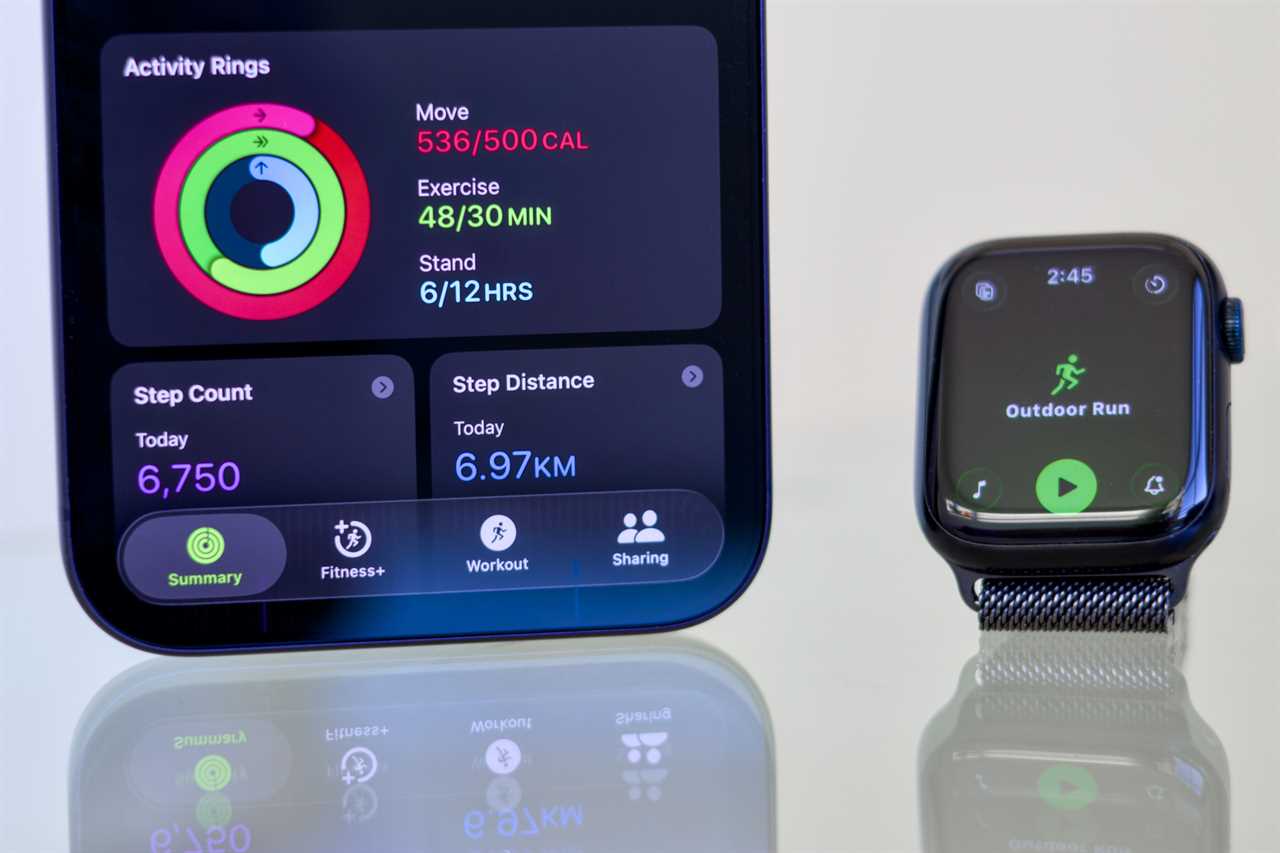
Taking exercise more seriously is one of the popular goals people set every year. Whether you’re on a tight budget or seeking a premium offering, iOS can push you to become more active. Your iPhone includes a free Fitness app that can estimate the number of steps and distance you walk/run on a given day, along with the active calories you burn. The service also lets you record various workout types and share your activity with friends to motivate each other.
To make the most of it, you may want to subscribe to Apple Fitness+. The paid service bundles a ton of guided workout videos that you can watch on your iPhone, iPad, or Apple TV 4K. Some of the workouts include HIIT, yoga, kickboxing, strength, core, and Pilates.
If you want to maximize health data collection, you could also buy an Apple Watch. Once set up, you’ll unlock even more Fitness features, like stand goals and competitions with friends. That’s not to mention heart rate monitoring throughout the day. Alternatively, you could opt for the AirPods Pro 3, which can also measure your heartbeat during workouts. The earbuds (on their own) won’t unlock the aforementioned Fitness app perks, however.
Foundry
Journal
Taking care of your mental health can be as crucial as staying physically fit. If introspection happens to be one of your 2026 resolutions, your iPhone can help you reflect and write down core thoughts. Beyond the Fitness+ meditation sessions, Apple offers its Journal app on iOS.
Apple Journal is a twenty-first-century diary that, with your permission, tracks your everyday digital behavior. It’s aware of the photos you take, streamed songs, recorded workouts, and other activities and interactions.
Journal optionally displays the relevant data tiles and prompts you to write about them. This helps you document a certain day and tie key memories to relevant music tracks, photos, or locations—it’s therapeutic. Journal is also available on iPadOS and macOS, so you can type longer entries on a larger display or using a physical keyboard, if you wish.
Reading Goals
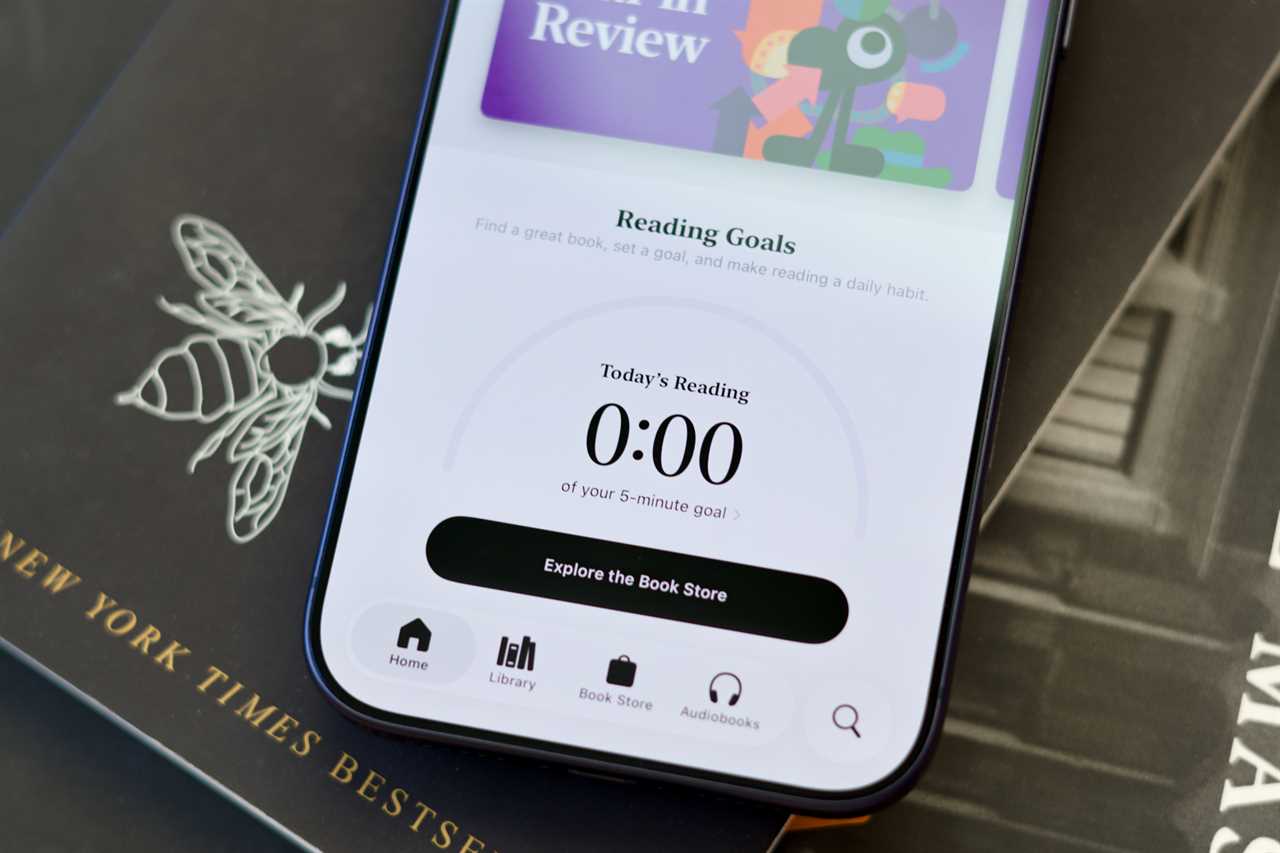
New Year’s resolutions often include reading more books or learning a new skill. As you may have guessed, your iPhone can also assist with that. Apple Books is a built-in e-book reader, featuring a comprehensive library of free and paid titles. Whether you want to learn how to code, read about WWII, or just immerse yourself in a hopeless romantic’s virtual reality, it’s all there.
Thanks to the integrated Reading Goals feature, you can set daily targets and record the time you spend reading. If you’ve got bookworm friends, you could also generate digital cards to visualize your progress and share them via iMessage or third-party apps.
It’s worth noting that Apple Books supports audiobooks, too. So, if you’re more of a listener than a reader, you could learn something new by playing supported books or opting for podcasts in the dedicated Apple Podcasts app.
Foundry
Focus
While Screen Time is highly effective for increasing your productivity, notifications can still disrupt your chain of thought. Fortunately, iOS offers an extensive do-not-disturb system, known as Focus, which can selectively mute calls and app alerts.
For instance, you can create a Focus mode dedicated to work and set it to automatically activate on weekdays from 9 to 5. You could allow-list apps like Slack, Teams, and Meet while muting the rest. That’s not to mention the ability to tie different Home Screen layouts to specific Focus modes, which would conceal distracting app icons and widgets during work hours. The possibilities are endless.

Foundry
Reminders
The Reminders app is often used for keeping track of appointments and making grocery lists. Its utility, however, can extend beyond that by actively reminding you about the habits you’re newly building. For example, if you’re aiming to drink more water in 2026, you can set a recurring reminder that alerts you throughout the day.
Read More
Title: Got excuses? These 7 iOS 26 features will help you stick to your New Year’s goals
Sourced From: www.macworld.com/article/3024609/no-excuses-7-ios-26-features-to-help-you-stick-to-your-new-years-resolutions.html
Published Date: Thu, 08 Jan 2026 11:30:00 +0000