.png)
Macworld
For years, the iPhone’s built-in Camera app lacked a manual shooting mode, pushing many professional mobile photographers to Halide and other third-party apps. With the iPhone 18 Pro, Apple finally listened to power users and introduced more advanced camera controls. These include a variable aperture, the ability to tweak the shutter speed and white balance, and upgraded Photographic Styles that simulate film texture.
Halide Mark III provides a similar feature set for $9.99 per month, $19.99 per year, or $69.99 as a one-time purchase. Its implementation differs from Apple’s, giving users more granular control over certain elements while sacrificing other perks. To find out whether iPhone 18 Pro users can achieve Halide-like results using Apple’s Camera app, I thoroughly inspected what each app has to offer.
Aperture: The paradox of choice
Variable aperture is the iPhone 18 Pro’s most iconic feature, letting you physically control how much light reaches the camera sensor. A wide aperture allows more light in and creates a natural bokeh effect, with a shallow depth of field. Conversely, a narrow aperture expands the depth of field to keep background elements sharp, making it ideal for well-lit group shots and landscapes. Both Apple Camera and Halide support controlling the aperture on the iPhone 18 Pro, but their approaches vary.
The iPhone’s built-in Camera app lets you manually choose between four fixed values: f/1.48, f/1.8, f/2.8, and f/4.0. Or you can opt for the automatic mode, which dynamically selects any value between f/1.48 and f/4.0—depending on what the algorithm deems best for the particular scene.
Foundry
Halide, on the other hand, gives you full control over the aperture. So you can fine-tune it and manually pick any value in the same f/1.48-4.0 range, like f/3.33, or switch to auto. As such, Halide technically provides photographers with more options than Apple’s Camera app. But more importantly, does this sort of flexibility actually impact iPhone photography?
The short answer is no. The iPhone 18 Pro’s main camera sensor is too small for such minor aperture adjustments to matter. In fact, some critics questioned Apple’s decision to bring a mechanical aperture to the device in the first place. Many Apple Camera users will barely be able to tell the difference when jumping between adjacent preset f-stops, such as f/1.48 and f/1.8. Offering users a slider with over 250 precision micro-steps in Halide is arguably overkill.
That’s not to say that Halide’s execution is completely pointless. Pro photographers working in full manual mode may lock the shutter speed and ISO (both of which impact the final exposure) at fitting values to achieve a desired look. Having complete control over the aperture can allow the exact amount of light in and perfect the overall image. Nevertheless, considering the iPhone has a small sensor, it’s not as influential as having it on a professional camera, and most users will probably be overwhelmed by its numerous options.
ISO-lated testing
Beyond the variable aperture, the iPhone 18 Pro introduces native support for advanced camera controls, like shutter speed and white balance. A slow shutter speed can create motion blur, while a fast one can help capture ultra-fast subjects as they move. Meanwhile, white balance lets you control the temperature of the light, making it cooler or warmer as needed. Halide has long supported these adjustment types, but the number of options differs.
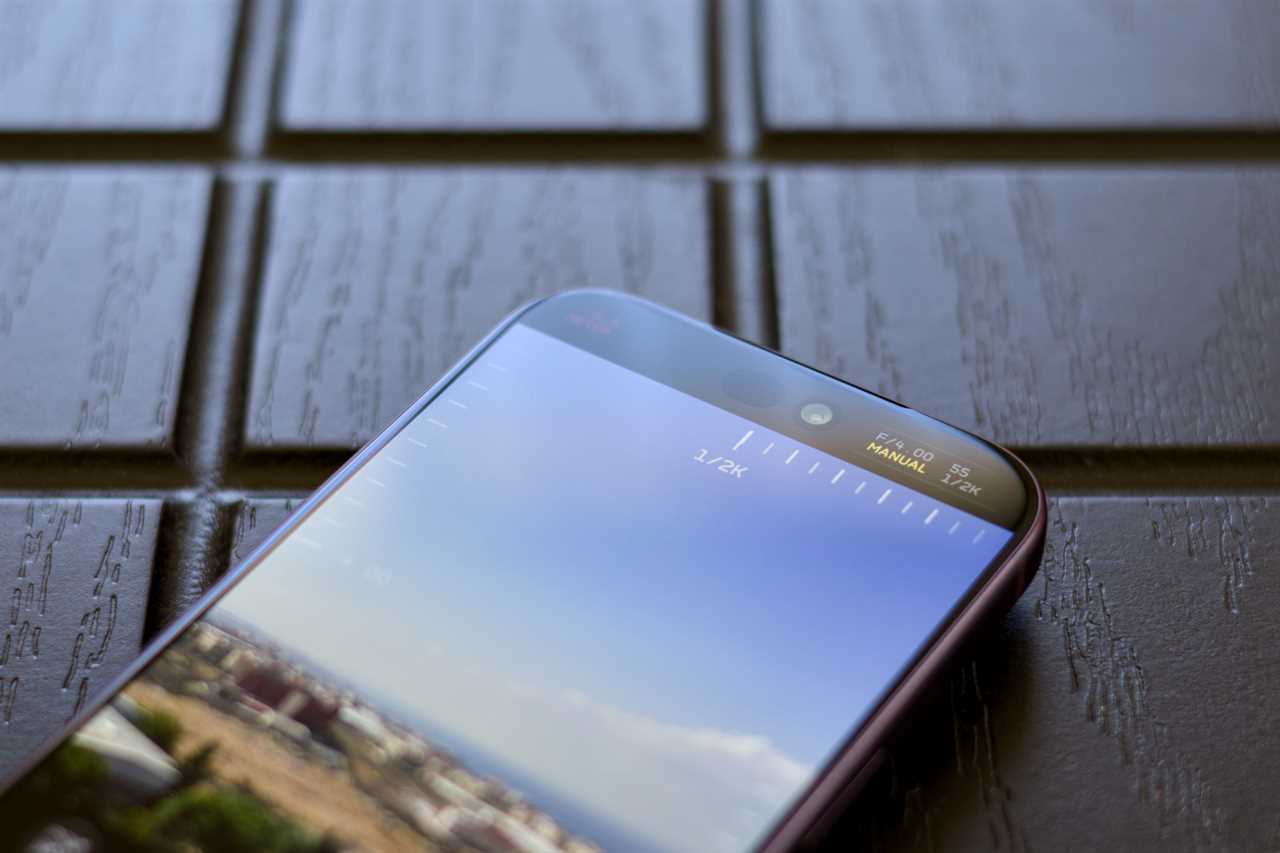
With Apple Camera, you can push the shutter speed as fast as 1/16,000th of a second, while Halide seemingly limits you to 1/2,000th of a second (according to my tests on an iPhone 18 Pro). Similarly, disregarding the automatic mode, Apple lets you pick between five white balance options, while Halide is limited to four. These minor technicalities won’t matter to most users, but we’re laying them out for the comparison’s sake.
Foundry
A more impactful Apple Camera exclusive is the new Focus Tracking feature, which locks onto a selected subject even if you move or it does. Otherwise, both camera apps support focus peaking, which helps you identify the sharpest areas in the frame.
Perhaps the biggest difference between the two apps in the Pro control department is manual ISO support. ISO dictates the sensor’s signal amplification, and, by default, you cannot manually adjust it on iOS. Apple’s implementation automatically adjusts its value in the background depending on the lighting conditions and other factors—acting as a manual mode with auto ISO (or shutter & aperture priority mode). With Halide, you get a dedicated ISO slider, which generally matters to enthusiast photographers seeking a true manual mode. It also offers more advanced framing guidance, like a golden ratio overlay and a finer grid.
It’s worth mentioning that, unlike Apple Camera, Halide does not allow layout customization. Personally, I find the built-in app more intuitive to use, especially since I’ve pinned the toggles I actually use to the top. Halide’s interface looks a bit dated and its user experience doesn’t feel as natural to me—but that’s subjective.
Filtering through the options
Next, we’ve got the advanced filters that each of the two camera apps provides. The iPhone 18 Pro offers Photographic Styles 3, which include 15 palettes (excluding the standard one). You can apply a soft skin, glow, or film texture to any of the palettes, plus an independent grain effect if you so wish. Notably, you can control the intensity of the palettes, tones, and colors using an advanced slider, and you can freely shuffle between looks after shooting, as they’re nondestructive.
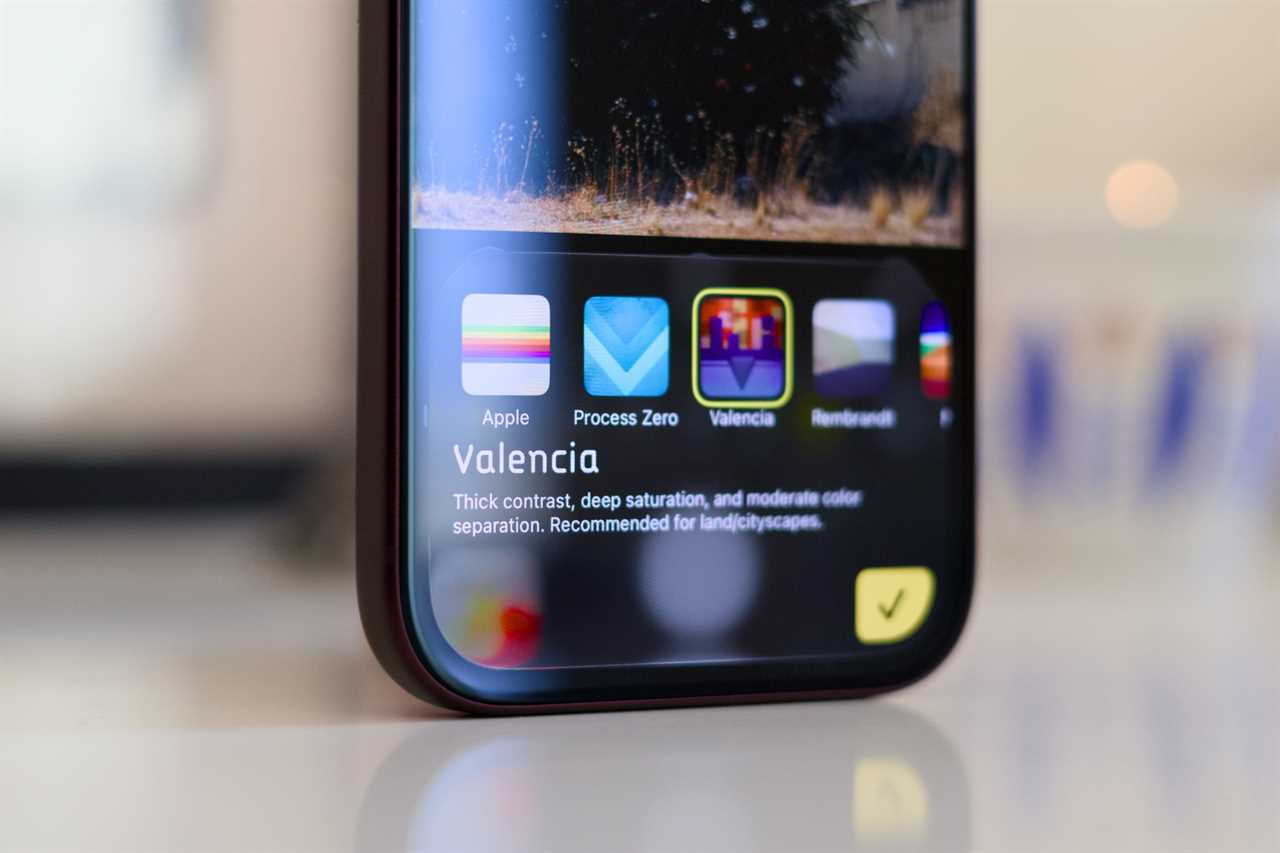
Halide, on the other hand, offers 9 distinct looks that permanently alter your output—unless you’re shooting in RAW. So, everyday shots will be locked to the chosen look with no way to revert or apply a new look after shooting. You also miss out on the slider that controls the undertones and intensity of the filters, not to mention the omission of Live Photos—which Apple’s Photographic Styles support. However, Halide uniquely allows you to control the grain effect’s strength, assuming you’ve shot in RAW.
Foundry
Other Halide perks include the famous Process Zero look, which minimizes AI/computational processing and provides more natural-looking output. You also get to apply its various color filters on compatible RAW photos captured using other apps or devices, while Apple limits its Photographic Styles to iPhone Camera app output.
Given that RAW shots can consume 10x more storage than regular ones and do not support the Live Photos feature, most users will want to stick to Apple’s compressed HEIF format for daily captures. This will limit them to Photographic Styles 3, unless they’re willing to permanently bake Halide’s filters into their output.
Should you give Halide a shot?
For most iPhone 18 Pro users, the answer is a hard no. Apple’s built-in Pro camera tools and Photographic Styles 3 provide enough control over the shooting process to produce creative, dramatic, or precise output that is on par with Halide’s. While manual ISO support is nice to have, Apple’s automatic ISO adjustments and manual exposure tweaks work reliably in most setups, and it’s not worth Halide’s relatively high fee.
Apple Camera on the iPhone 18 Pro marks the very beginning of Halide Mark III’s end. Nonetheless, the third-party app will stay relevant for years to come. After all, Apple’s Photographic Styles 3 and Pro camera controls are restricted to the iPhone 18 Pro, unlike Halide, which offers its powerful features on older iPhone models. Arguably, Halide is still the best manual camera app for anyone with an unsupported iPhone, and that will likely remain the case for years to come. If you’re still unsure, you can claim a free one-week trial of Halide when signing up for the annual plan and proceed accordingly.
Read More
Title: Halide Mark III vs. iPhone 18 Pro Camera app: Apple shoots its shot
Sourced From: www.macworld.com/article/3264217/halide-mark-iii-vs-apples-new-iphone-18-pro-camera-app.html
Published Date: Wed, 21 Oct 2026 11:15:09 +0000
Did you miss our previous article...
https://trendinginbusiness.business/technology/a-visit-to-samsungs-massive-new-semiconductor-hub