.png)
Macworld
Apple has taken its sweet time to make a smart display – just as it didn’t rush to make a folding phone. Google and Amazon have been in the smart display business for the best part of a decade, while Apple fans have been watching from the sidelines, with a HomePod in the corner of their kitchen and an iPad propped against the toaster.
I’ll admit that when I first heard the rumours about Apple’s smart display, I expected the final product to look like an original HomePod speaker with a screen bolted on. But within a few minutes of seeing HomeView at Apple’s Home event in New York, I was smiling. It’s a charming little device that’s both a household device and a personalized one, something you can’t say about the single-user iPad. There are a couple of things to note about HomeView, which I’ll get to, but there’s a lot to love.
Cute and compact
HomeView is cute. That might not be the most eloquent adjective, but it’s the best way to describe how I felt when seeing it for the first time. A 7-inch LCD screen floats above a rounded aluminium base on a stainless-steel hinge, and you can nudge the display back or forward depending on whether it’s on a low nightstand or a tall counter. The hinge is a joy, too. It has firm, satisfying resistance, so the screen moves when you want it to and stays put when you let go – not too dissimilar to how I felt about the iPhone Duo when I tried it last month. It feels high-end in the way Apple hardware usually does, with no creaking, no plastic pretending to be metal, and a premium, solid feel all over.
HomeView’s low-profile design will look great on a table or a countertop.
Foundry
There are four color options—Silver, Starlight, Rose Pink, and Space Gray—and Apple matches the USB-C cable to the body, similar to the iMac and its accessories. They’re muted shades that will blend well with whatever’s around it: wood, tile, or painted walls. Starlight was my favorite of the four, with its warm, soft tone, but they’re all lovely.
The device itself includes a mess of speaker holes, which pack two full-range drivers into the display, plus a down-firing woofer and two passive radiators in the base. It sounds great for something so compact. Think somewhere between a HomePod mini and the full-size HomePod: noticeably fuller and punchier than the mini, without quite the room-filling presence of its big sibling.
If you’d rather put a HomeView in a hallway or on the kitchen wall, there’s a wall-mounted version too, which is only available in Silver or Space Gray. That model has the same aluminium display frame, but without the speaker base, the sound quality won’t be as good, so that’s something to consider.
Shared yet personalized
HomeView can do a lot, but the feature I appreciated most was face recognition. HomeView can learn up to six faces within a household, and once it recognises you, a swipe up from the bottom of the screen brings up a home screen that is not only familiar but personalised, too. Your calendar, reminders, messages and widgets will all appear, along with the design customisations you’ve made, such as coloured or clear app icons. If someone else comes into the frame, HomeView will ask whether you want to switch profiles, and if you do, their home screen will then appear seamlessly.
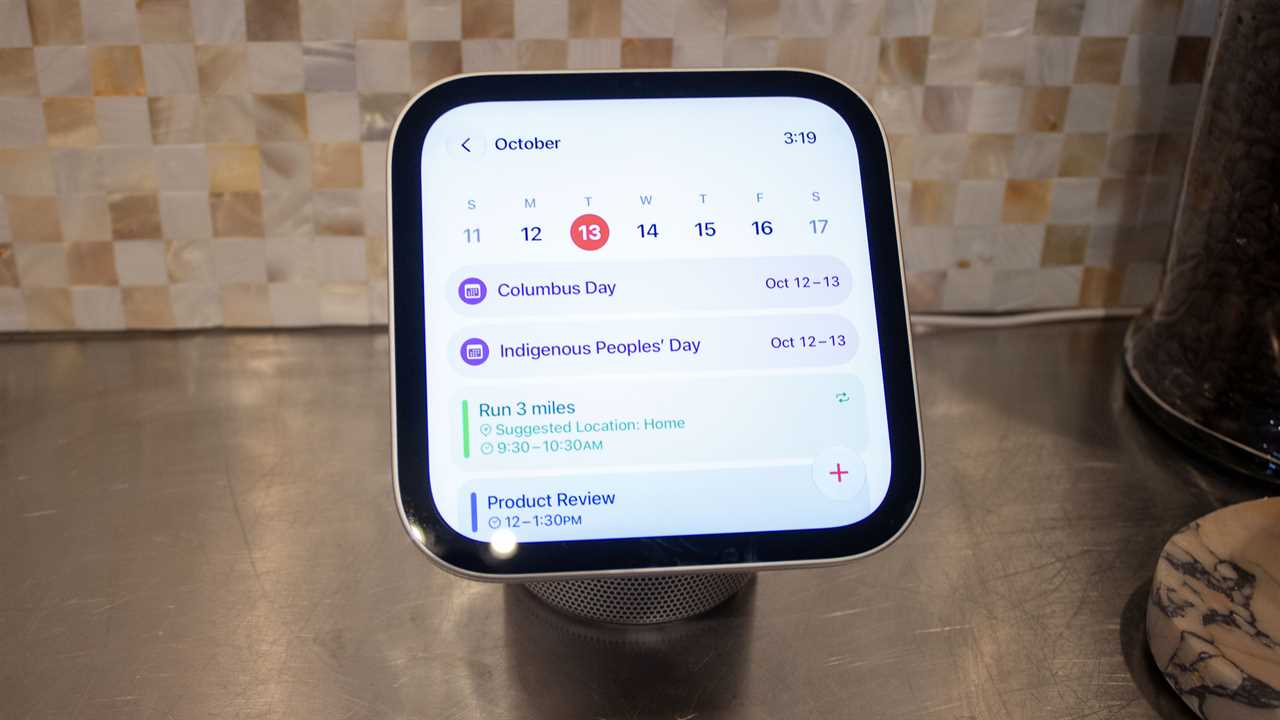
HomeView can be a personal device if you’re signed into an Apple Account.
Foundry
It’s a smart way to work around the problem with shared screens. A kitchen display is a family device, but it’s helpful to have personal content, and HomeView manages to be both. It is worth noting that to show personal information like calendars and messages, the person not only needs to be recognised, but their iPhone also needs to be close by and “recently” unlocked.
Handoff was also impressive, and it’s another area where being an Apple household will really pay off. In my demo, an iPhone was held next to the HomeView screen with a recipe open in Safari, and it carried over to HomeView without hesitation. FaceTime calls jump across the same way, as does media, so it looks like it will be lovely and simple to start something on your iPhone and move it over to the bigger HomeView display.
Jumping back to recipes for a second, though, as this was a standout feature and a good indication of how Apple expects it will be used. Open a recipe in Safari on the HomeView display (or hand one off from your iPhone), and it will automatically pull out the ingredients and instructions. Tap “Start Cooking,” and HomeView will then present you with a single step at a time, allowing you to swipe through to the next when ready. It handles timers well, too, picking out the cooking times buried in each step and starting a timer immediately if you tap on it. You can set multiple timers, and they appear at the top of the HomeView display. It works much like Dynamic Island, though tapping it expands the timer to the full screen rather than an expanded view like on the iPhone.
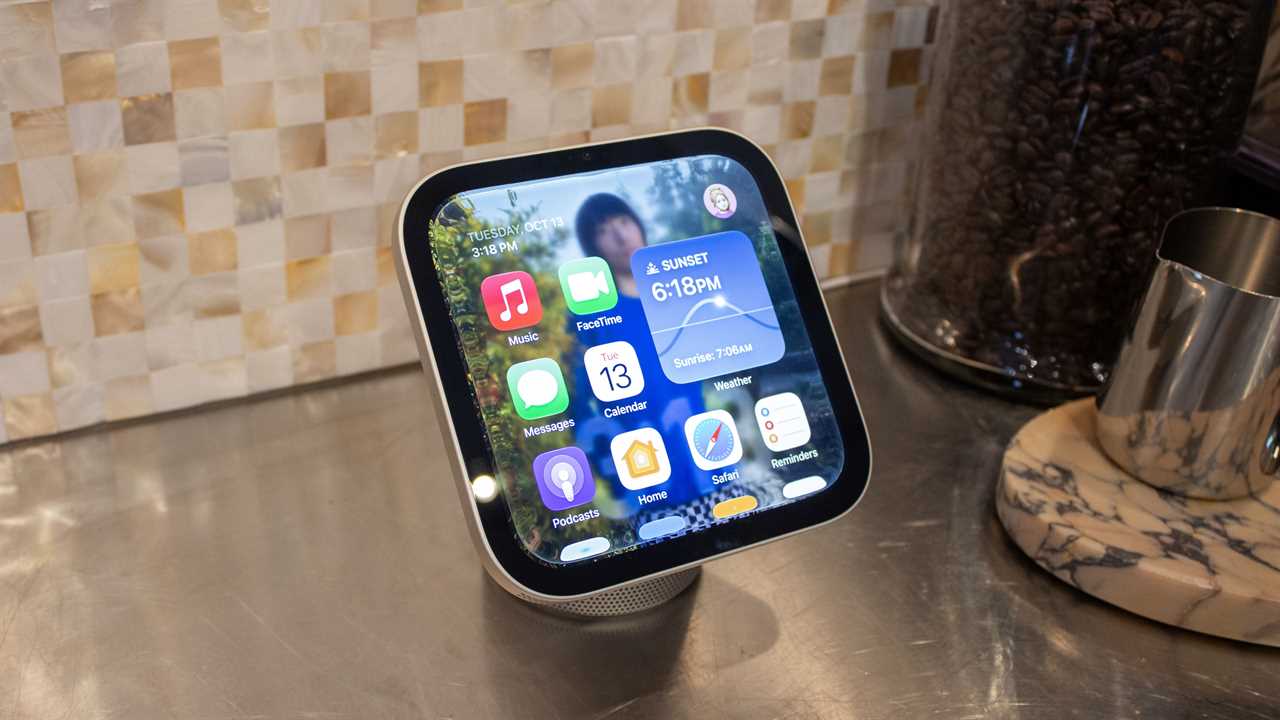
There are few apps on HomeView, but you won’t use it like an iPhone.
Foundry
At the heart of HomeView is Apple’s new Siri AI, which can finally hold a conversation, follow up on previous queries, and answer questions that would previously have earned a shrug from the old Siri. With an Apple Intelligence-capable iPhone paired, Siri AI can dig into your calendar and messages to use personal context to find things for you, too. I saw it in a demo, and it worked well (as demos usually do). There’s reason to be optimistic, though—I’ve been impressed with Siri AI over the last few months, and I expect it to be just as good on HomeView.
Guests aren’t left out either, but if your visitors have an Android phone, the experience won’t be anywhere near as rich or polished as those baked into the Apple ecosystem (no surprises there). Anyone without an Apple Account can still use HomeView, and the owner can select what they get access to in guest mode, such as playing music, browsing shared photos, or turning on the lights, while keeping everyone’s personal stuff locked away. There’s also a mirror feature that uses the front camera to show you what you look like, in case you don’t feel like looking in a mirror.
A couple of considerations
There are a couple of elements that take some of the shine off, though. HomeView works with accessories that support Apple Home or Matter, including Apple’s new Home Collection of cameras, thermostats, and a lock. That’s a lot of newer smart home products, but it’s far from everything. Many popular smart home brands, such as Ring, don’t support either, and if your setup leans on them, HomeView’s dashboard may end up with a few gaps where your gear should be.
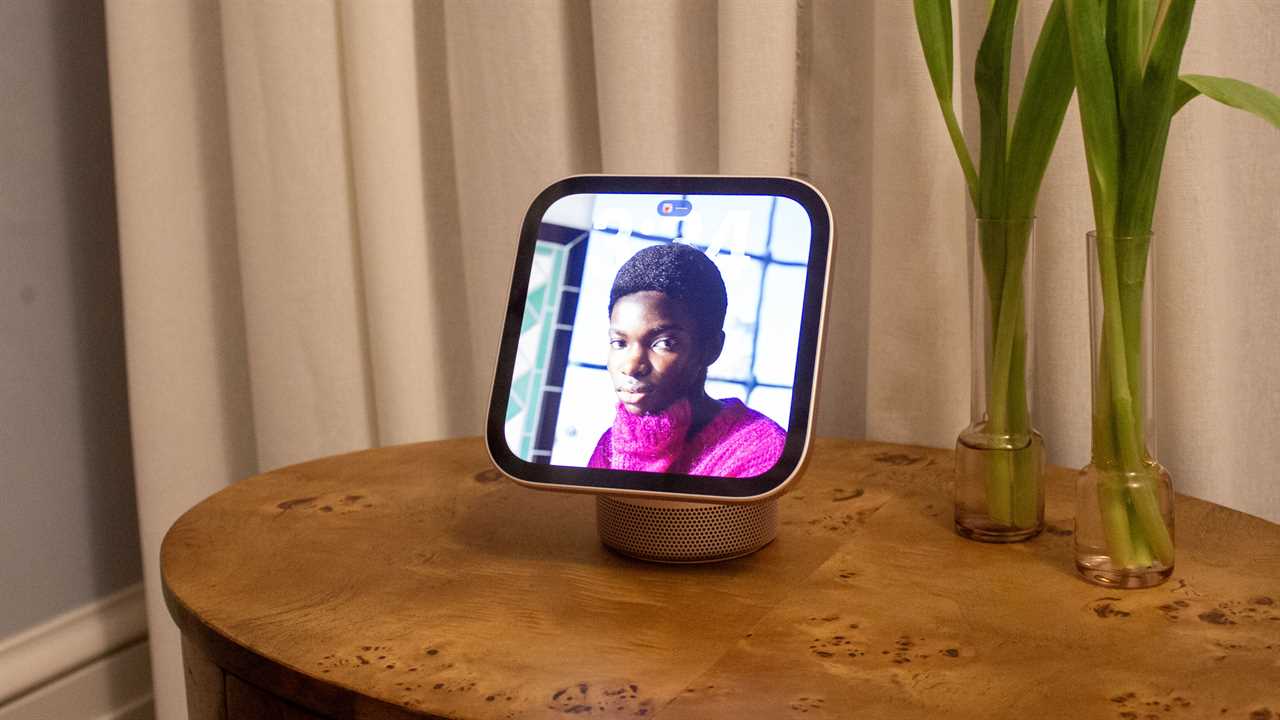
HomeView is great for photos and FaceTime calls, but you won’t be using it much to watch movies.
Foundry
Apple would clearly love you to build your home around its ecosystem from day one, and that’s fine if you’re starting fresh. If you’ve spent years piecing together a mixed setup, though, HomeView leaves you with two options: live with the gaps or start replacing things. For example, the Home Camera face can stream up to nine camera feeds at once, which is great, but only if your cameras make the cut. If you’re considering the HomeView primarily as a smart home hub, my advice would be to check what you already own against Apple’s compatibility list before you pre-order.
The built-in camera has its own limits, too. It’s a 12MP sensor with Center Stage, so it does a great job of keeping you in frame on FaceTime, even as you shuffle around the kitchen. Unlike Google’s Nest Hub Max, though, it can’t act as a security camera or allow you to “Drop In” on your home, as you can with Amazon’s Echo Show devices. HomeView can work as an intercom, but it doesn’t offer anything with video like either of those.
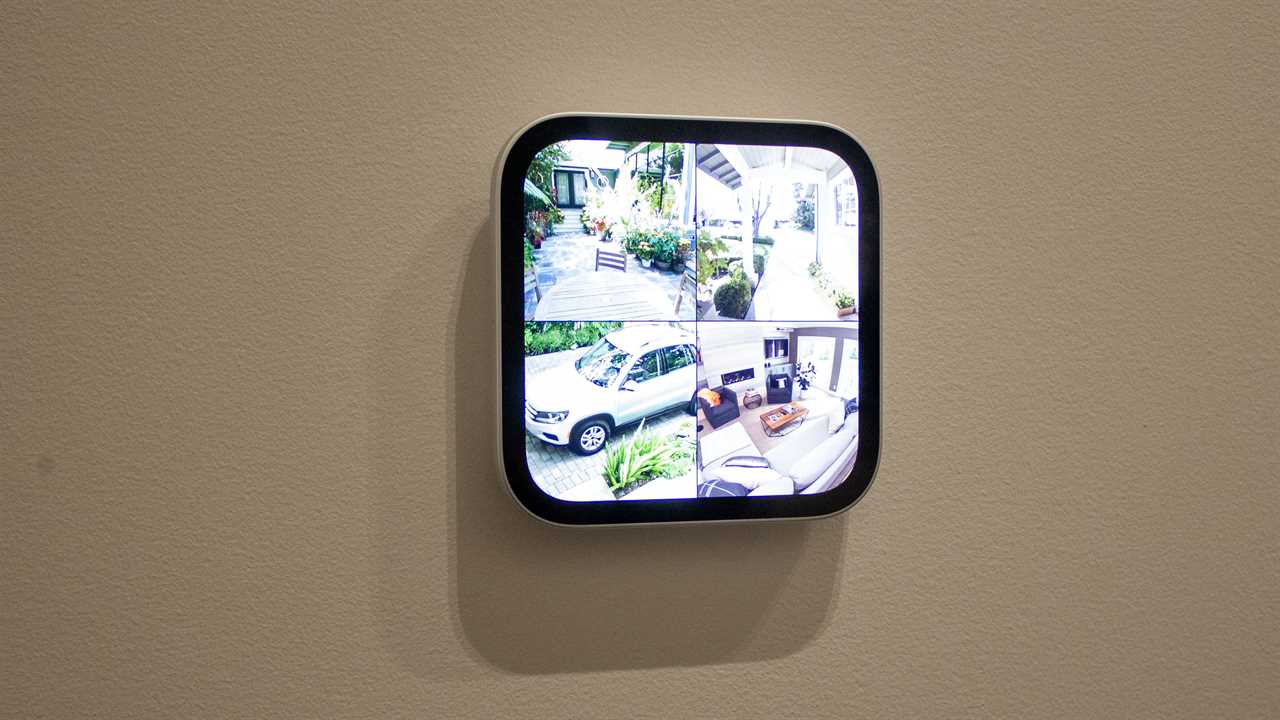
HomeView can show live camera views, but only if you have the right accessories.
Foundry
Finally, while the lovely square screen has plenty going for it, it isn’t going to be great for watching video. The shape makes it stand out from rivals, and it suits album art, photos, and recipes perfectly, but it works against watching a quick TV show or recipe on YouTube while cooking. Instead, you’ll get thick bars above and below, which would be bearable for keeping an eye on a game while you cook, but if you want to actually watch something properly in the kitchen, propping that iPad back up against the toaster will do a much better job.
Last but not least, there’s no physical privacy switch. Apple processes camera and microphone data within the A18’s Secure Enclave, which neither the software nor Apple can access, according to the company. However, some users will likely still want a way to shut off the camera and microphones physically, as competitors offer, rather than relying solely on software toggles.
Is HomeView worth a $299 pre-order?
Apple HomeView costs $299, with the wall-mounted model priced the same. The catch with the wall version is that the mounts are sold separately, starting at $59.95 for the USB-C plug-in option, $79.95 for the AC-wired option, and $129.95 for a Power over Ethernet mount that will arrive in early 2027. Hanging one in your hallway, then, costs closer to $360 or more, plus any additional costs for installation. And for some reason, it doesn’t come with a power adapter like the base model.
You can hang HomeView on a wall, but it’ll cost extra for a mount and power adapter.
Foundry
For the tabletop model, $299 feels fair if you live in Apple’s world. You’re getting a great speaker, a gorgeous screen, a decent FaceTime camera, Siri AI, and both a shared and a personalised hub that will look great in any room. It’s also the cheapest way to access Siri AI. There are some things to consider, such as support for existing smart home products you have and whether you mind the lack of a privacy switch. I’ll also need to test it fully to see how it responds to my world and my family, but from what I’ve seen so far, HomeView seems set to slot right into my home.
Apple’s HomeView arrives on November 13, and preorders are open now on Apple.com, Amazon, Best Buy, and other retailers.
Read More
Title: HomeView quickly won a place in my heart—and my home
Sourced From: www.macworld.com/article/3261040/homeview-quickly-won-a-place-in-my-heart-and-my-home.html
Published Date: Thu, 15 Oct 2026 13:59:47 +0000