.png)
Macworld
At a glance
Expert's Rating
Pros
- Strong real-world malware protection
- Excellent built-in VPN features
- Minimal everyday Mac slowdown
Cons
- Weak phishing browser protection
- Very slow full scans
- Unreliable beta security tools
Our Verdict
Surfshark One+ is a good value for users who want antivirus, VPN, and privacy tools in one affordable package. It performs especially well on Macs with minimal slowdown, and the VPN includes advanced features usually found in premium standalone services. Its biggest weakness is inConsistent phishing and scam-site protection in browser extensions, which is the main reason it falls short of an Editor’s Choice recommendation, especially when competitors offer more reliable web security tools.
Price When Reviewed
This value will show the geolocated pricing text for product undefined
Best Pricing Today
Price When Reviewed
Surfshark One, 24 months at £1.79 a month with 3 free months (Total for 27 months: £48.33); 12 months at £2.49 a month with 3 free months (Total for 15 months: £37.35); or £13.49/month. Plus VAT
Best Prices Today: Surfshark One
Retailer
Price
Surfshark
£37.35
View Deal
Product
Price
Who should buy Surfshark One?
- Home users, students, and remote workers
- Mac users wanting lightweight protection
- Anyone who values VPN features as much as antivirus protection
- Small offices looking for affordable all-in-one security
Who should skip Surfshark One?
- Users who want top-tier phishing and scam protection
- Power users needing advanced controls or customization
- IT admins wanting enterprise-grade tools
- Anyone bothered by slower scans or occasional interface lag
Surfshark One+ Antivirus is an all-in-one cybersecurity suite that combines antivirus protection, VPN services, identity monitoring, private search, scam alerts, and privacy tools in a single subscription aimed at home users and small offices. Building on Surfshark’s strong VPN reputation, it delivers solid malware protection and smooth macOS integration alongside features such as Alternative ID, breach monitoring, and secure browsing tools at a competitive price.
The standard Surfshark One package includes the VPN, Antivirus, Alert breach monitoring, Alternative ID, and Surfshark Search, while the higher-tier Surfshark One+ plan reviewed here adds identity theft coverage and data removal services.
In this review, we test Surfshark One+ Antivirus as a Mac security suite, focusing on malware detection, VPN performance, phishing protection, and overall system impact during everyday use. We also examine how well it integrates with macOS security features, whether its privacy and identity tools add meaningful value, and how its long scan times and unreliable browser extensions compare with competing security suites.
- Malware protection: Excellent
- VPN quality: Very good
- Mac performance impact: Low
- Phishing protection: Weak
- Scan speed: Slow full-system scans
- Best for: Mac users wanting VPN + antivirus in one app
How easy to use is Surfshark One?
Surfshark One+ Antivirus is generally easy to use, particularly for home users who want an all-in-one security suite without complicated setup or enterprise-focused management tools. Installation is straightforward, with clear prompts guiding users through permissions for full disk access, network extensions, and VPN configuration.
The interface is clean and well organized, and the Settings panel does a good job managing Surfshark’s wide range of features, including scheduled scans, VPN settings, notifications, content filtering, and account tools. The software also integrates smoothly with macOS security features such as Gatekeeper and XProtect, while features like custom scans, VPN server selection, and Alternative ID setup remain approachable for less technical users.
There are some usability frustrations, however. Certain settings require too much menu navigation, some setup dialogs lack clear explanations, and the antivirus module can occasionally become sluggish during scans. The browser extensions and several beta features also feel less polished than the core antivirus and VPN tools, giving parts of the suite a slightly unfinished feel.
Malware protection
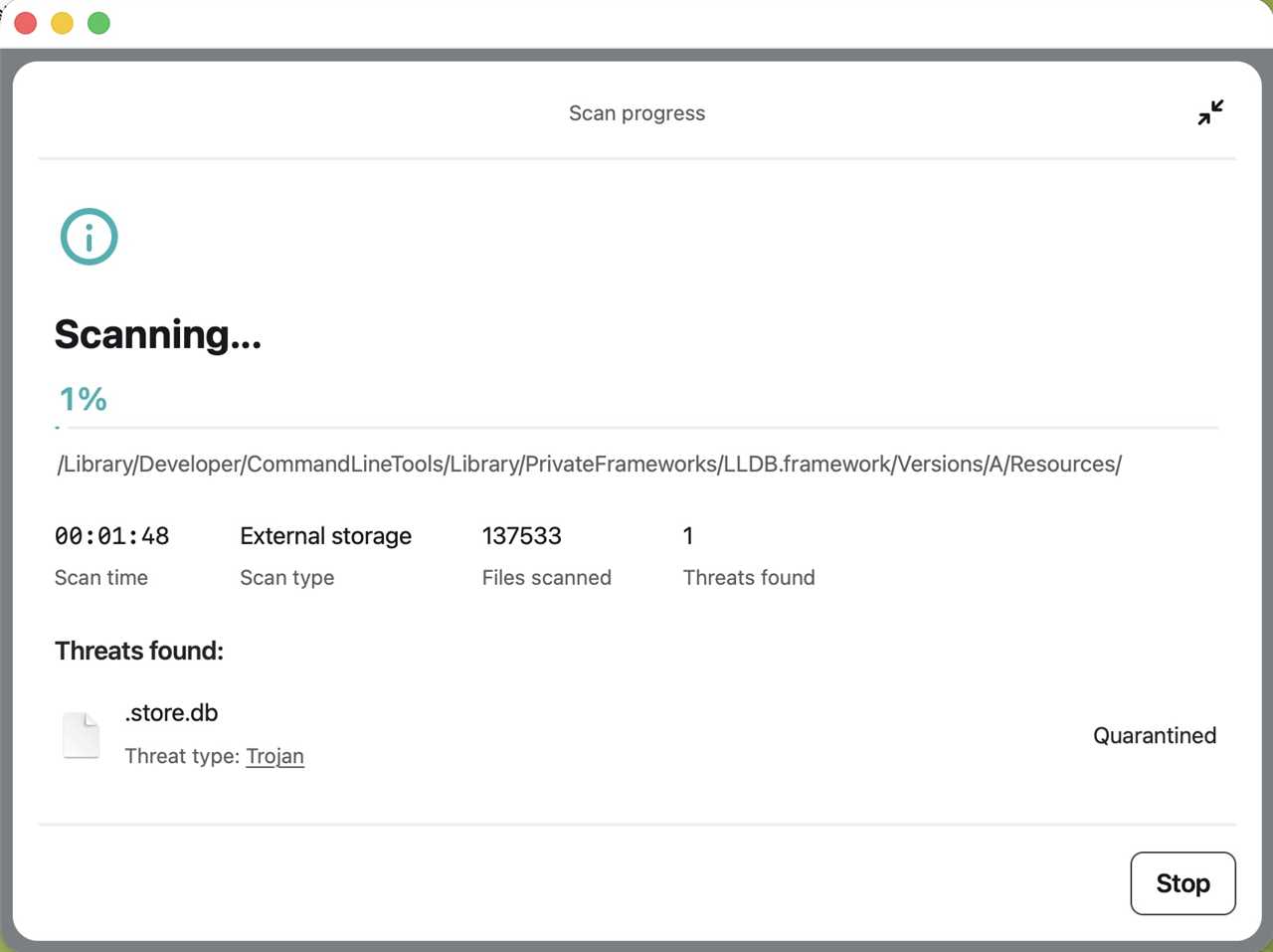
An surfshark antivirus scan of a full SSD in progress.
Foundry
The Antivirus module is the strongest part of Surfshark One+ and performed extremely well during testing, catching and quarantining almost every malware sample almost instantly once Real-time Protection was enabled. Integrated closely with macOS Gatekeeper and XProtect under macOS Tahoe 26.5, it detected nearly 100% of the 130+ malware strains tested.
There were a few exceptions, including the XCodeSpy developer sample, which initially launched before Surfshark later attempted to block it using its Ransomware Shield feature.
Performance was generally solid, and custom scans of external flash drives were easy to perform, although the antivirus engine occasionally triggered the macOS spinning rainbow wheel during heavier scanning tasks. Full system scans of an internal drive could take several hours and are best left running overnight, while Quick Scans completed rapidly and proved more practical for routine checks.
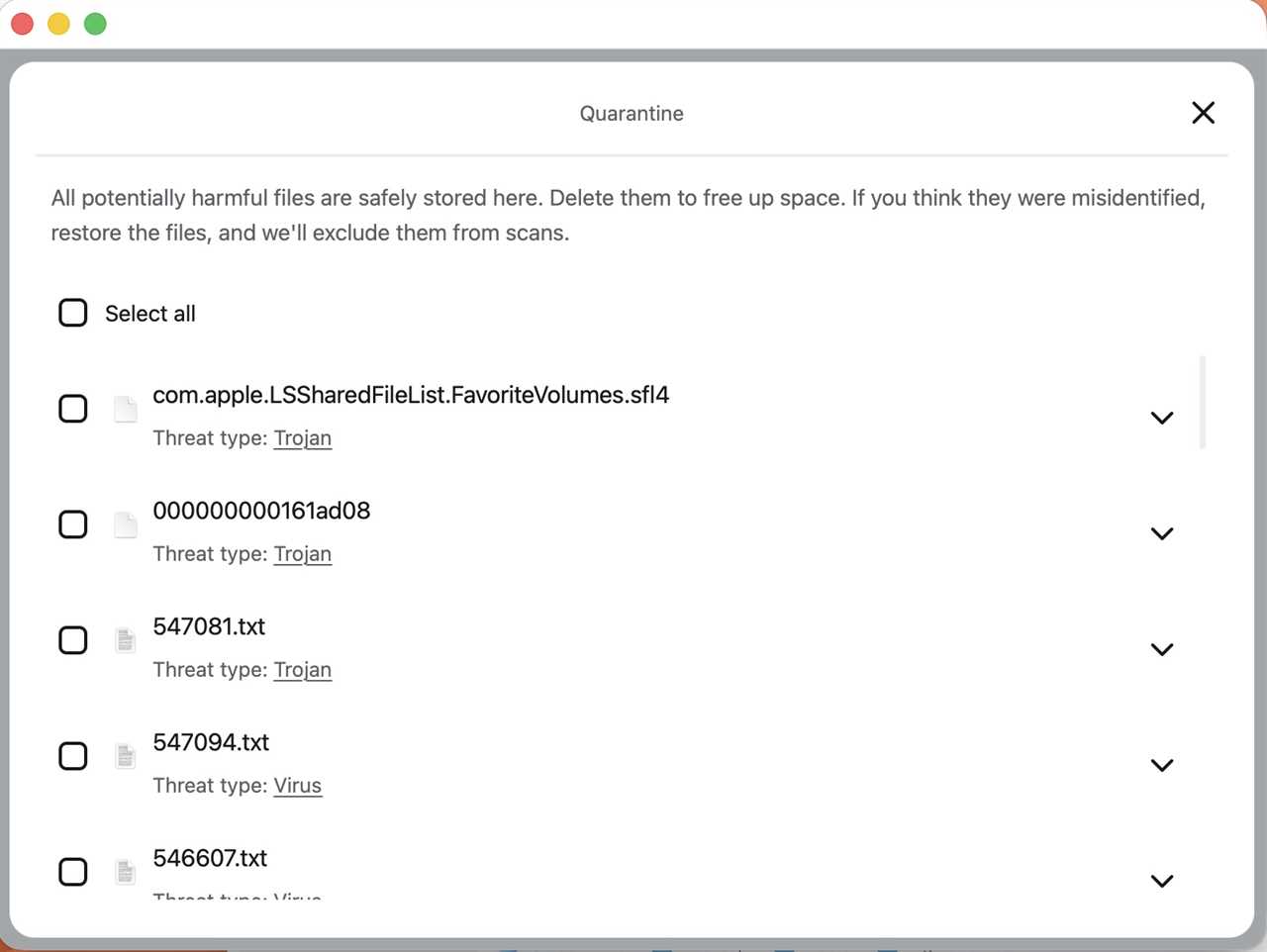
Sorting out quarantined files after an antivirus scan in Surfshark.
Foundry
See how Surfshark One compares to the Best Antivirus for Mac apps we’ve tested.
VPN and privacy tools
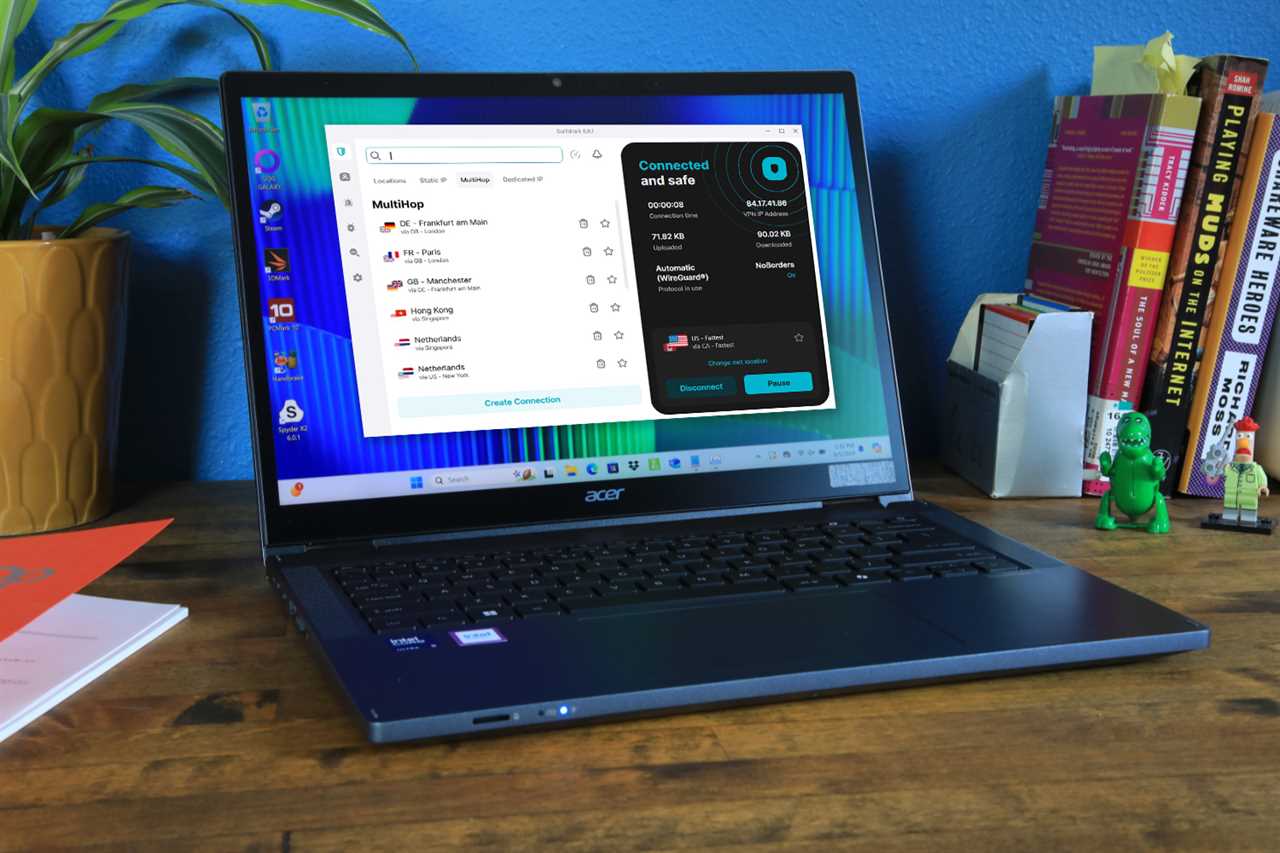
Surfshark’s VPN client offered some pleasant surprises in that it’s not only functional and easy to work with, but it also offers a nice range of features, including standard geolocations, the ability to bookmark preferred servers, Static IP, MultiHop, and Dedicated IP settings.
The client performed well, streams well, and held a solid connection, and the only odd moment surfaced when it switched over to a server in Denmark when I had previously been using a server in Canada.
While it may not be as feature-rich as a dedicated VPN client, it works well and is good for road work.
Read our review of Surfshark’s VPN offering and our Best Mac VPN guide.

Identity monitoring
Like just about every security package out there, Surfshark is more than happy to let you know when you’ve inevitably been hacked and offer services to support this.
A quick check revealed the 18 data leaks my primary email account has been involved in over the years. You can also click the menu to see exactly which data elements were leaked (i.e., your user name, password, address, etc).
The service offers credit card monitoring as well as ID monitoring, which can see if your social security number or other ID numbers have popped up across the internet.
Alert settings can be configured with monthly or quarterly leak reports, as well as to remove all your data from the Alert module.
Web and phishing protection
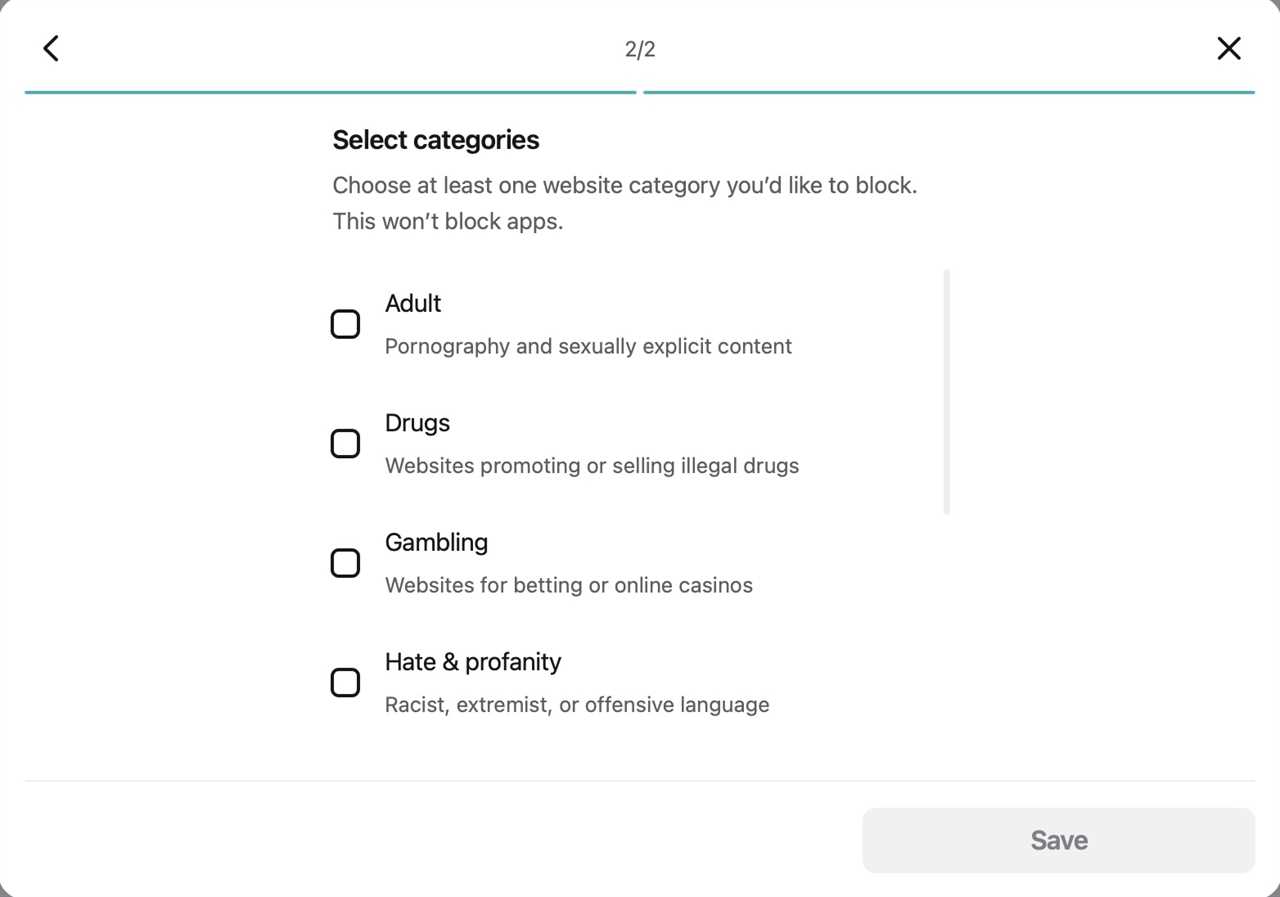
Setting up web content filtering in Surfshark One+.
Foundry
This took a bit of digging around in the settings menu to set up the network extension, and the dialog windows don’t explain it perfectly, but it’s easy to set up filters for topics such as drugs, sex, gambling, hate speech, etc.
Once the filter has been created (I created a gambling filter), the software does a good job of filtering out the more obvious websites, but there were gray areas, and websites such as Kalshi, Polymarket, and some casino/gaming websites were permitted. The definition of gambling may be up for debate on Surfshark’s end, making the filter less effective than you might want it to be.
The Search feature centers around Surfshark’s privacy-focused search engine, which proved handy and offered a good, clean interface.
The only major downside to the search engine is that it doesn’t arrive at an overall number of hits for your search term, which has always appeared at the bottom of most search engine user interfaces. This leads to clicking on the right arrow after your initial search is complete to find additional returns, and feels like an easy-but-prevalent bug that needs to be sorted out with an update.
Following up on the ever-present business trend of identity theft, Surfshark’s higher-end subscription options offer Alternative ID, which allows you to create an alternate ID with an alt email for contact, or an alternative persona for social media, etc. You can have Surfshark randomly generate the information, or you can edit the false/alt ID yourself.
An alternate phone number can also be created and maintained for an additional $2.44 per month, although this option is currently only available to customers in the United States.
Browser Extensions
Surfshark has released browser extensions for Microsoft Edge, Google Chrome, and Mozilla Firefox, which tie in to your browsers and purportedly help avoid email and phishing scams.
This is, unfortunately, where things crashed and burned in our testing.
The Microsoft Edge browser extension works sporadically, but still lets you visit questionable websites without offering a warning. The situation became worse with the Google Chrome and Mozilla Firefox browser extensions, which allowed full access to all websites from my Gmail’s spam folder, save for the gambling websites that were being blocked by the test filter I had in place.
Extra Tools & Beta features
Extra tools include webcam protection, Ransomware shield, and Email scam checker, all of which are currently in beta.
The Webcam and Ransomware shield modules work well, with the Ransomware shield feature jumping in to help the antivirus elements out in a pinch.
Unfortunately, the Email scam checker is currently at a very hit-or-miss stage of its development as of this writing, and failed to block questionable websites.
How we test
Test scenarios included VPN streaming, malware detection on local and external drives, overall performance, ease of setup and installation, with tests being performed in-house. Antivirus testing took place among more than 130 malware samples from the Objective-C library, with the antivirus elements and Ransomware shield catching almost 100% of suspect files.
We usually combine our hands-on testing with results from independent cybersecurity labs such as AV-Test and AV-Comparatives. However, at the time of writing, we could not find recent dedicated macOS test data for Surfshark One+ Antivirus from either lab, although Surfshark has received strong AV-Test scores in Windows-based protection testing.
Performance & system impact
Surfshark performed well during everyday use and ran quietly in the background without significantly slowing down the Mac. Background resource usage remained relatively light, and VPN, monitoring, and security services stayed stable during normal productivity tasks, streaming, and web browsing.
The software adds some load during startup, but not enough to noticeably impact overall system responsiveness. External drives were handled competently, with easy custom scans for USB flash drives and removable storage, though connecting a new volume could briefly trigger slowdowns while Surfshark indexed and analyzed the drive.
The main performance drawback involved occasional interface lag during scanning activity. At times, the antivirus module displayed the macOS spinning rainbow wheel while processing files, requiring a short wait before the interface became responsive again.
Value for money
Surfshark One+ offers good overall value by combining antivirus protection, a capable VPN, identity monitoring, and privacy tools at a lower introductory price than many competing security suites.
Compared with rivals such as Norton 360 and Bitdefender Total Security, Surfshark is generally more affordable upfront, especially on longer-term plans. However, those competitors currently provide stronger phishing protection, more polished browser security tools, and broader security feature sets.
Surfshark splits its subscriptions into two main tiers. Surfshark One includes the VPN, Antivirus, Alert breach monitoring, Alternative ID, and Surfshark Search. Introductory pricing typically starts around $2.49 per month on a 24-month plan, increases to roughly $3.39 per month on a 12-month plan, and rises significantly with monthly billing.
Surfshark One+ adds identity protection services and Incogni data removal tools. Introductory pricing generally starts around $4.19–$4.29 per month on a 24-month plan, with higher costs on annual and monthly subscriptions.
As with many subscription-based security suites, renewal pricing increases substantially after the initial term. Depending on the plan length and subscription tier, renewal rates can rise anywhere from roughly 30% to more than 100%, making the long-term cost worth considering before signing up.
Surfshark offers a 7-day trial, though a credit or debit card is required during registration, alongside a 30-day money-back guarantee. The software supports macOS 11 (Big Sur) or later and runs on both Intel and Apple Silicon Macs.
Full pricing details are available at Surfshark’s website here.
Should You Buy Surfshark One+ Antivirus?
Surfshark One+ Antivirus combines strong malware protection, excellent VPN integration, identity monitoring, and privacy tools into an affordable all-in-one security suite for home users and small offices. In testing, its antivirus engine caught nearly all malware samples while integrating smoothly with macOS security features like Gatekeeper and XProtect, all without causing significant day-to-day slowdown. The VPN and customization options are also standout strengths.
However, unreliable browser extensions remain the biggest weakness and the main reason Surfshark One+ misses out on an Editor’s Choice recommendation, as phishing and scam site protection proved inconsistent compared to competitors with more dependable browser security tools.
Read More
Title: Surfshark One+ Antivirus Review: Strong Mac protection held back by weak browser security
Sourced From: www.macworld.com/article/2640694/surfshark-one-review-2.html
Published Date: Wed, 20 May 2026 12:41:57 +0000